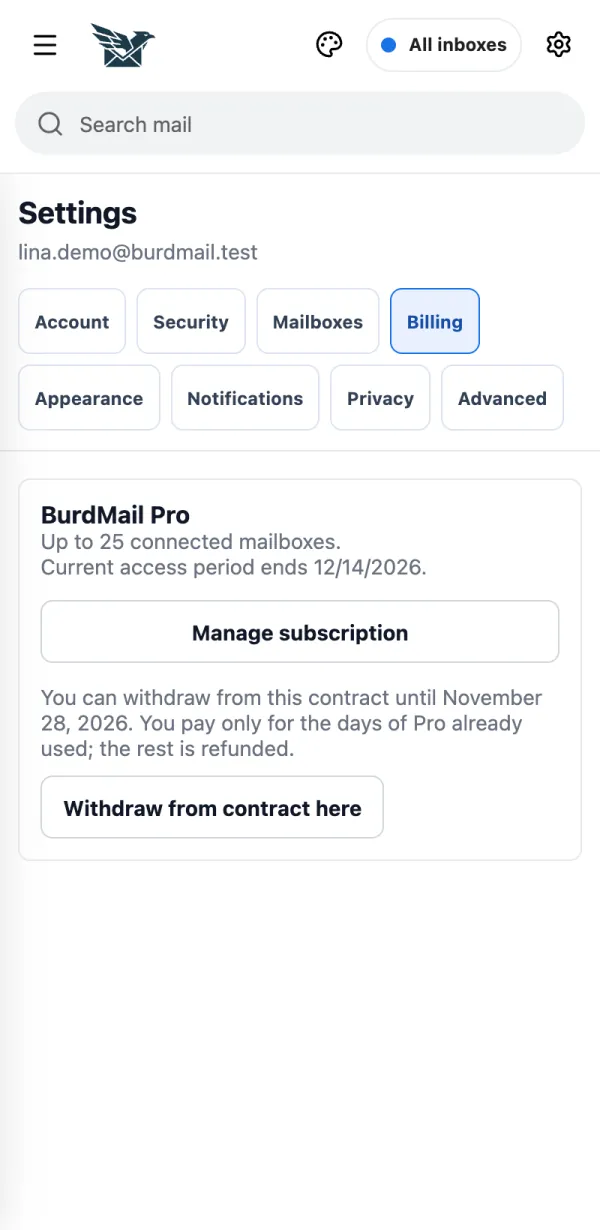
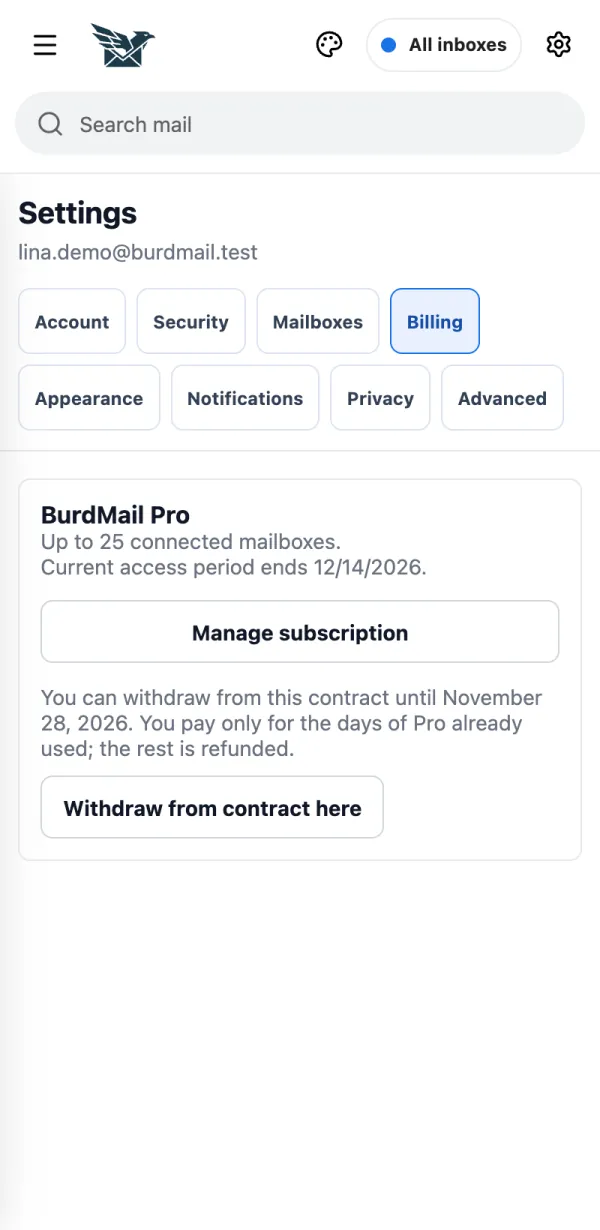
How do I…? Tap a question. The answer opens step by step, with pictures. The red frame shows where to tap.
48 questions · 7 topics
How do I create a BurdMail account? It's free and takes about a minute. You need a username, your email address and a password. It's free and takes about a minute. You need a username, your email address and a password.
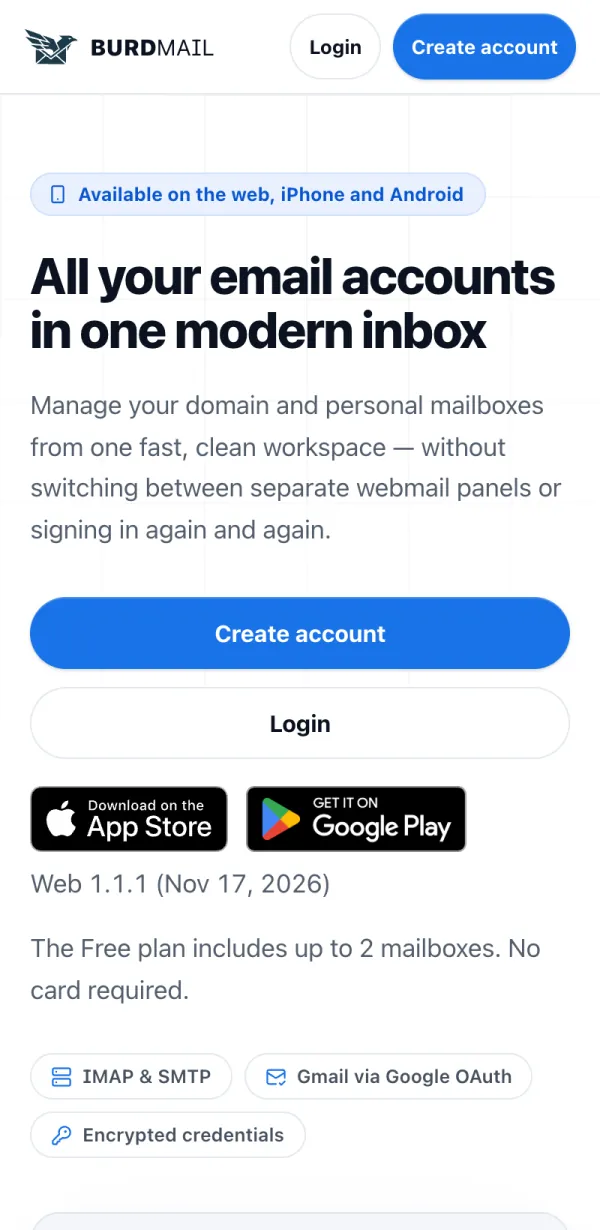
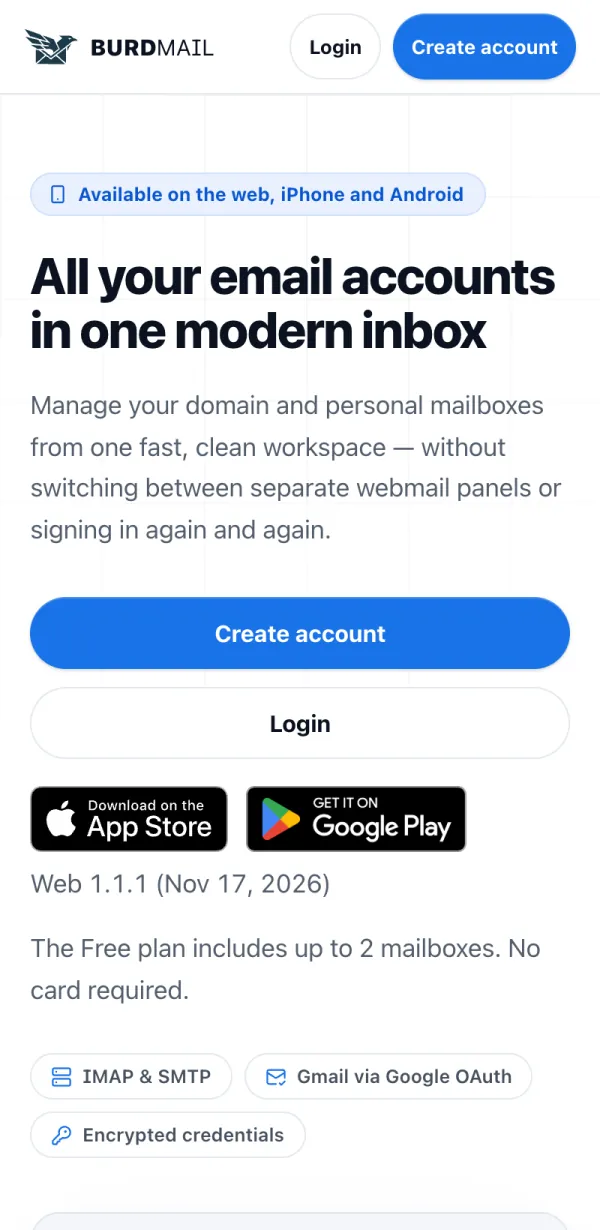
Open burdmail.com and tap Create account .
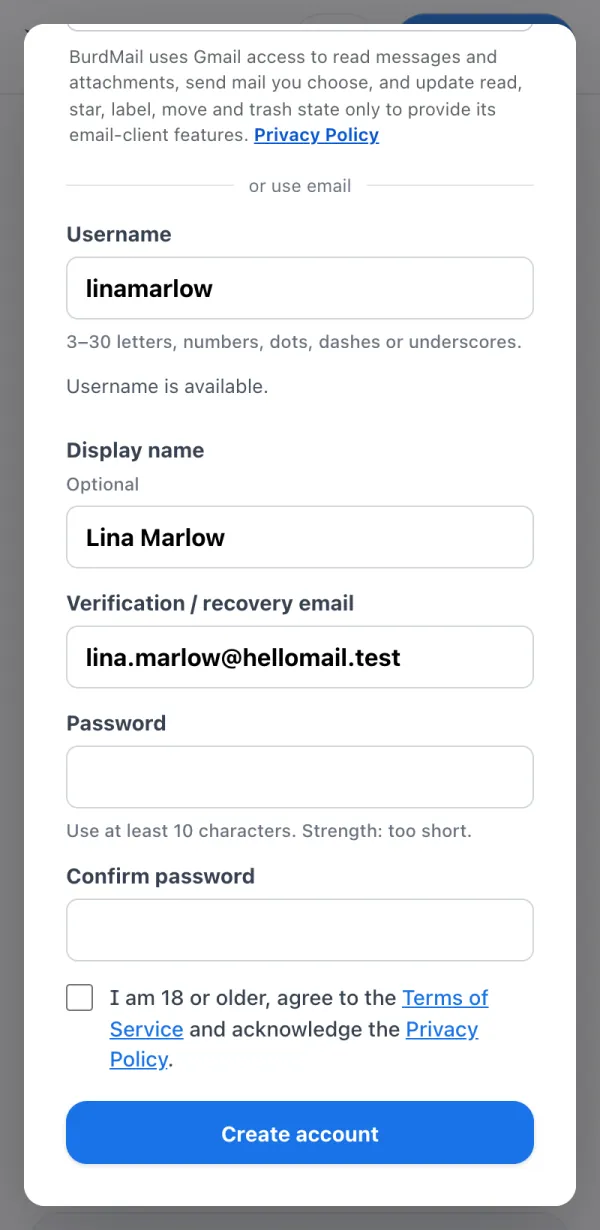
Choose a Username , add a Display name if you like, and enter your own email address under Verification / recovery email .
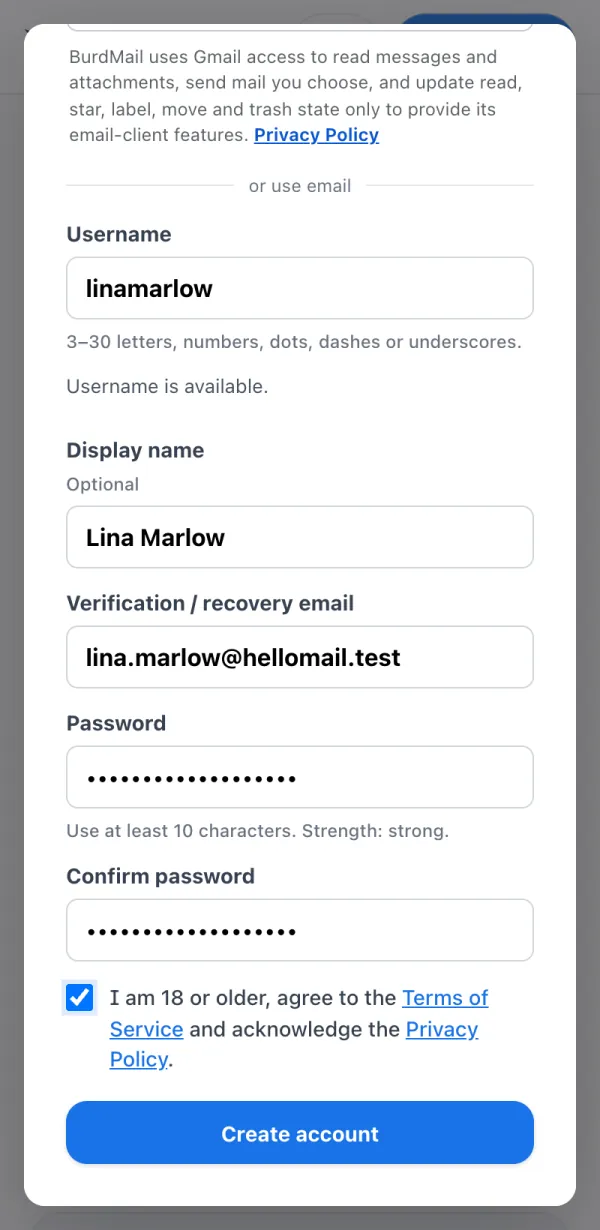
Pick a Password with at least 10 characters and type it again. Tick the box to confirm you are 18 or older and accept the terms, then tap Create account .
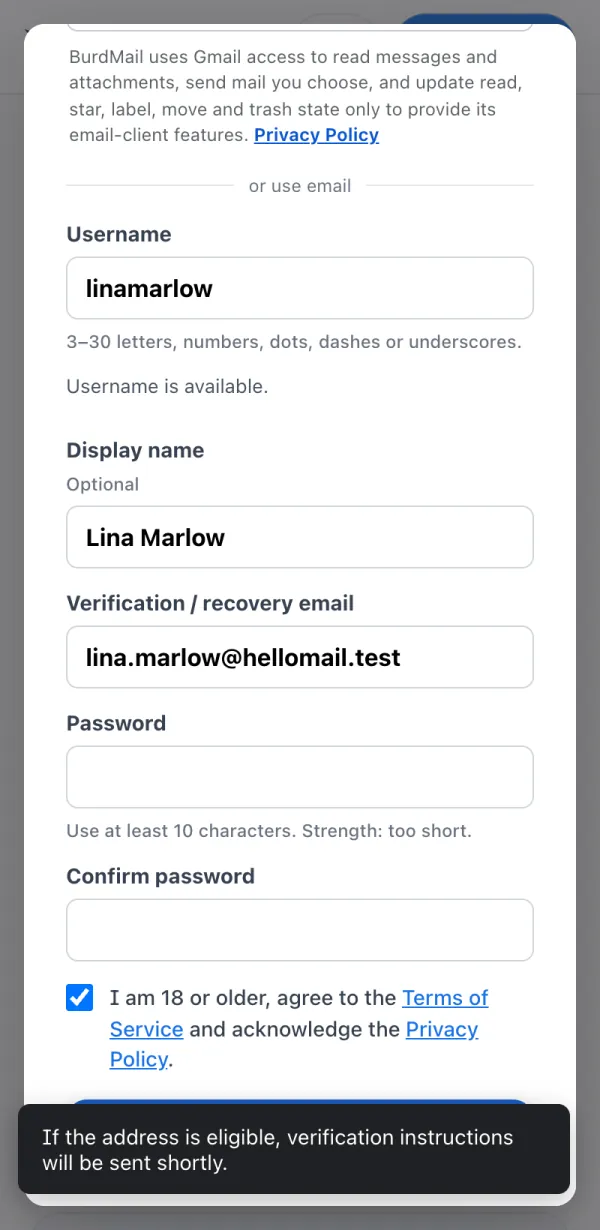
BurdMail sends you a verification email. Open your inbox.
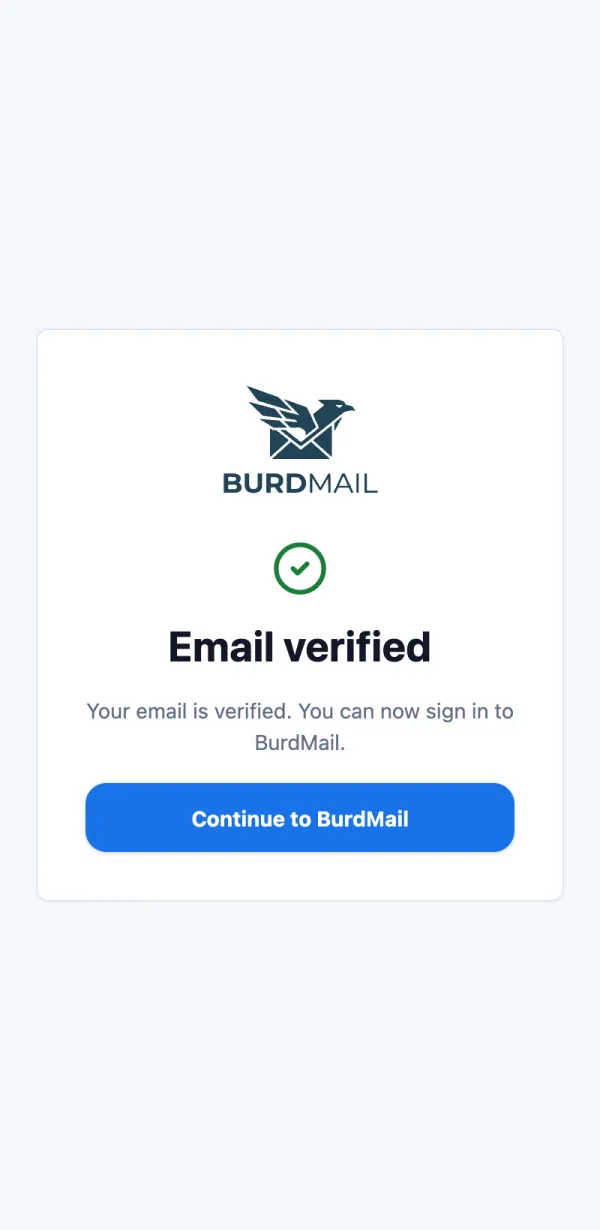
Tap Verify email address in that email (it works for 60 minutes). When you see Email verified , you can sign in.
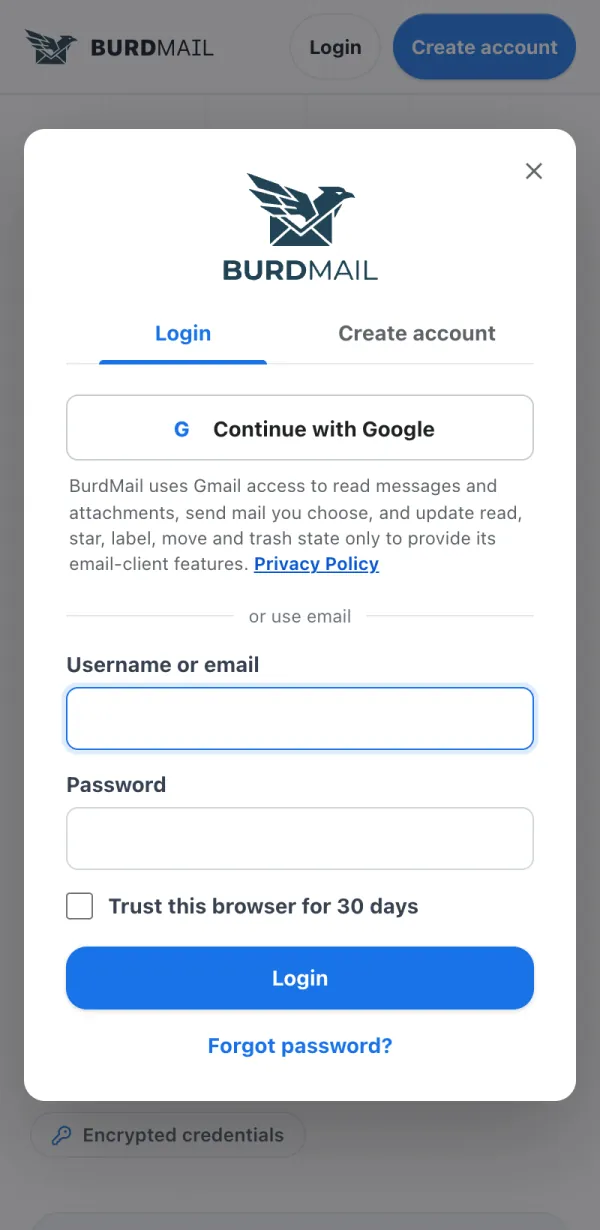
How do I sign in? Use your username or email and your BurdMail password. Use your username or email and your BurdMail password.
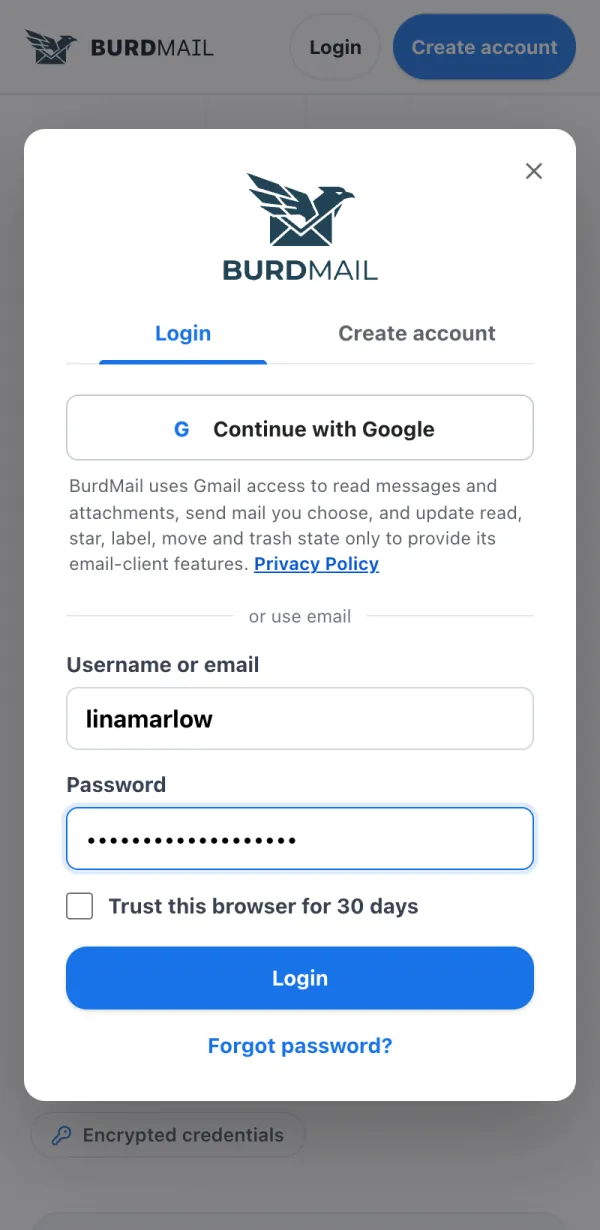
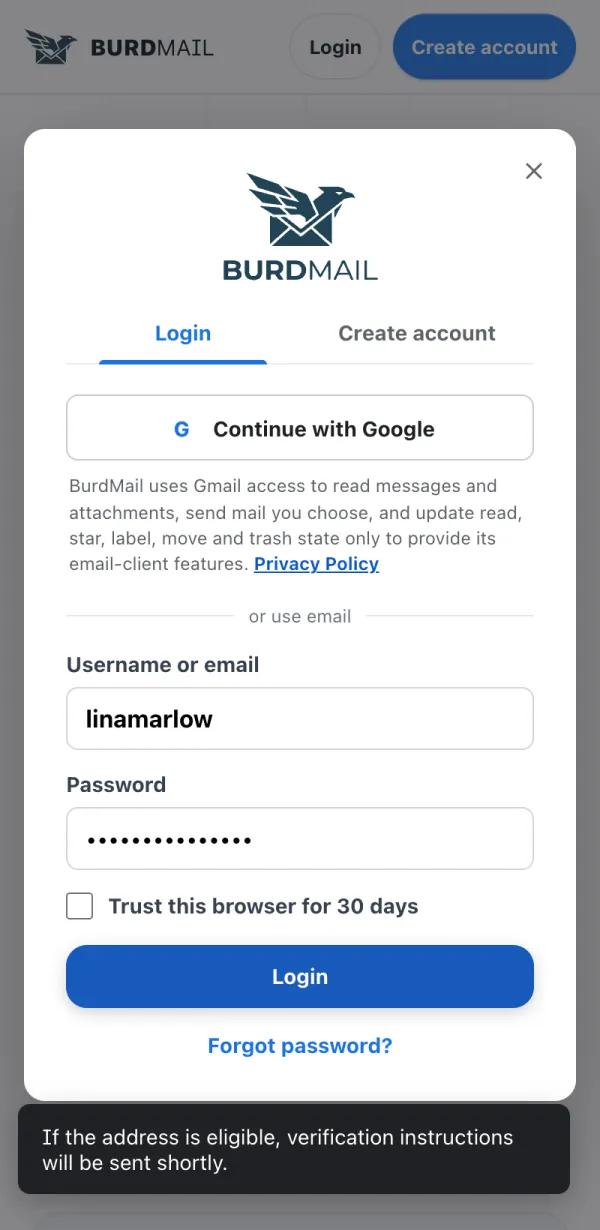
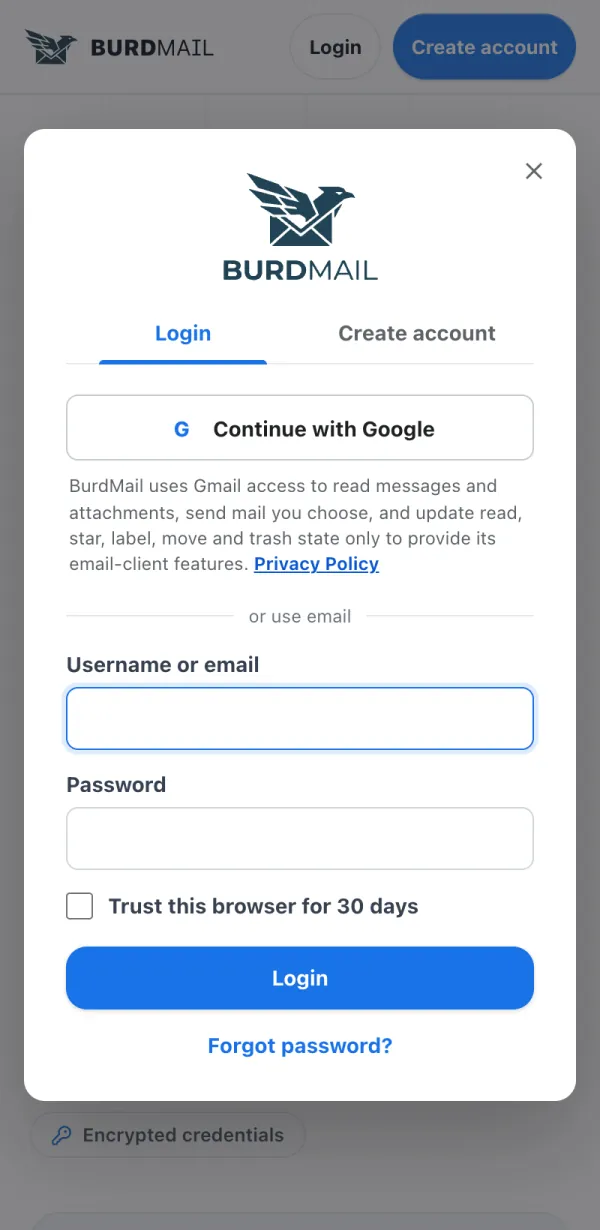
Tap Login .
Enter your Username or email and Password , then tap Login . On your own computer you can tick Trust this browser for 30 days to skip the verification code there.
If it doesn't work Forgot it? See I forgot my password . Your BurdMail password is not your Gmail or iCloud password. Each mailbox keeps its own password. I didn't get the verification email You can send a new one from the sign-in screen. You can send a new one from the sign-in screen.
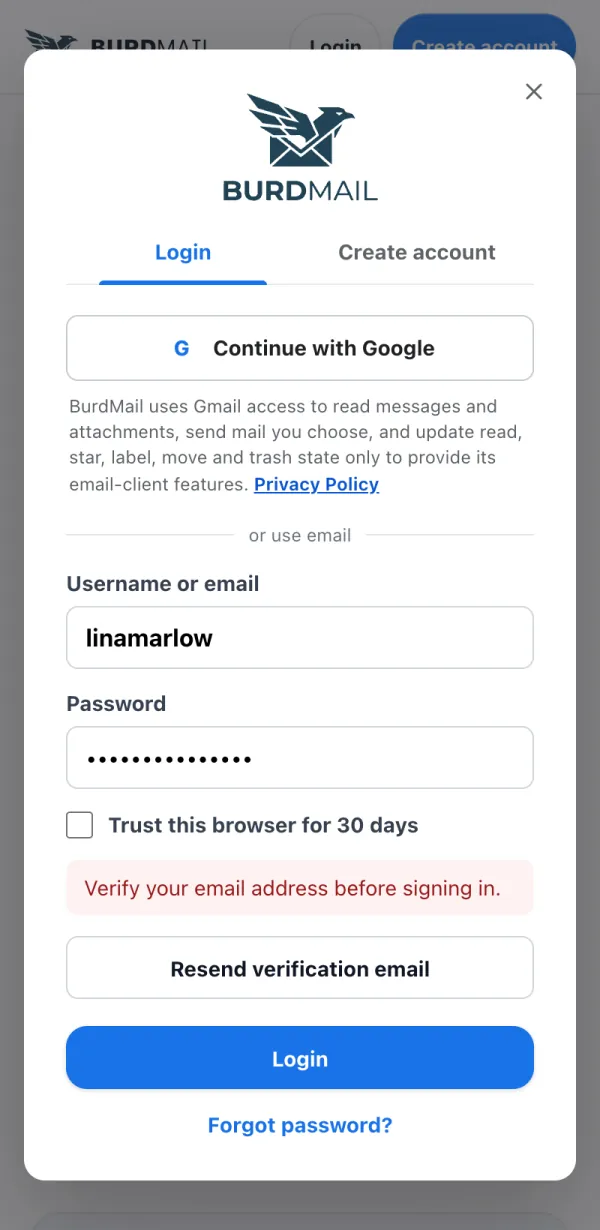
Try to sign in. If BurdMail says Verify your email address before signing in , tap Resend verification email .
A new link is on its way. Check your inbox and spam folder. The link works for 60 minutes.
If it doesn't work Still nothing after a few minutes? Write to support@burdmail.com. I forgot my password Reset it by email. Your mailbox passwords (Gmail, iCloud and others) don't change. Reset it by email. Your mailbox passwords (Gmail, iCloud and others) don't change.
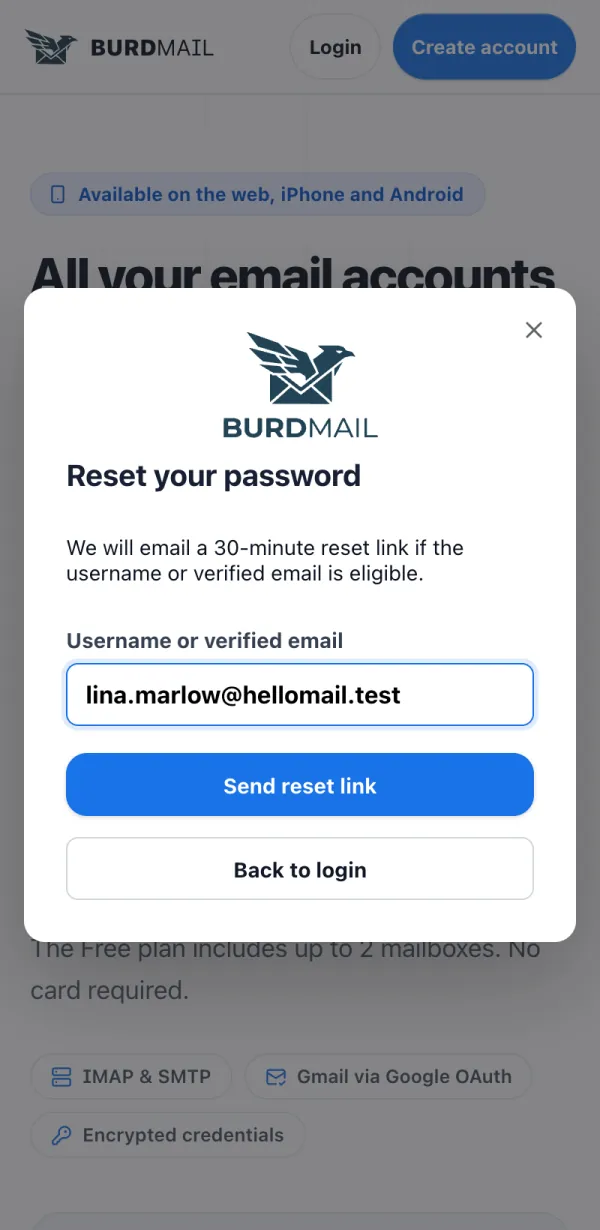
On the Login screen tap Forgot password?
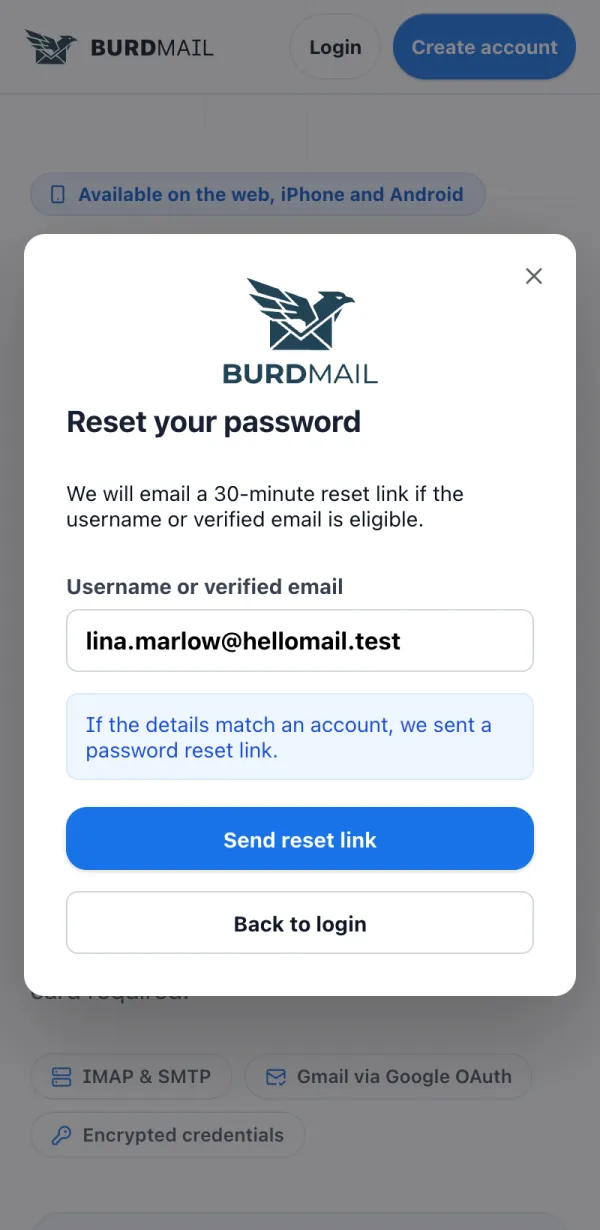
Enter your username or verified email and tap Send reset link .
Check your email. The link works for 30 minutes.
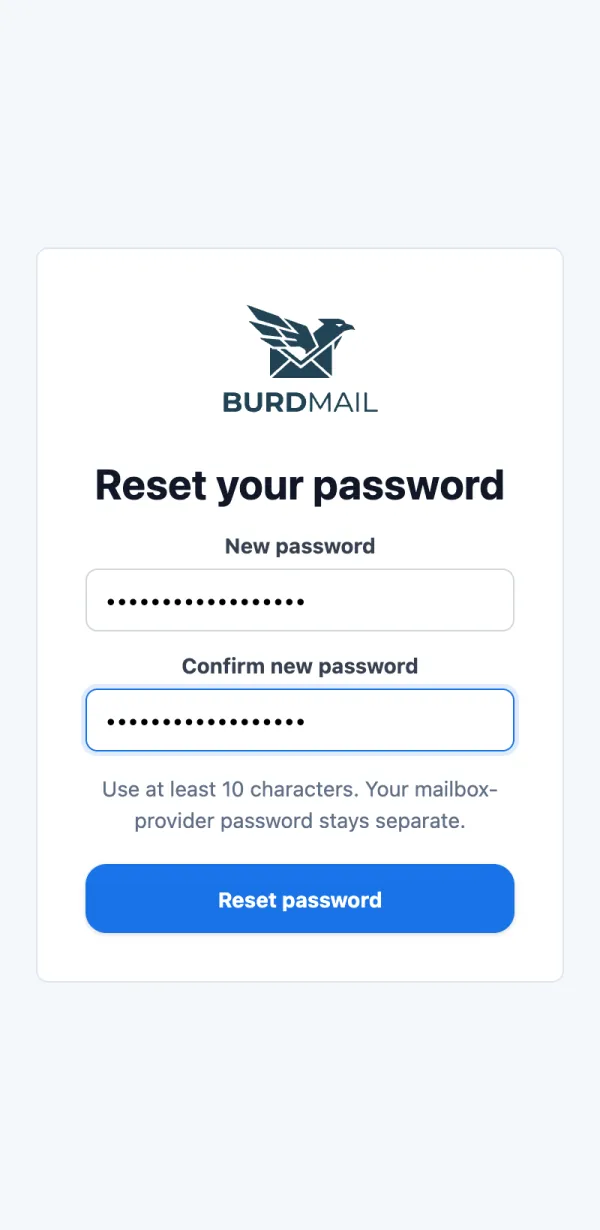
Open the link, type a New password twice and tap Reset password .
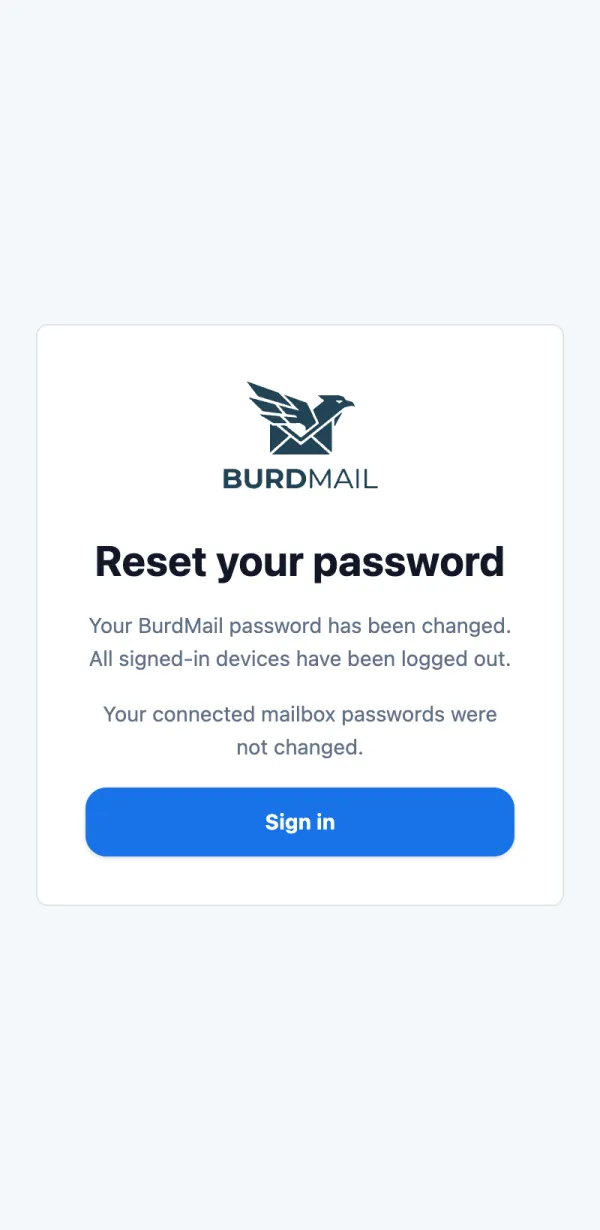
Done. For your safety you are signed out on every device. Sign in again with the new password.
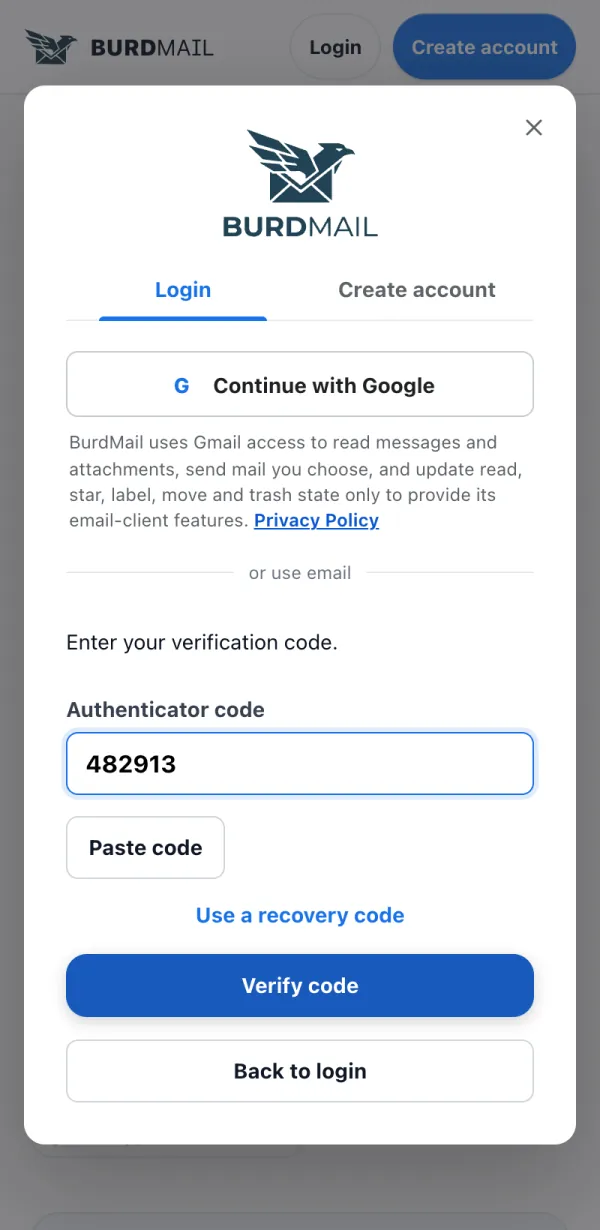
If it doesn't work BurdMail may refuse a password that appeared in known data leaks. Choose a different one. BurdMail asks for a code when I sign in You turned on two-factor authentication (2FA). After your password, BurdMail asks for a 6-digit code from your authenticator app. You turned on two-factor authentication (2FA). After your password, BurdMail asks for a 6-digit code from your authenticator app.
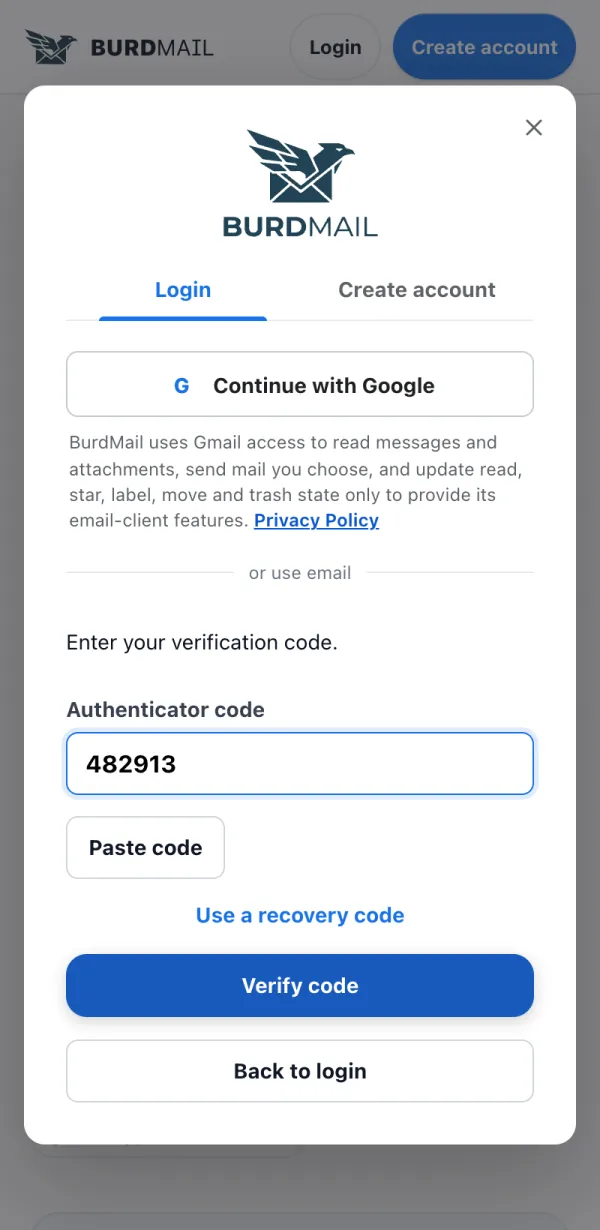
Open your authenticator app, type the 6-digit Authenticator code and tap Verify code .
No phone with you? Tap Use a recovery code and enter one of the codes you saved.
If it doesn't work The code changes every 30 seconds. If it fails, wait for the next one. Lost both the app and your recovery codes? Write to support@burdmail.com. Can I sign in with Google? Yes. Continue with Google signs you in and adds that Gmail mailbox to BurdMail in one go. Yes. Continue with Google signs you in and adds that Gmail mailbox to BurdMail in one go.
Tap Continue with Google and choose your Google account.
The first time, BurdMail asks you to choose a username and a separate BurdMail password. Never reuse your Google password.
If your Gmail inbox does not appear after sign-in, add it once more: see How do I add my Gmail?
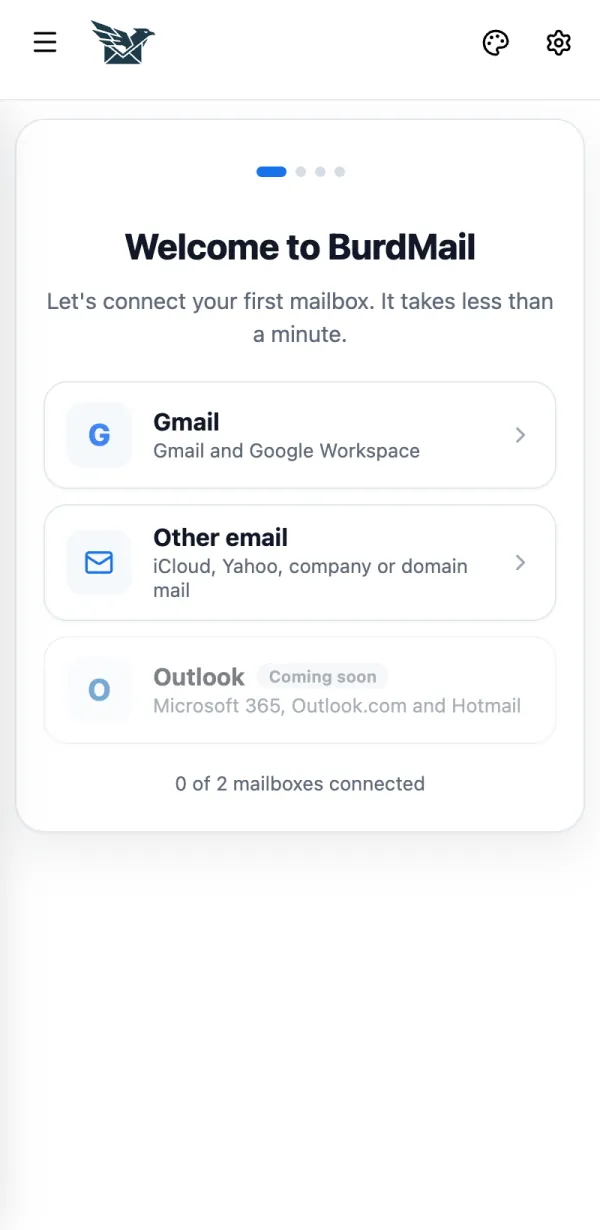
If it doesn't work Your Google address already has a BurdMail account? BurdMail asks for that account's password to link them. Accounts are never merged by email alone. How do I add an iCloud, Yahoo, company or domain mailbox? Choose Other email. BurdMail finds the server settings for you. Choose Other email . BurdMail finds the server settings for you.
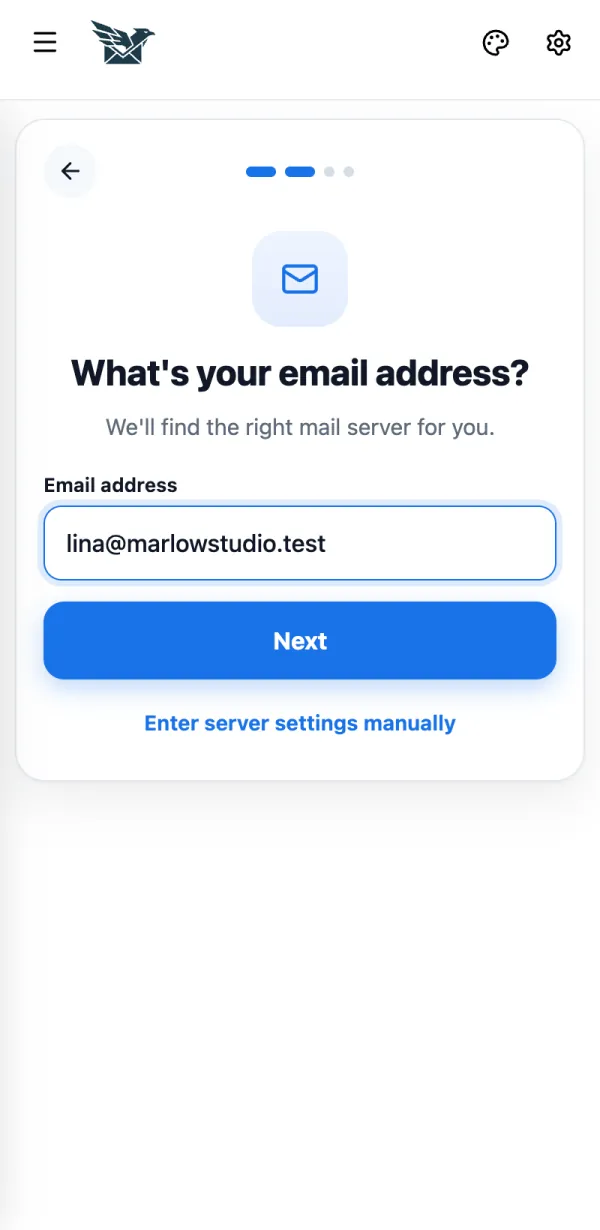
Tap Other email .
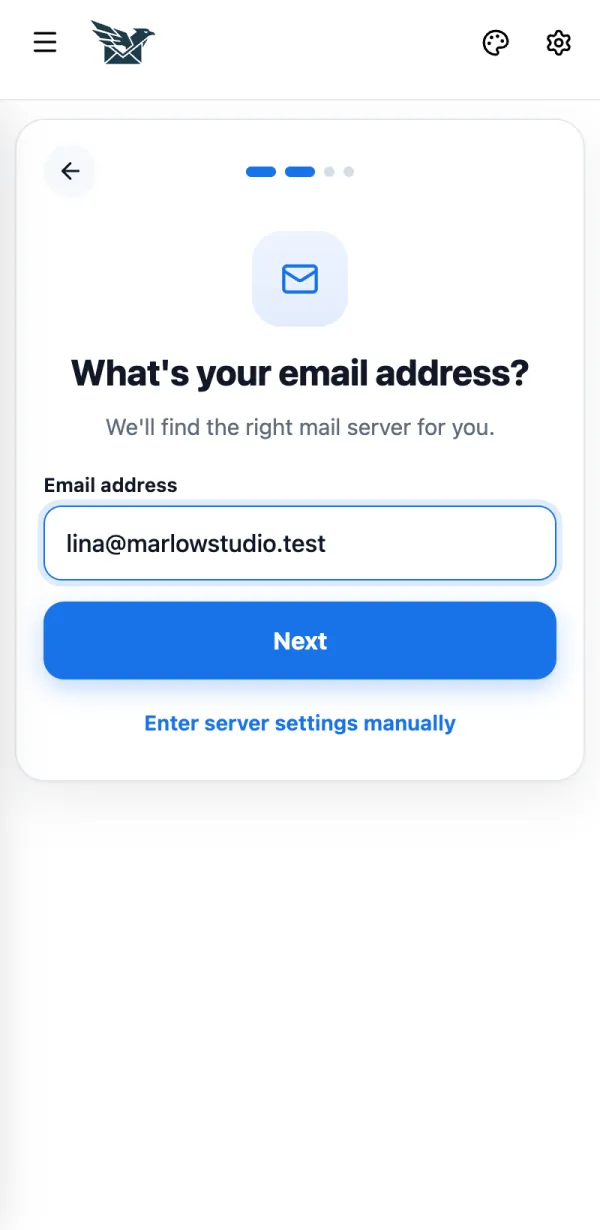
Type your email address and tap Next .
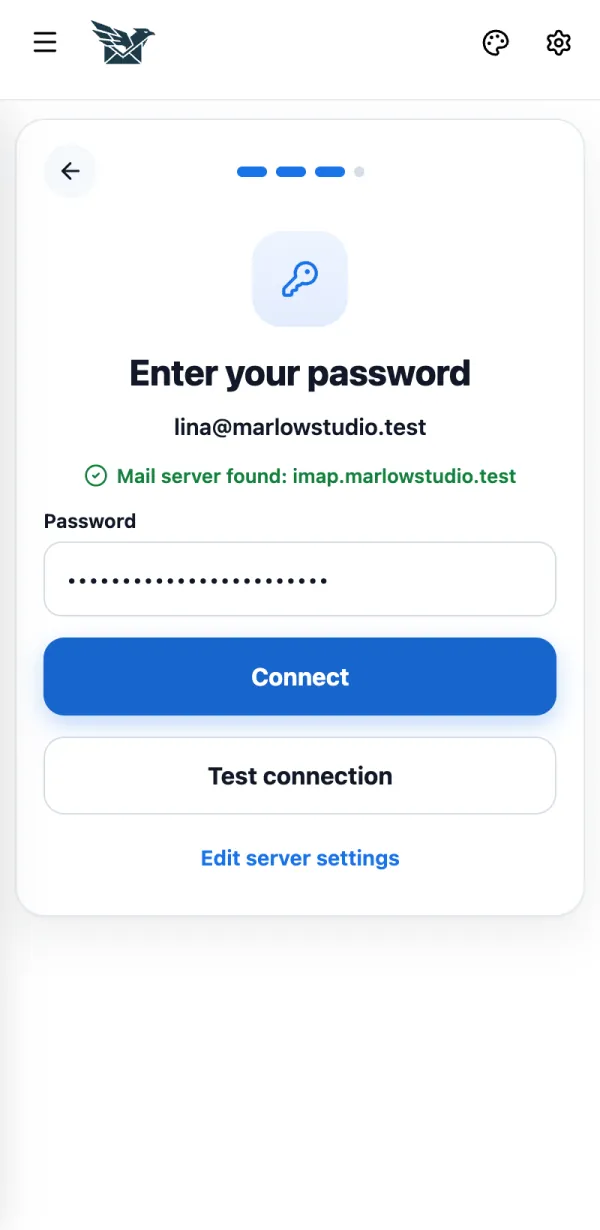
When you see Mail server found , enter your email password and tap Connect .
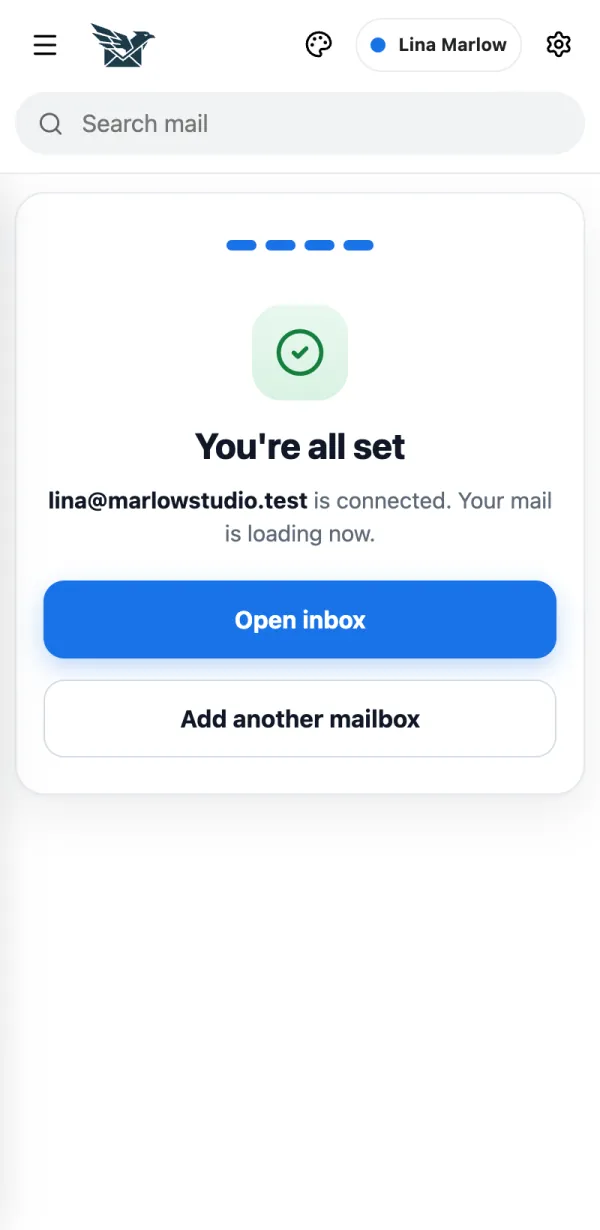
You're all set. Tap Open inbox . Your mail starts loading.
How do I add my Gmail? Choose Gmail and allow access on Google's page. Google Workspace addresses work the same way. Choose Gmail and allow access on Google's page. Google Workspace addresses work the same way.
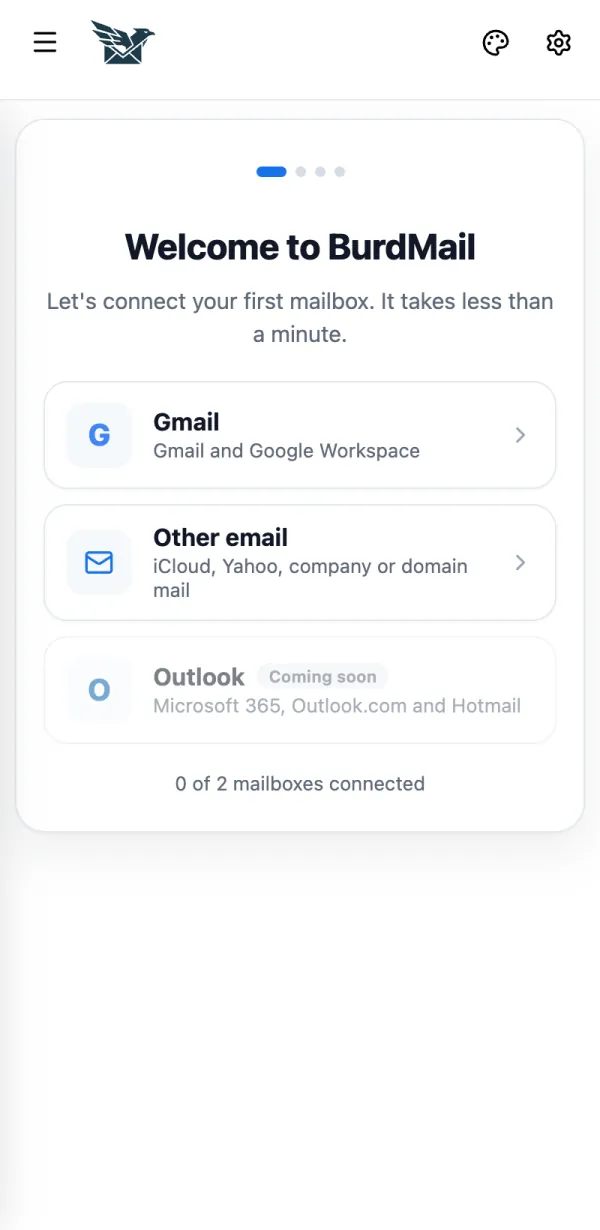
Tap Gmail .
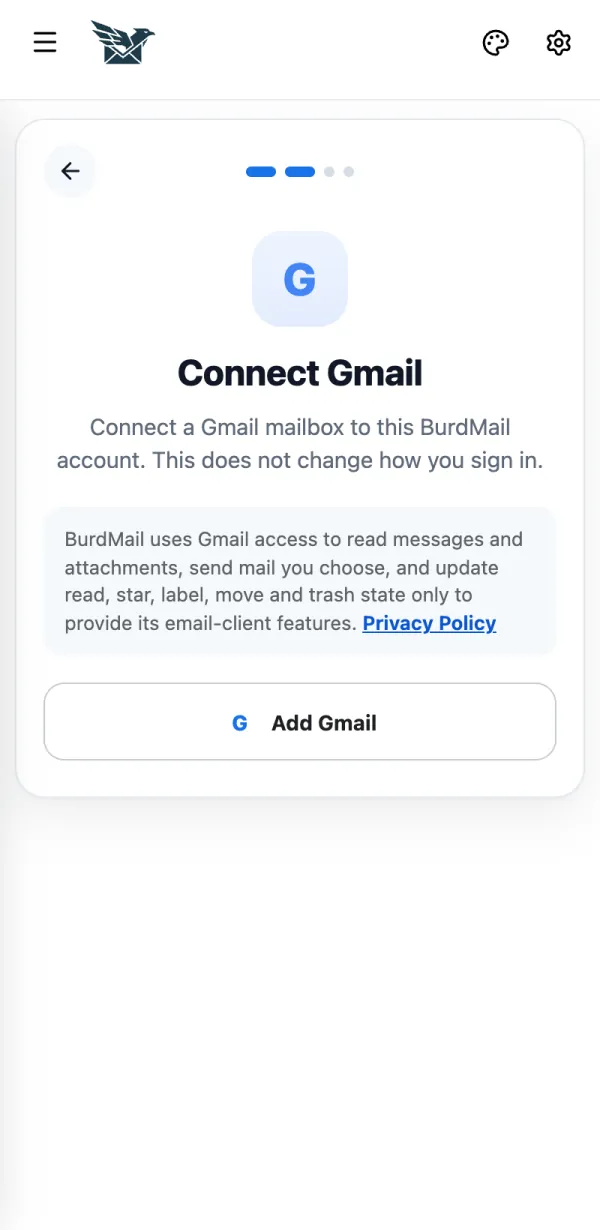
Read the note and tap Add Gmail .
On Google's page choose your Gmail account and allow access. You come back to BurdMail and your mail starts loading.
If it doesn't work Typed a Gmail address under Other email? BurdMail offers Use Gmail instead . How BurdMail uses Gmail data: Privacy Policy . How do I add another mailbox later? From the mailbox menu at the top of the screen. From the mailbox menu at the top of the screen.
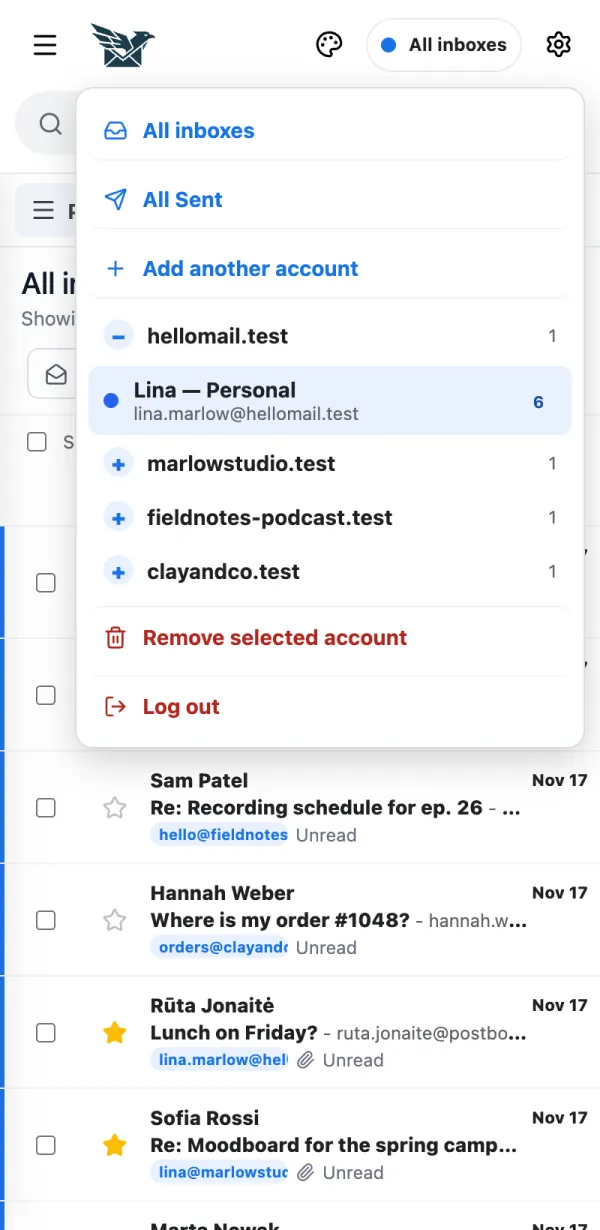
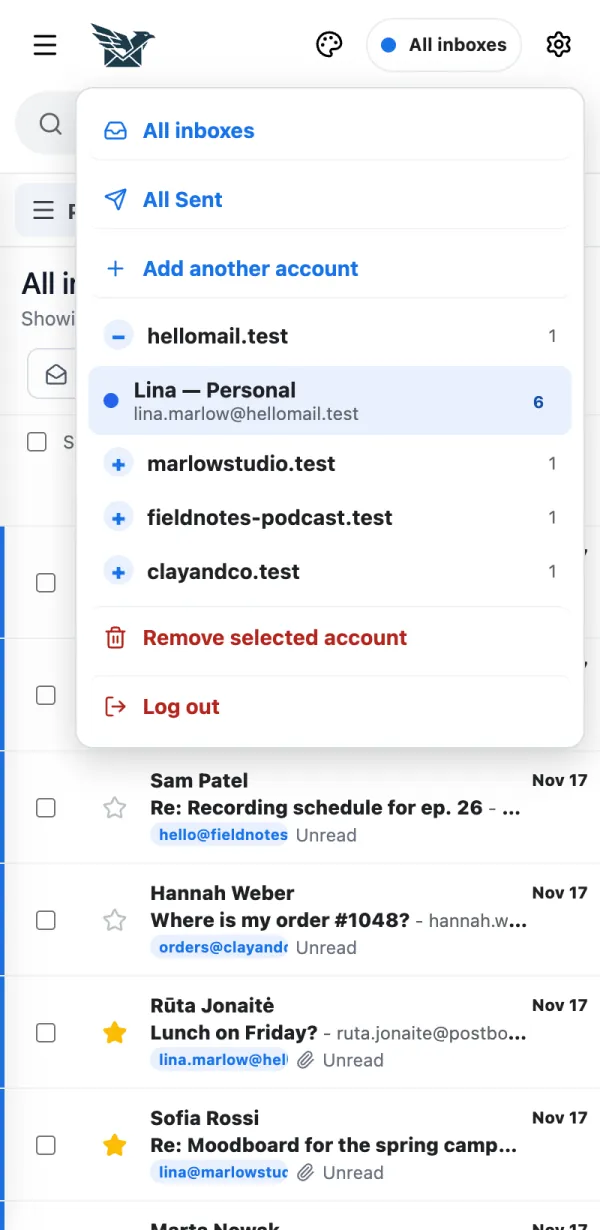
Tap the mailbox menu at the top.
Tap Add another account and follow the same steps as the first time.
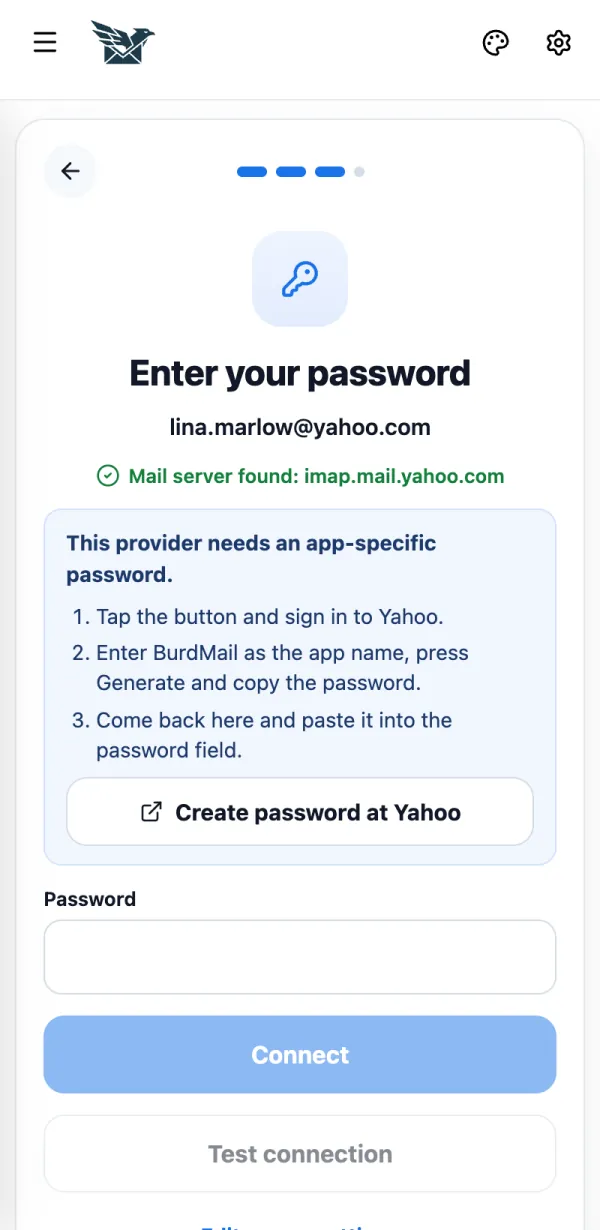
If it doesn't work Free includes 2 mailboxes. Pro includes up to 25. My provider asks for an app password Some providers don't accept your normal password in mail apps. You create a special password once and paste it into BurdMail. Some providers don't accept your normal password in mail apps. You create a special password once and paste it into BurdMail.
Tap the button BurdMail shows, for example Create password at Yahoo . Sign in, enter BurdMail as the app name, copy the password and paste it into the Password field.
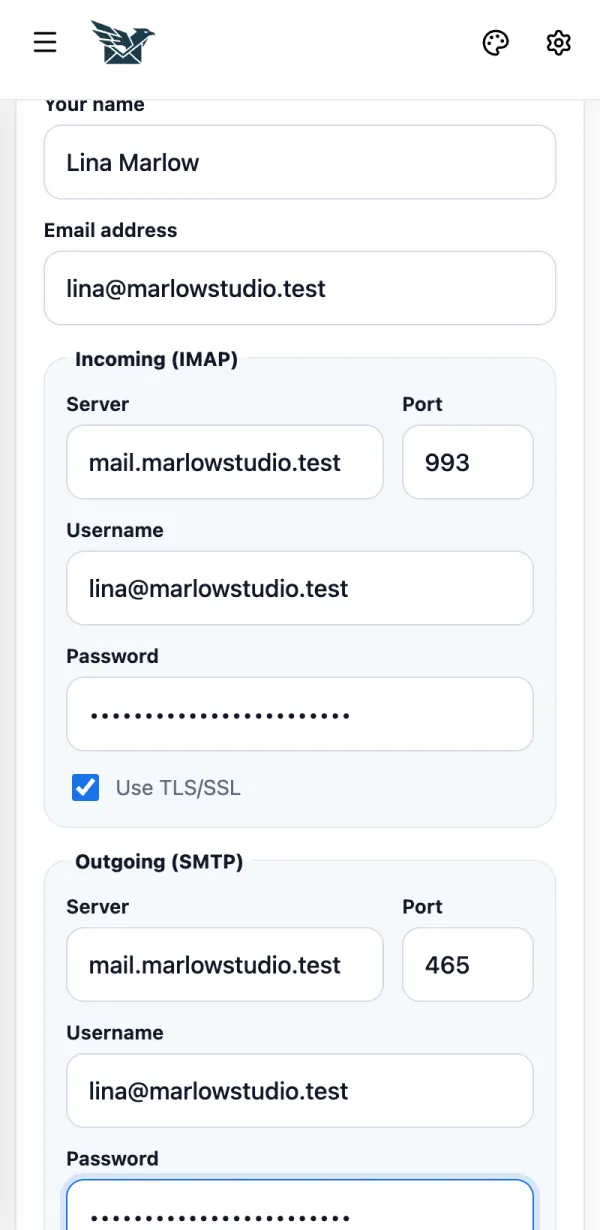
If it doesn't work iCloud, Yahoo and AOL always need an app password. GMX and WEB.DE: turn on IMAP access in their settings first. Zoho, Fastmail, Yandex, Mail.ru and others: BurdMail shows the right tip for your provider on this screen. How do I enter server settings myself? Use this if BurdMail can't find your mail server. Your email provider or hosting company lists these settings. Use this if BurdMail can't find your mail server. Your email provider or hosting company lists these settings.
Tap Enter server settings manually .
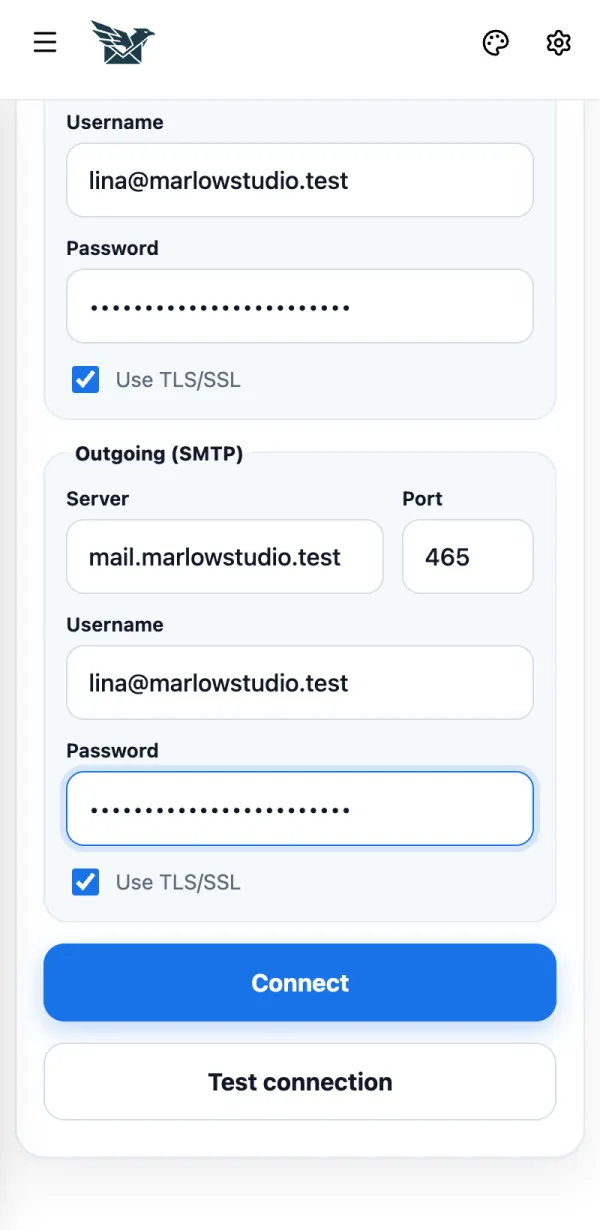
Fill in Incoming (IMAP) : server, port (usually 993), username and password. Keep Use TLS/SSL on.
Fill in Outgoing (SMTP) (port usually 465) and tap Connect .
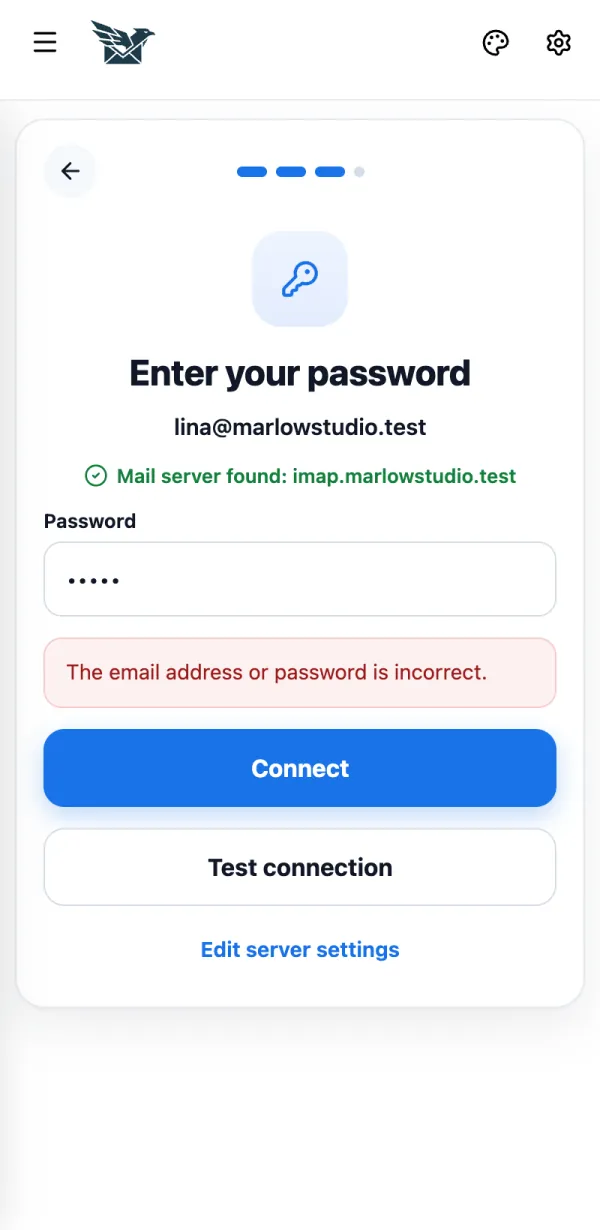
If it doesn't work Not sure? Tap Test connection first. It checks the settings without adding the mailbox. BurdMail says my password is wrong The mail provider refused the password. This is the most common setup problem. The mail provider refused the password. This is the most common setup problem.
Check the password. If your provider uses app passwords, create one and paste it here.
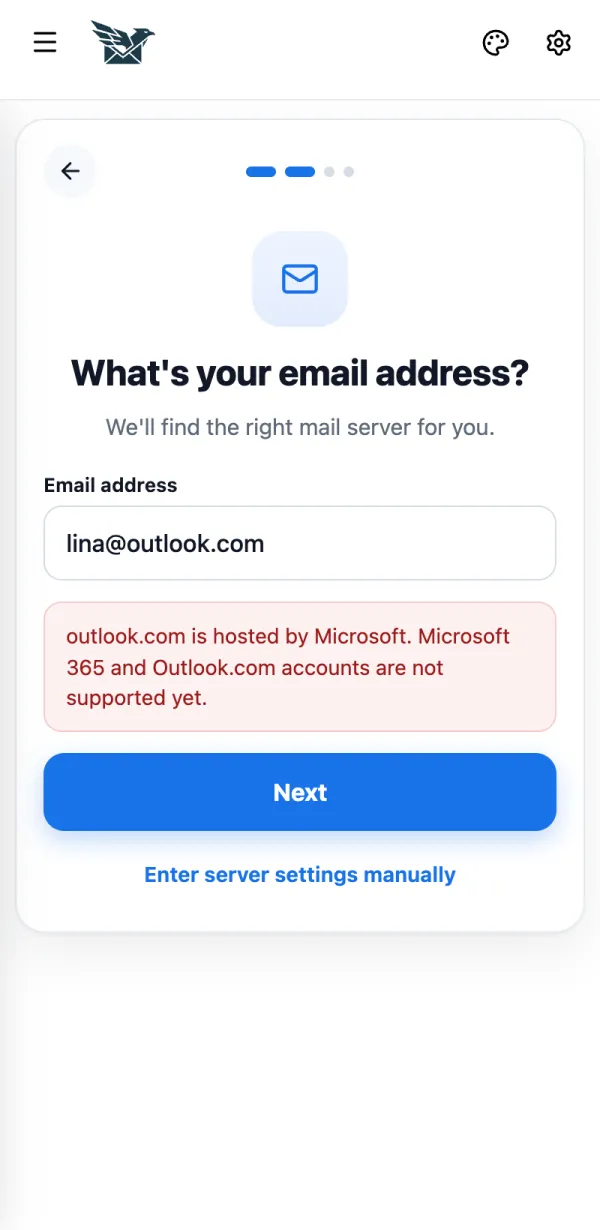
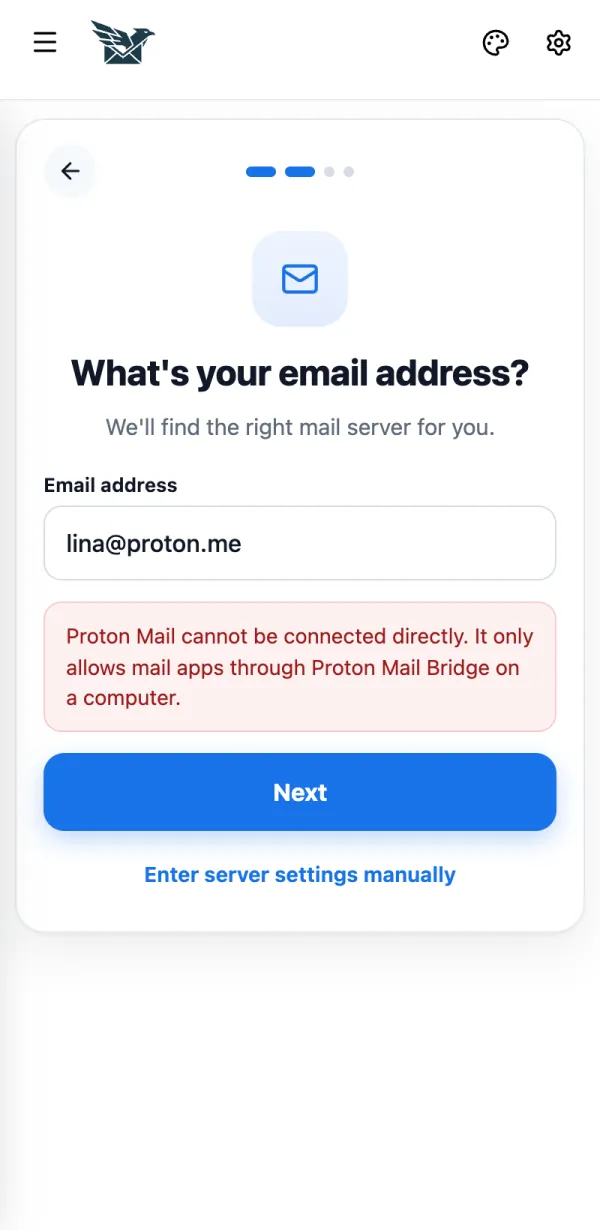
If it doesn't work The outgoing (SMTP) server rejected the email or password : the outgoing password can be different. Tap Edit server settings .Could not reach the incoming (IMAP) mail server (or the outgoing SMTP server): BurdMail opens the server settings. Check the server name and port.This mail provider is busy : wait a minute and try again.Which mailboxes can't I add yet? Outlook, Hotmail and Microsoft 365 are not supported yet. Proton Mail and Tuta don't allow other email apps. Outlook, Hotmail and Microsoft 365 are not supported yet. Proton Mail and Tuta don't allow other email apps.
For Outlook and Microsoft addresses BurdMail shows this message.
Proton Mail works only through Proton Mail Bridge on a computer. Tuta has no IMAP access.
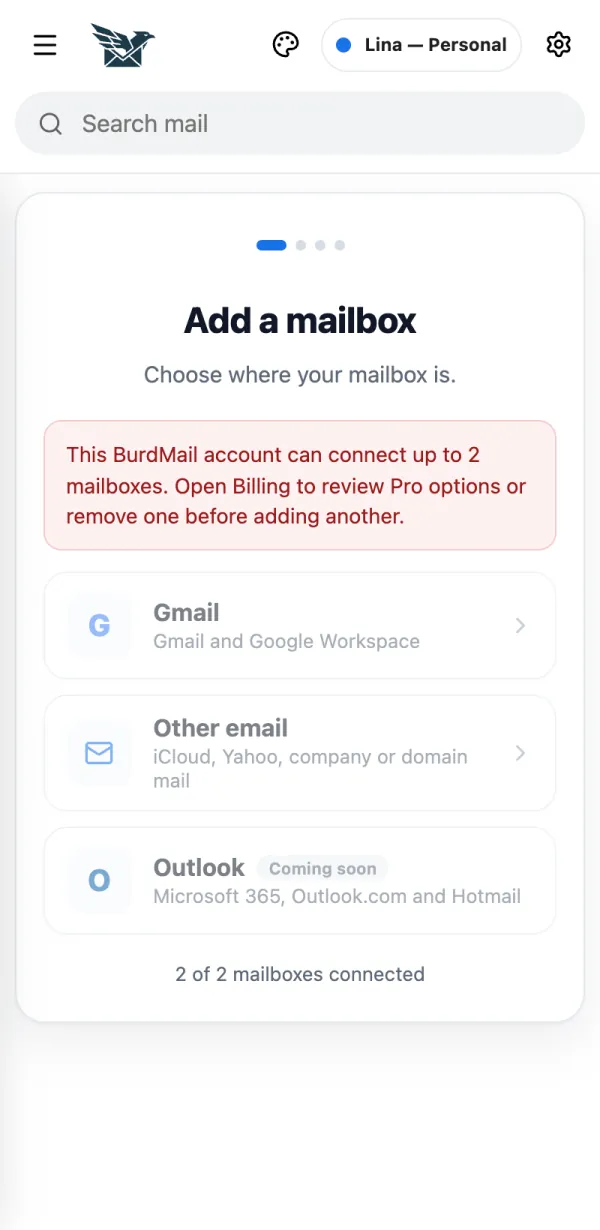
How many mailboxes can I add? Free: up to 2 mailboxes. Pro: up to 25. Free: up to 2 mailboxes. Pro: up to 25.
When you reach the limit, BurdMail tells you. Open Billing to see Pro, or remove a mailbox first.
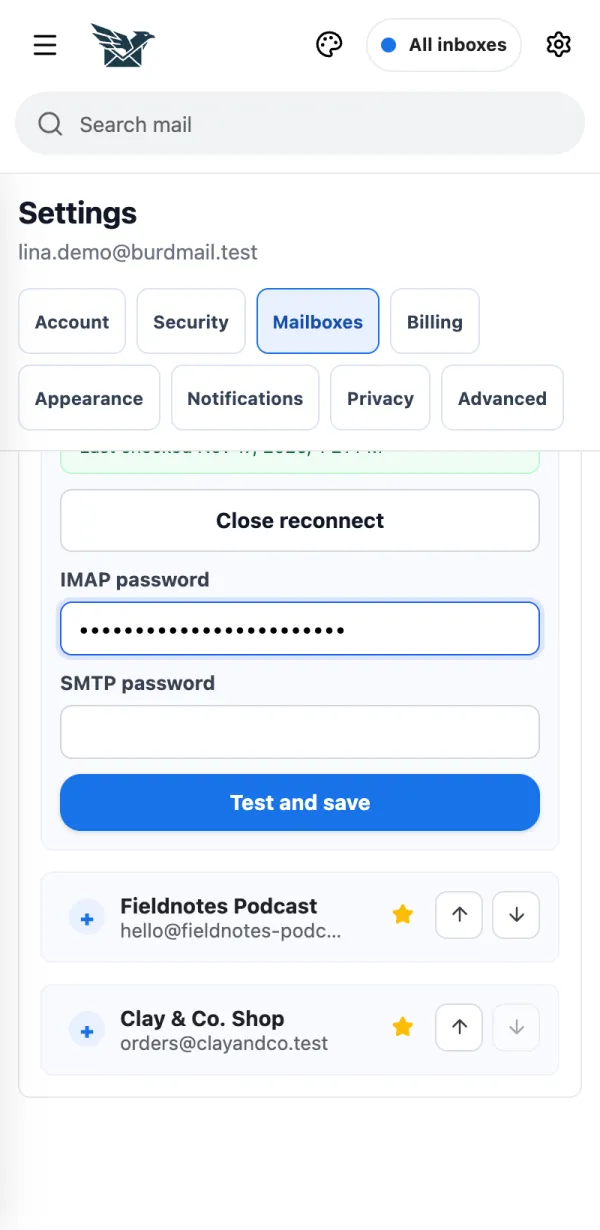
If it doesn't work If Pro ends, your first mailboxes up to the Free limit keep working; the others are paused and their mail is kept. A mailbox stopped working, or I changed its password Enter the new password in Settings. Enter the new password in Settings.
Tap Settings (the gear).
Open Mailboxes .
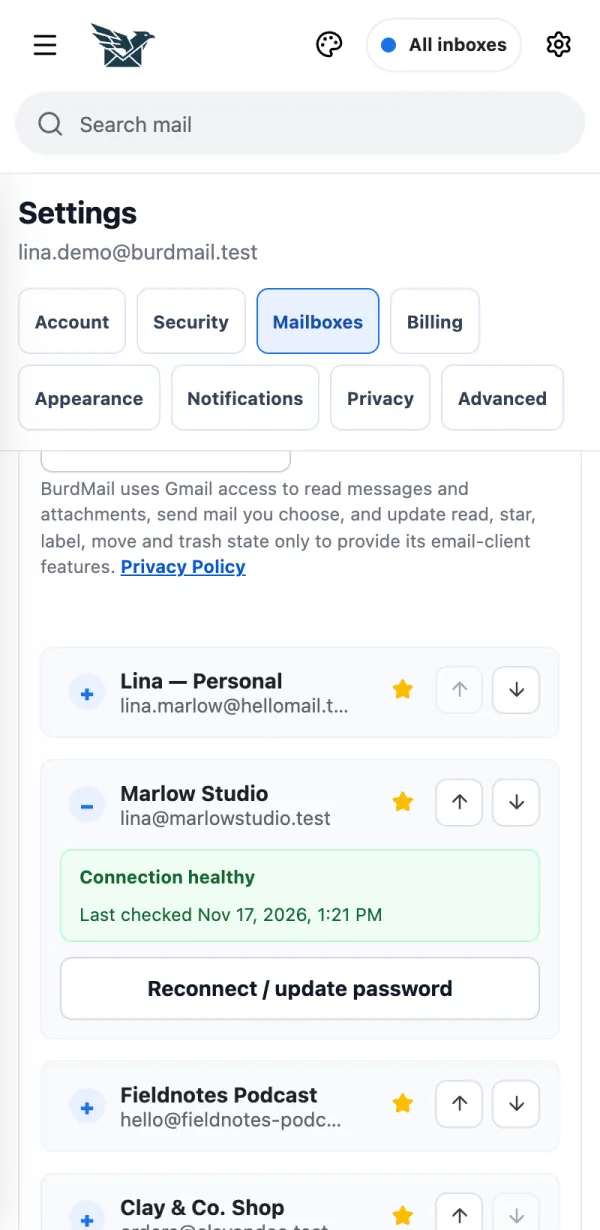
Open the mailbox and tap Reconnect / update password .
Enter the new password under IMAP password and SMTP password and tap Test and save .
If it doesn't work A mailbox that needs attention shows Connection needs attention here. Gmail mailbox? Tap Reconnect Google instead. How do I remove a mailbox? Your mail stays with your provider. BurdMail only stops showing it. Your mail stays with your provider. BurdMail only stops showing it.
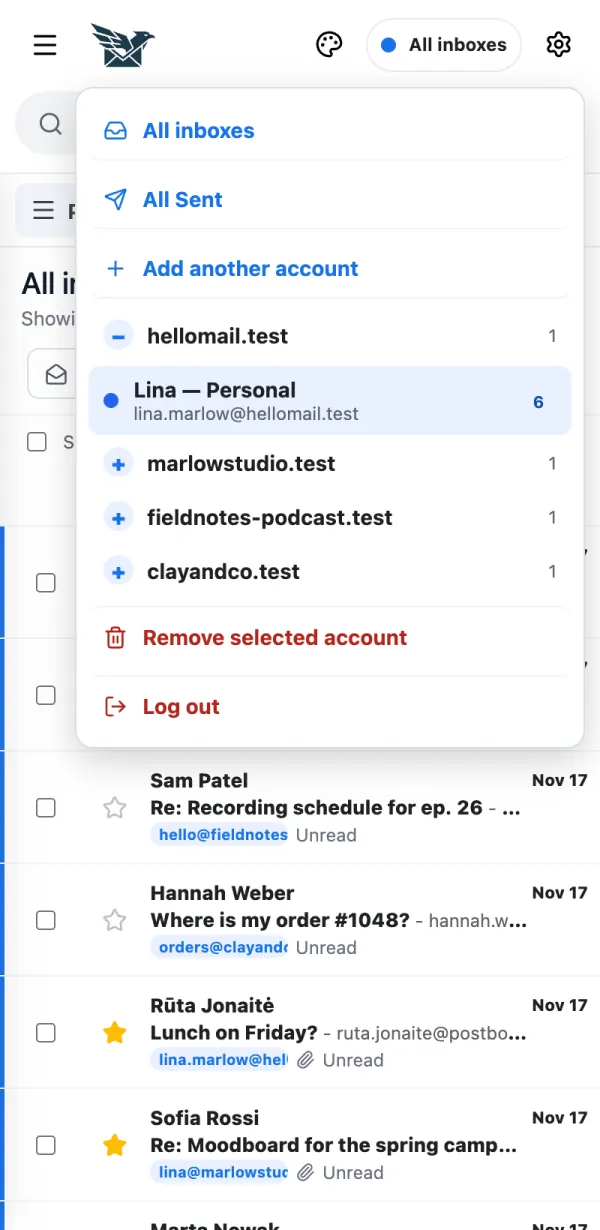
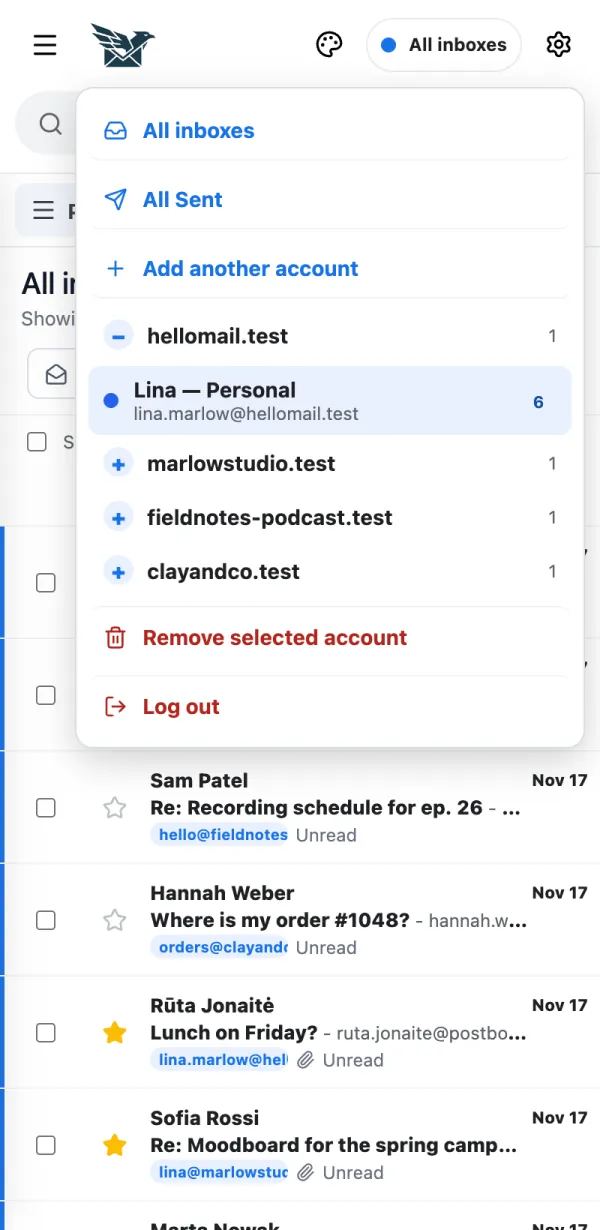
Open the mailbox menu, pick the mailbox, then tap Remove selected account .
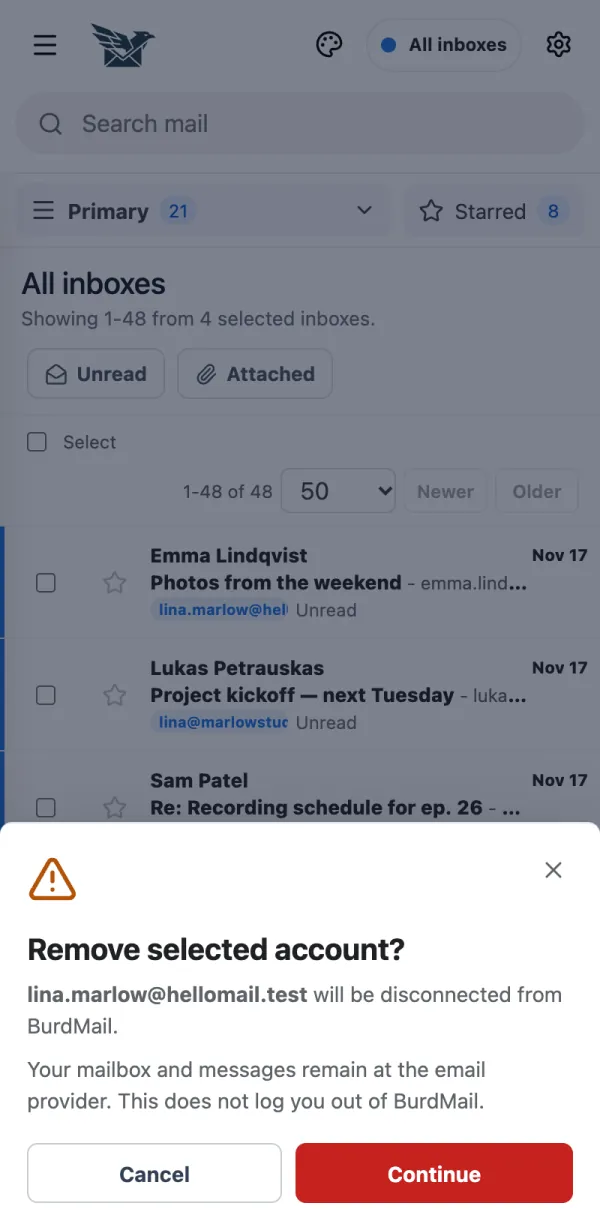
Read the note and tap Continue , pick a reason and tap Continue , then tap Remove mailbox .
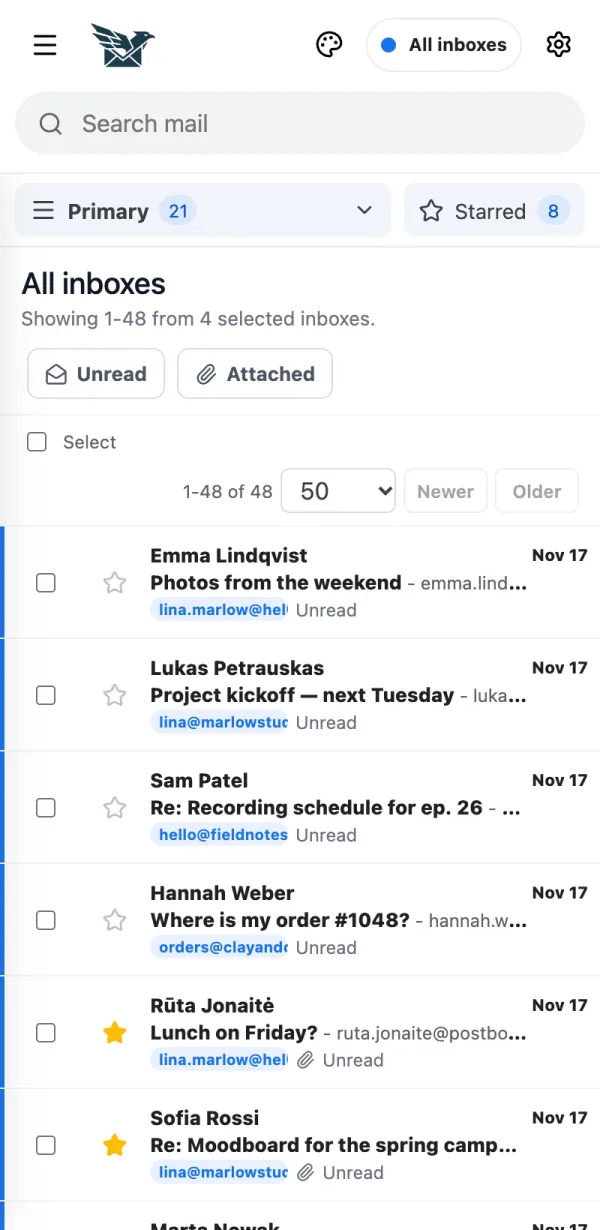
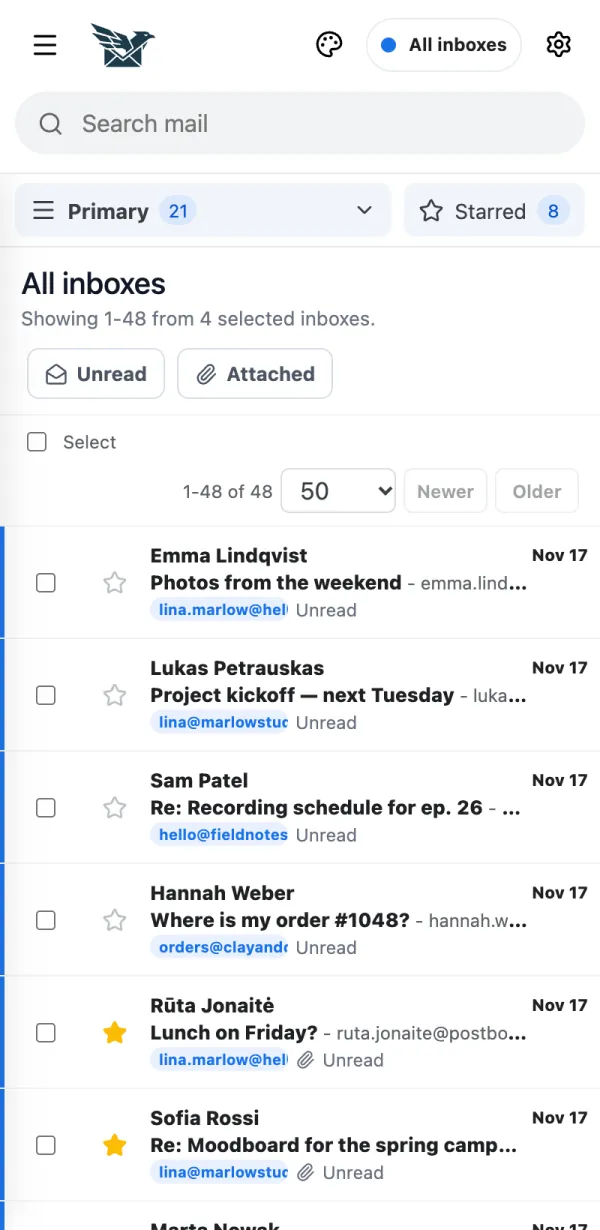
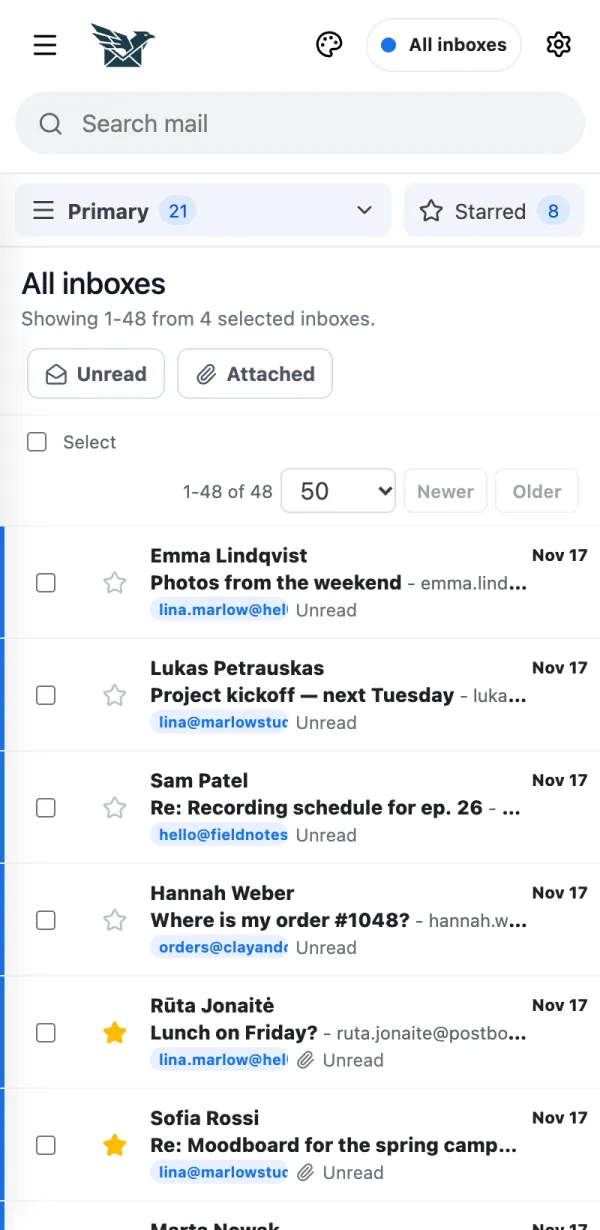
What is All inboxes? One list with new mail from every mailbox you connected. One list with new mail from every mailbox you connected.
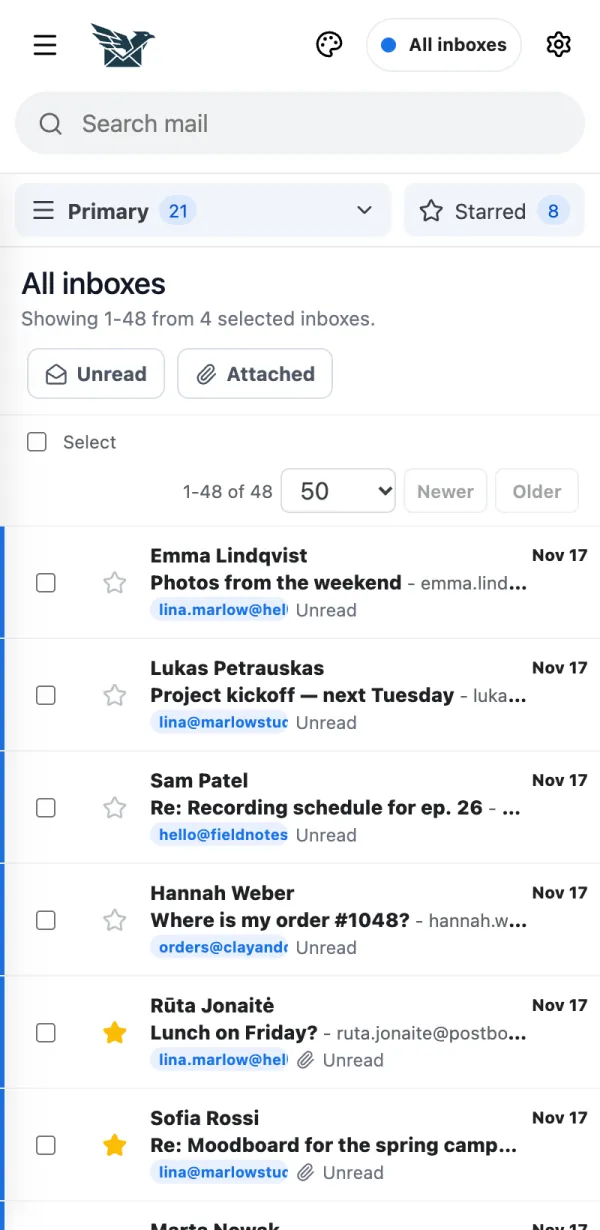
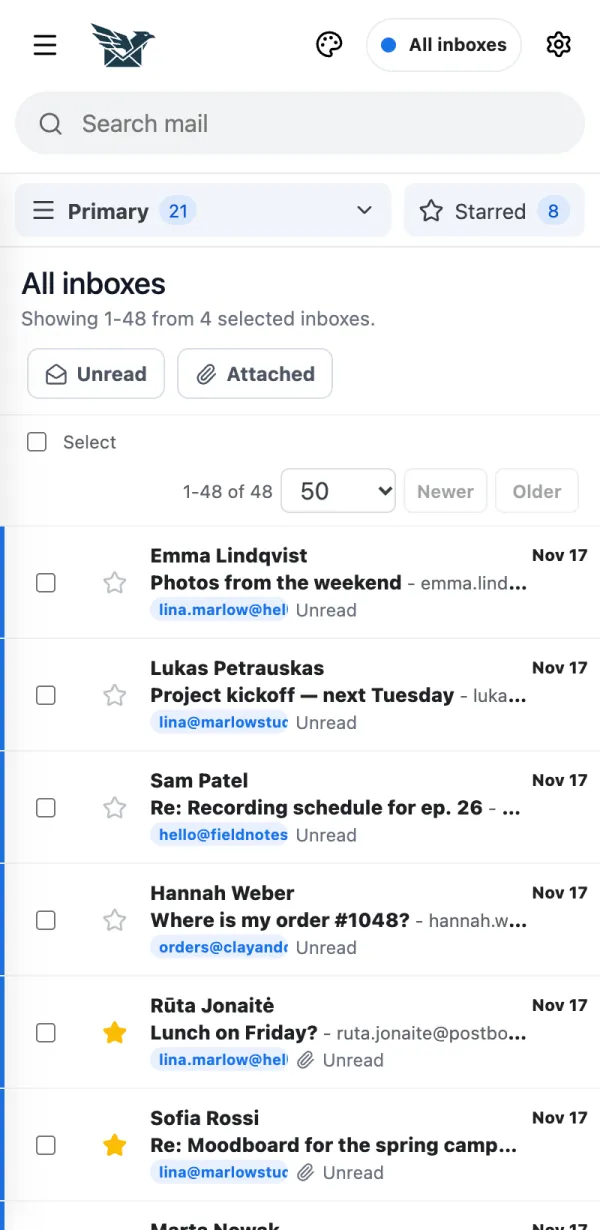
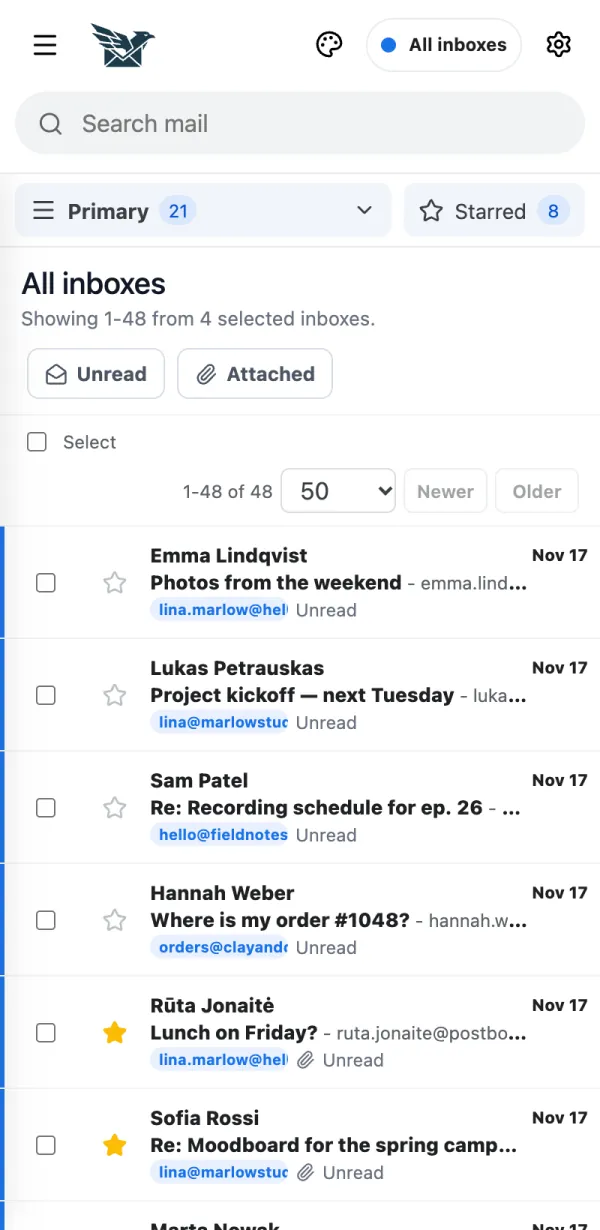
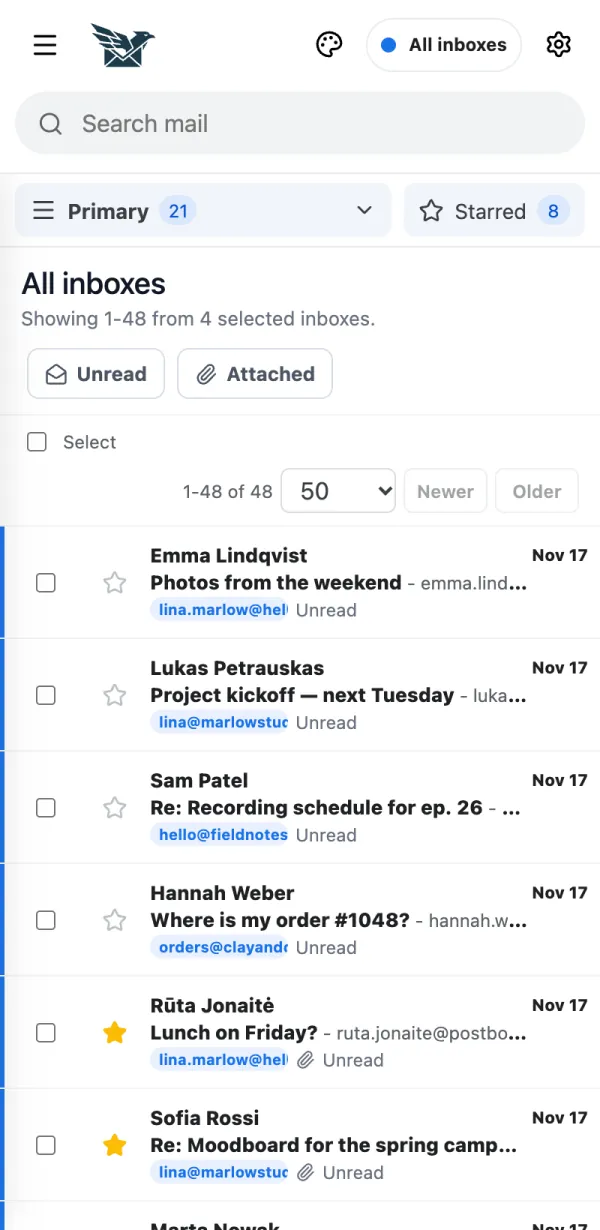
At the top you see All inboxes . This list shows mail from all your mailboxes together.
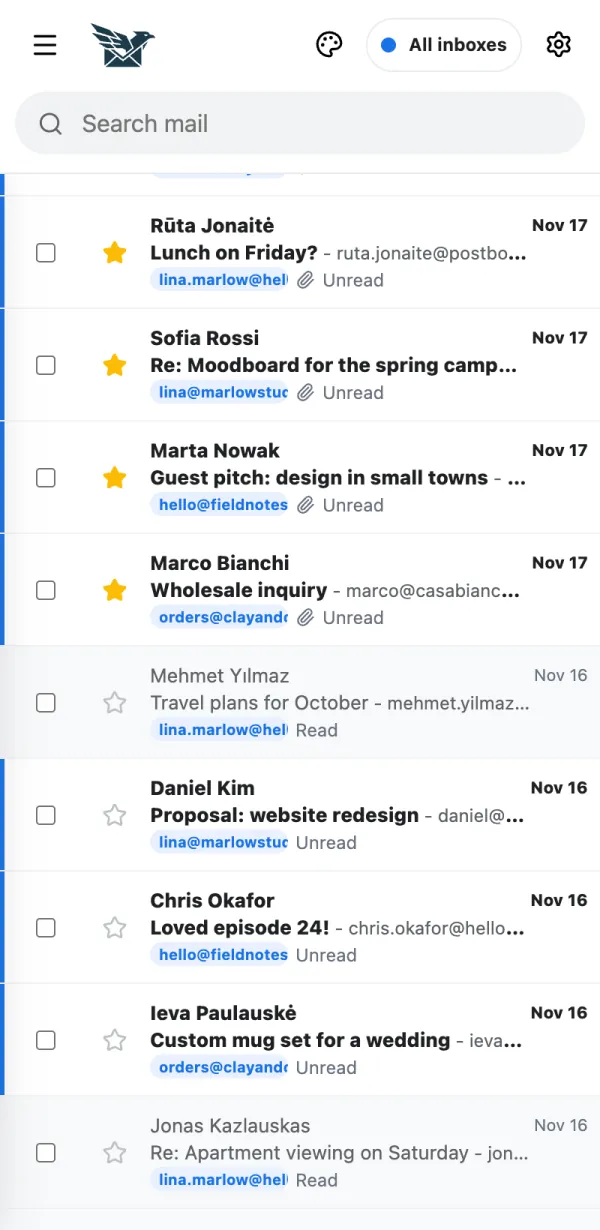
The small coloured tag under each message shows which mailbox it arrived in.
Want only one mailbox? Tap the menu at the top and pick it. Tap All inboxes to go back.
Can I keep a mailbox out of All inboxes? Yes. It keeps syncing, it just doesn't appear in the combined list. Yes. It keeps syncing, it just doesn't appear in the combined list.
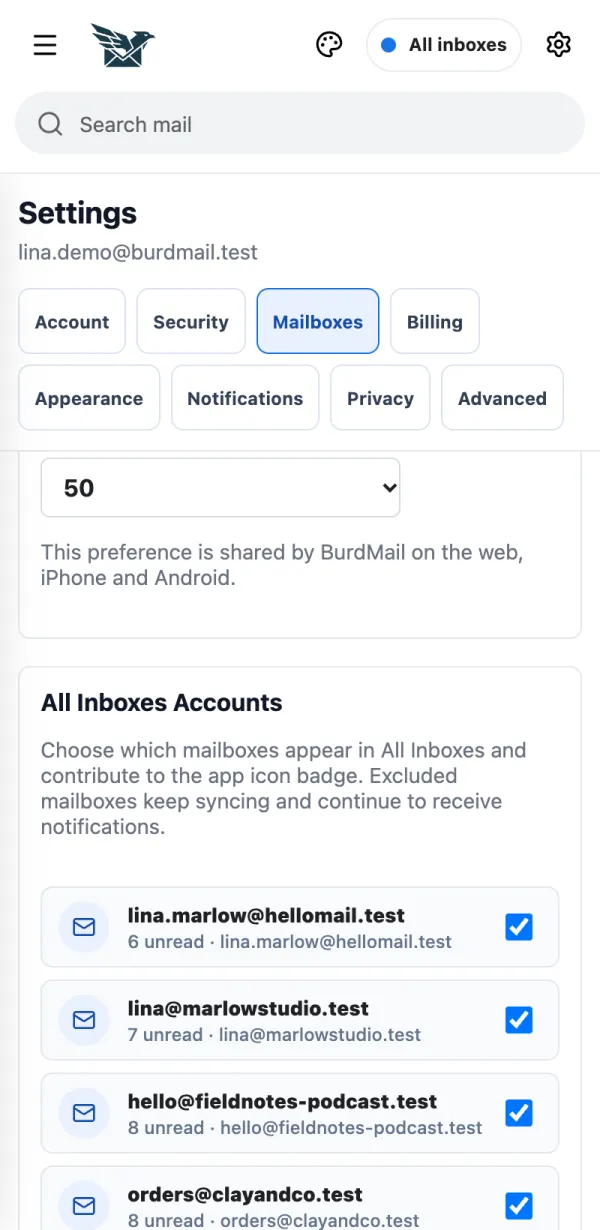
Open Settings > Mailboxes .
Under All Inboxes Accounts , untick the mailboxes you want to keep out.
If it doesn't work Hidden mailboxes still get notifications. How do I read and answer an email? Tap a message to open it. The answer buttons are under the message. Tap a message to open it. The answer buttons are under the message.
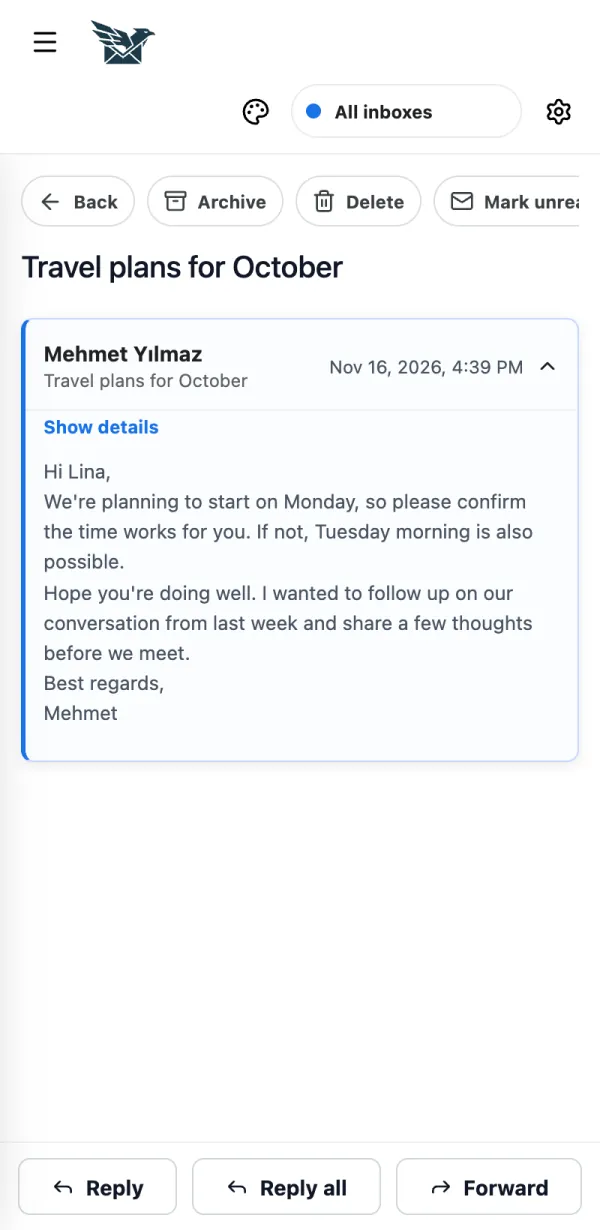
Tap a message in the list.
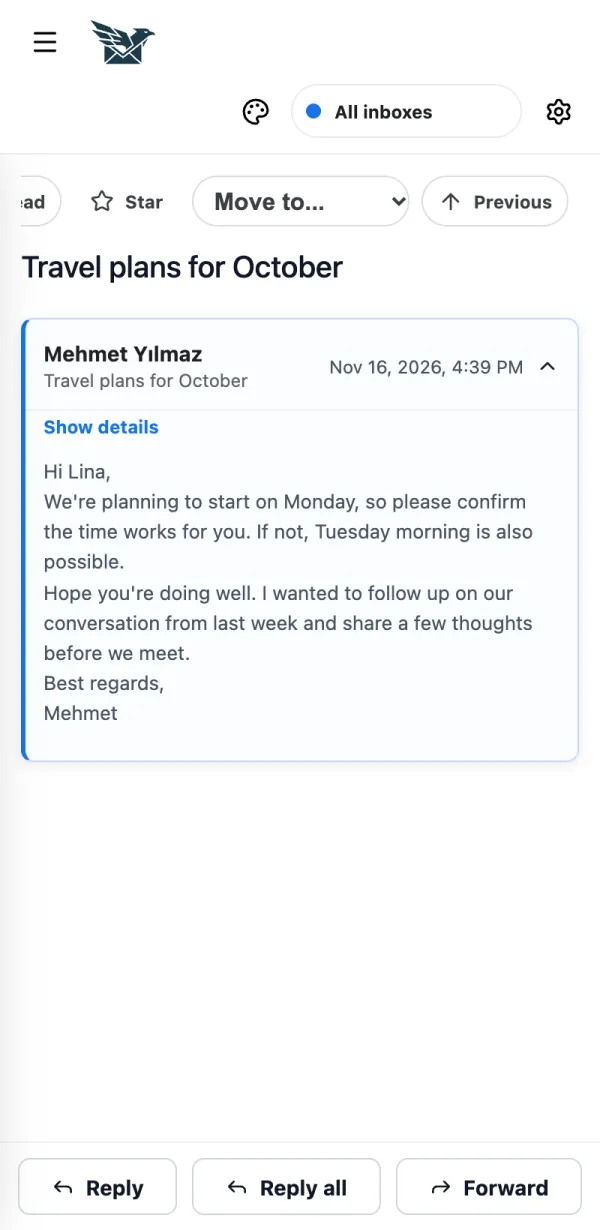
Tap Reply , Reply all or Forward . BurdMail answers from the mailbox the email came to.
If it doesn't work Pictures from the internet are blocked for privacy. Tap Show images if you trust the sender. How do I write an email and choose the From address? Use Compose and pick which of your addresses sends it. Use Compose and pick which of your addresses sends it.
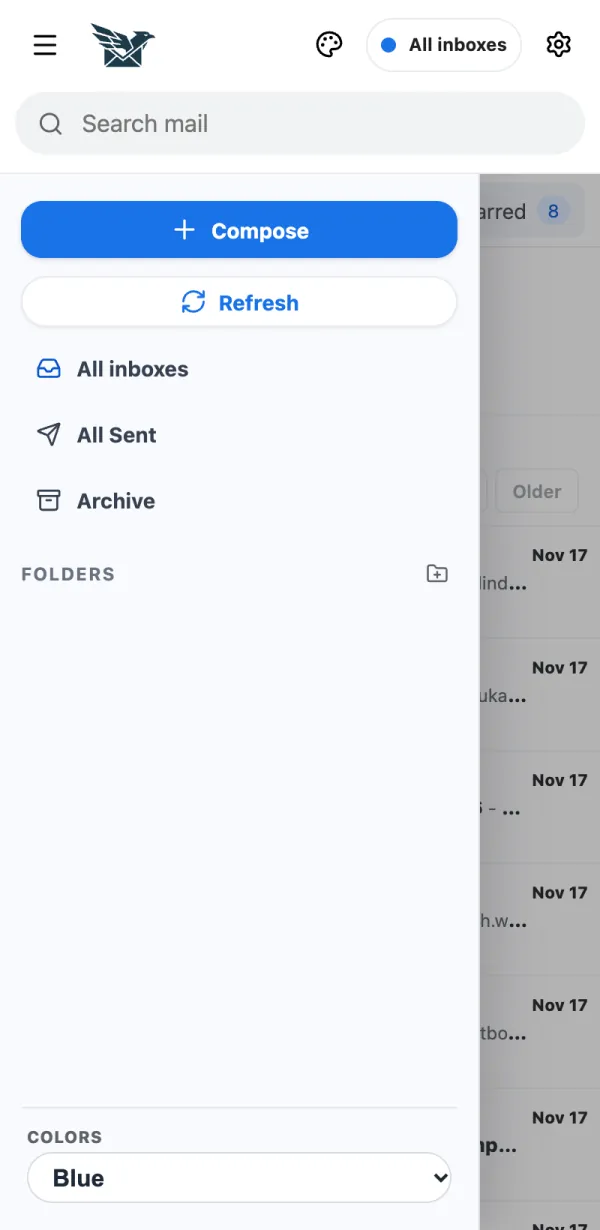
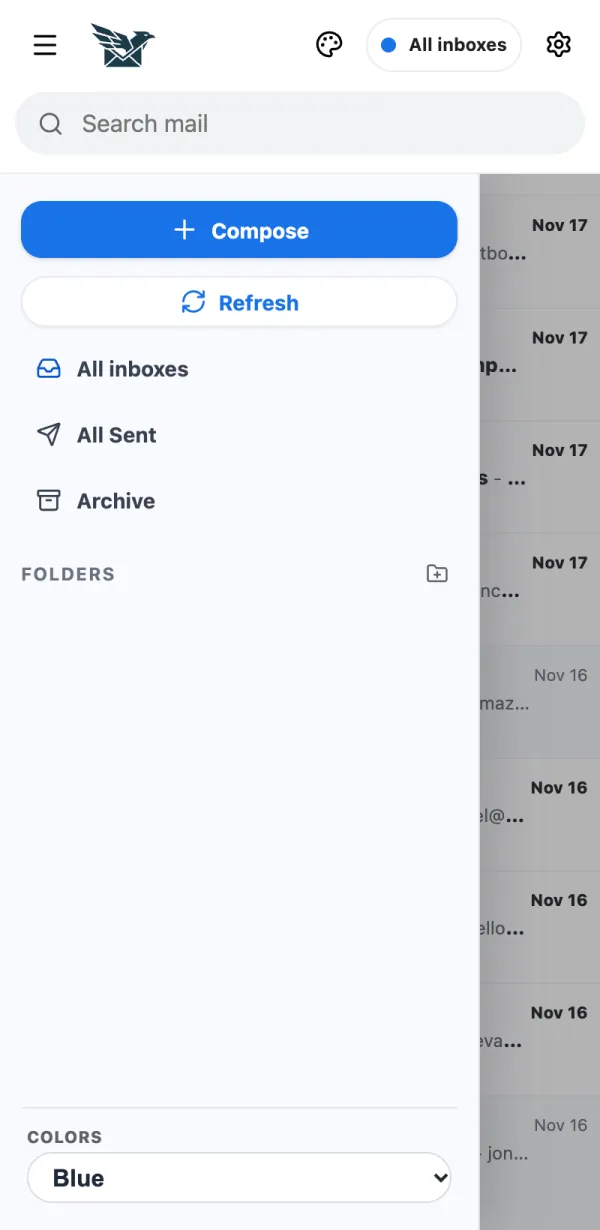
On a phone, tap the menu button at the top left.
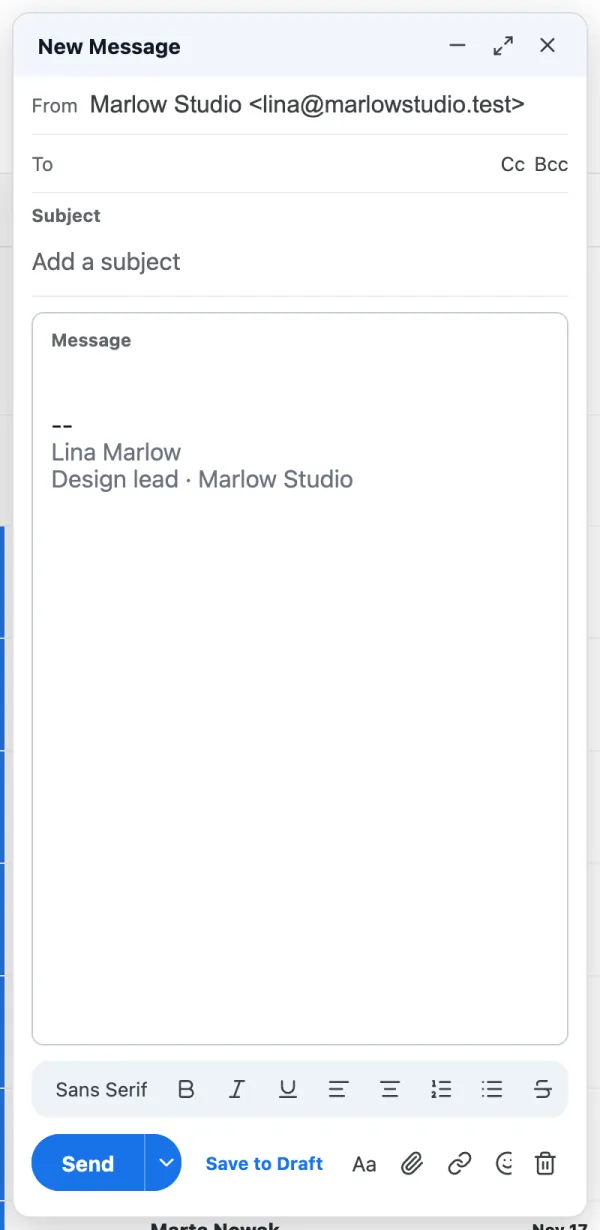
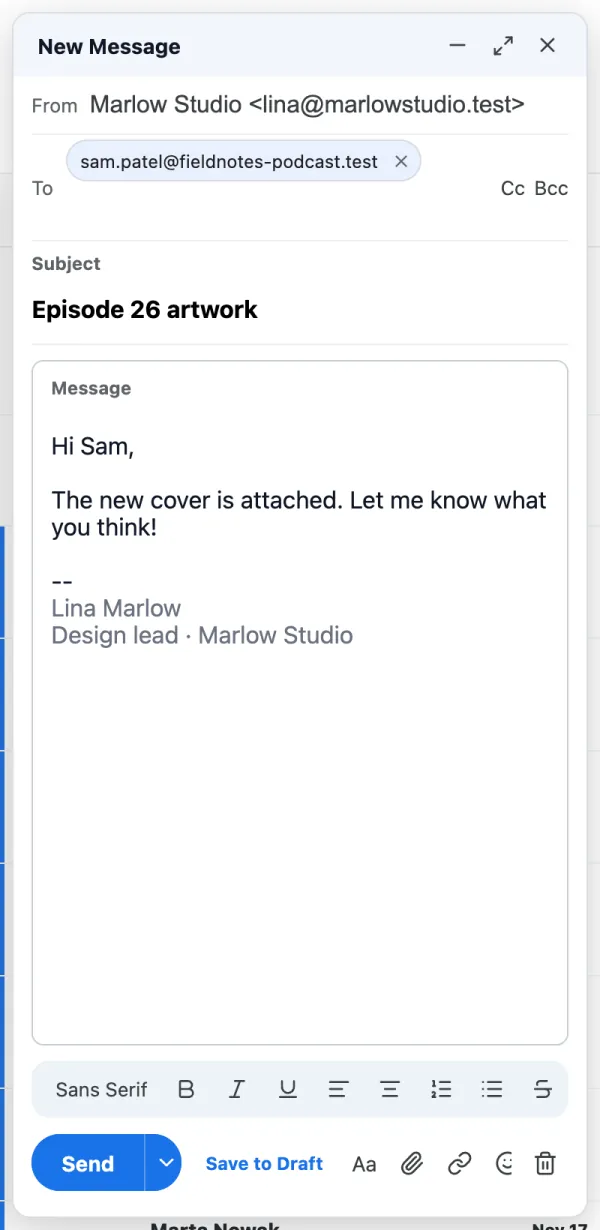
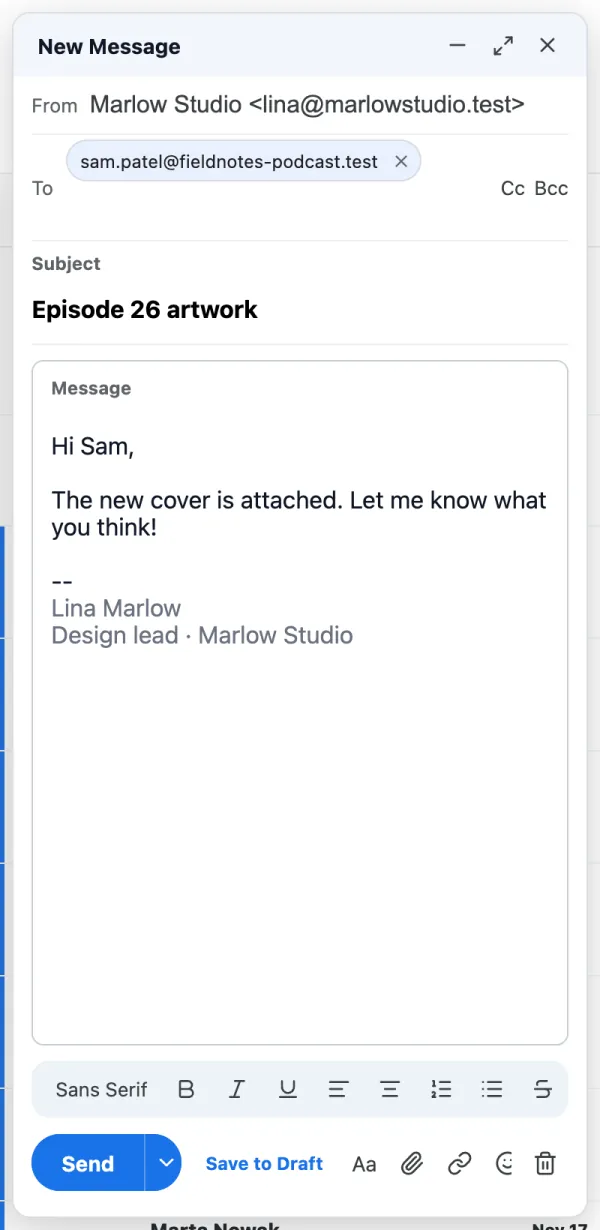
Tap Compose .
Tap From and choose the address that should send this email.
Add the receiver under To , then a Subject and your message.
Tap Send . A copy is saved in Sent.
If it doesn't work Up to 10 attachments, each up to 10 MB, 20 MB in total. Not ready yet? Tap Save to Draft . How do I add a signature? Each mailbox can have its own signature. Each mailbox can have its own signature.
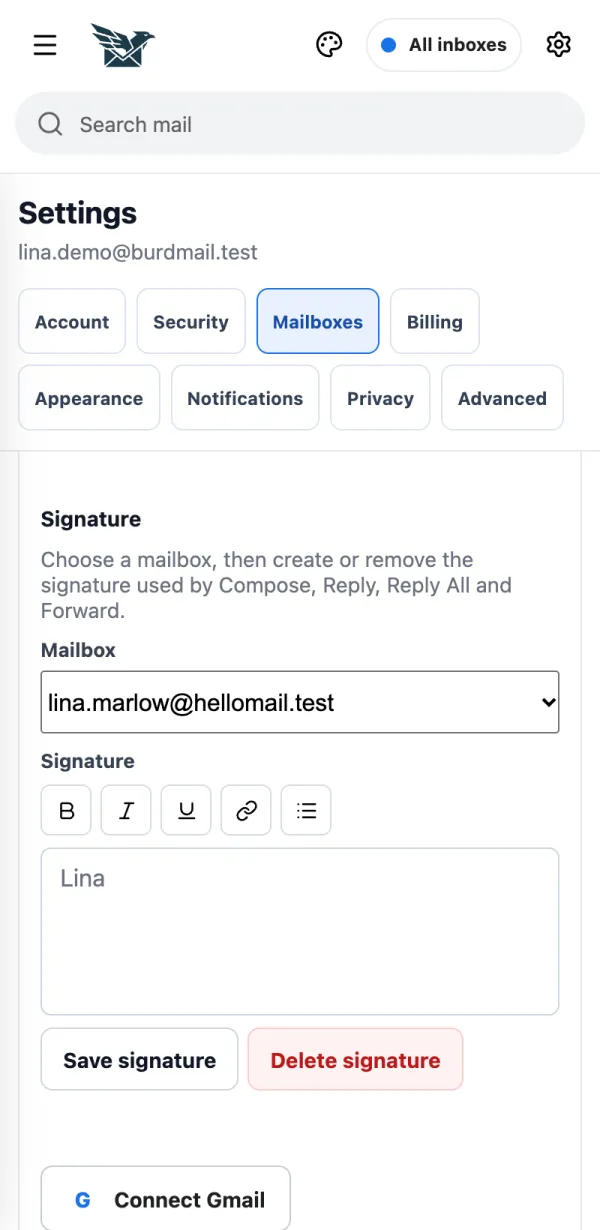
Open Settings > Mailboxes .
Choose the mailbox, write your signature and tap Save signature . It is added to new mail, replies and forwards.
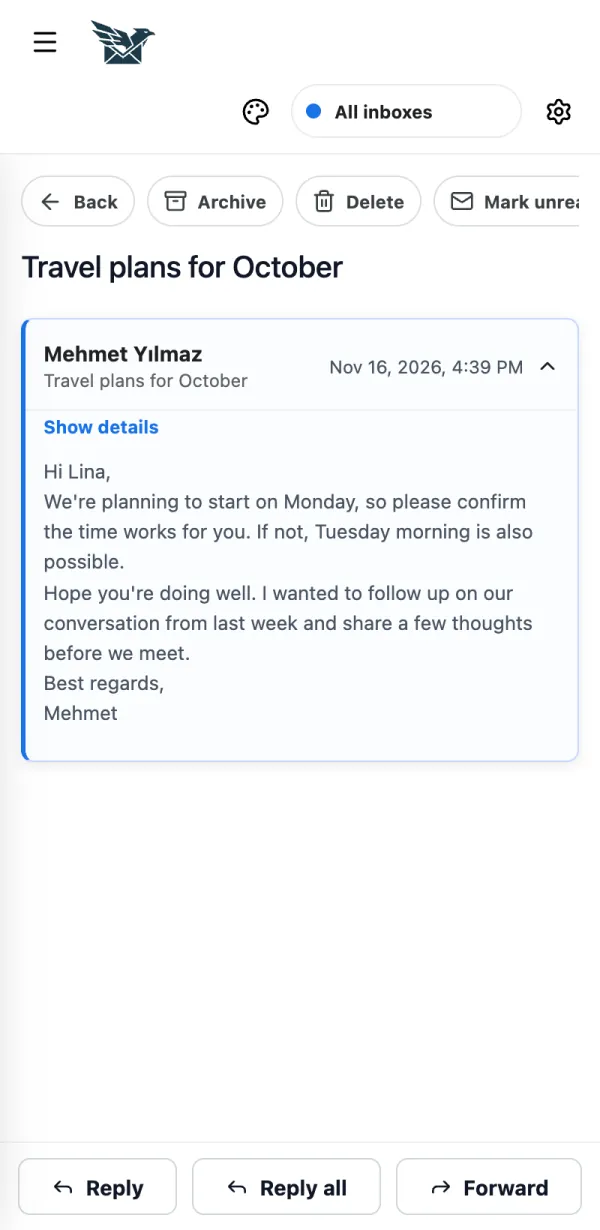
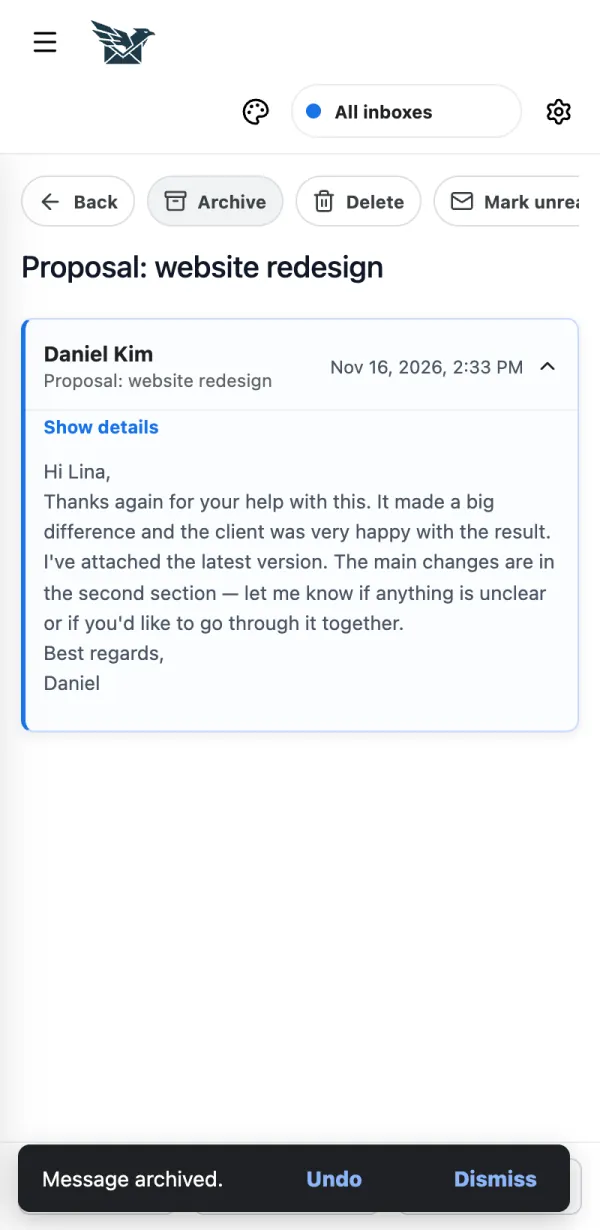
How do I archive or delete an email, and undo it? Use the buttons at the top of an open message. You have a few seconds to undo. Use the buttons at the top of an open message. You have a few seconds to undo.
Open the message and tap Archive or Delete .
Changed your mind? Tap Undo within 7 seconds.
If it doesn't work Delete moves the email to Trash. It is not gone forever. How do I move mail to a folder? Move a message from the open message, and create folders in the side menu. Move a message from the open message, and create folders in the side menu.
Open the message and tap Move (on a computer: Move to... ), then pick a folder or category.
To make a new folder, open the side menu and tap the folder button next to Folders .
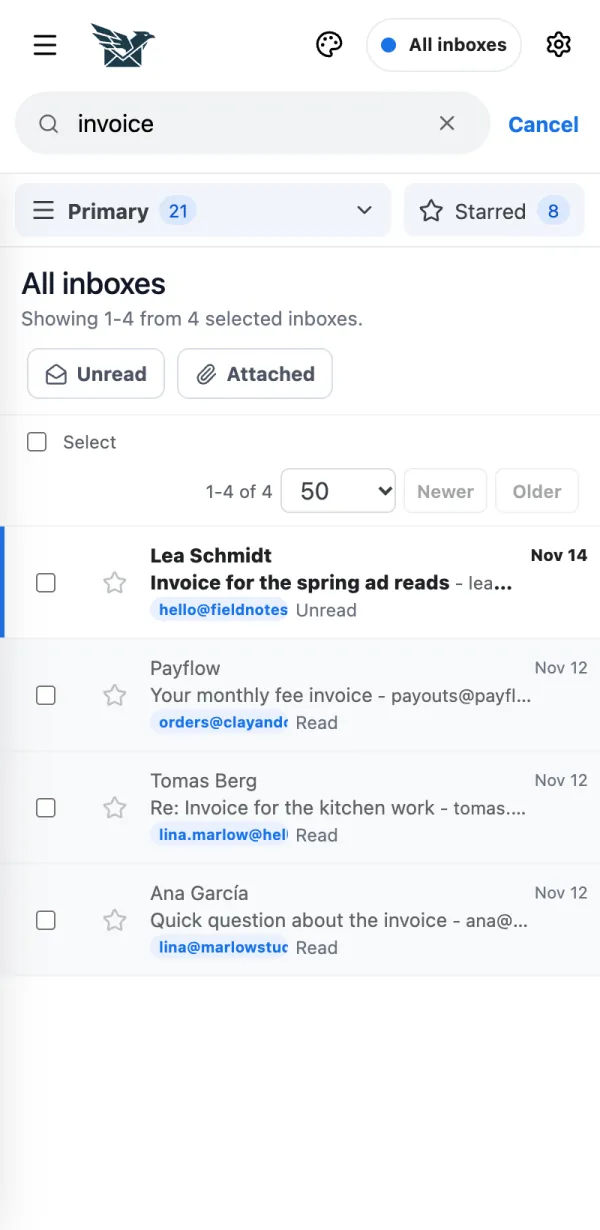
If it doesn't work Folders belong to one mailbox: pick the mailbox in the menu at the top first. How do I find an email? Type in the search box at the top. Type in the search box at the top.
Tap Search mail and type a word. In All inboxes it searches every mailbox at once.
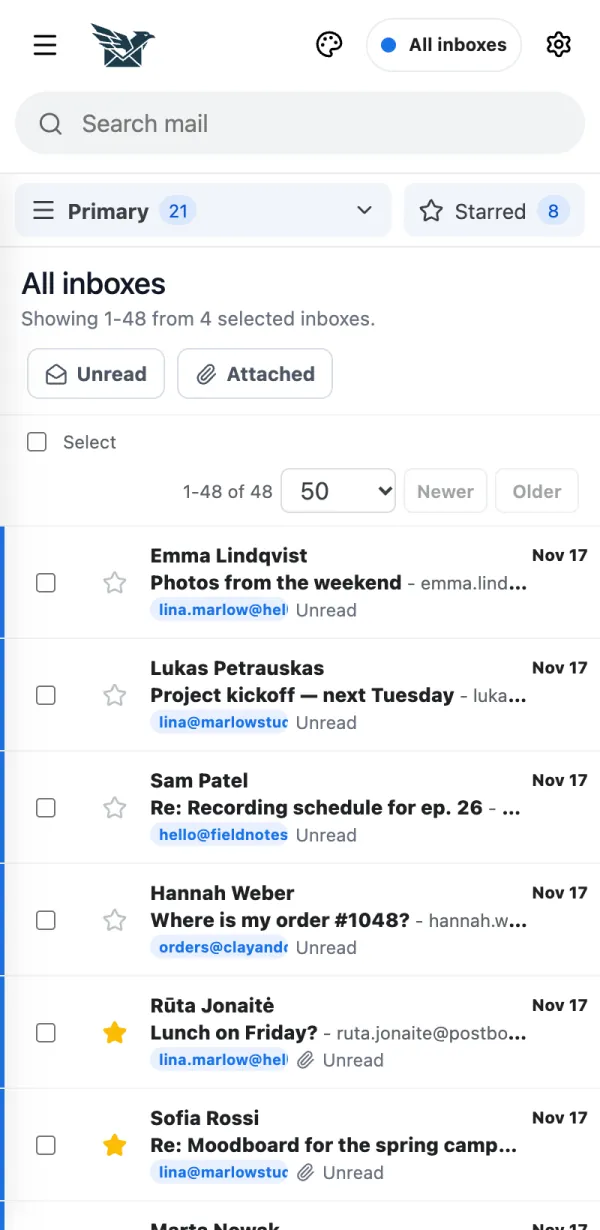
If it doesn't work Search looks at the subject and the sender's name and address. It does not search the message text. How do I see only unread, starred or mail with files? Use the filter buttons above the list. Use the filter buttons above the list.
Tap Unread or Attached . Tap again to show everything.
Tap Starred to see the messages you starred.
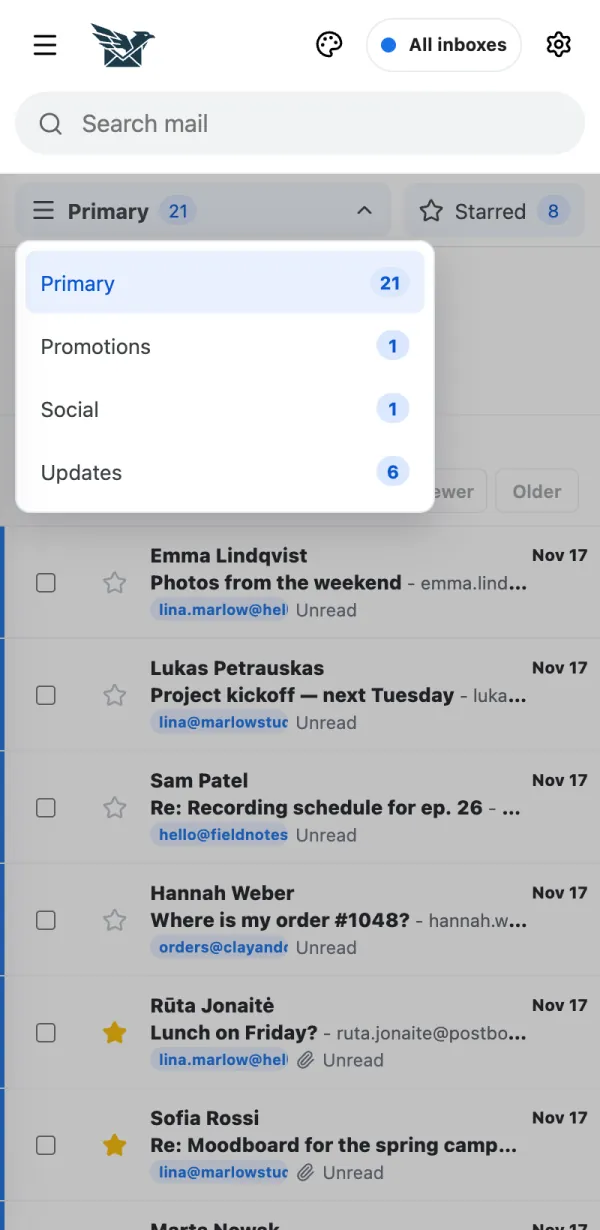
What are Primary, Promotions, Social and Updates? BurdMail can sort your inbox into categories, so offers and newsletters don't bury personal mail. BurdMail can sort your inbox into categories, so offers and newsletters don't bury personal mail.
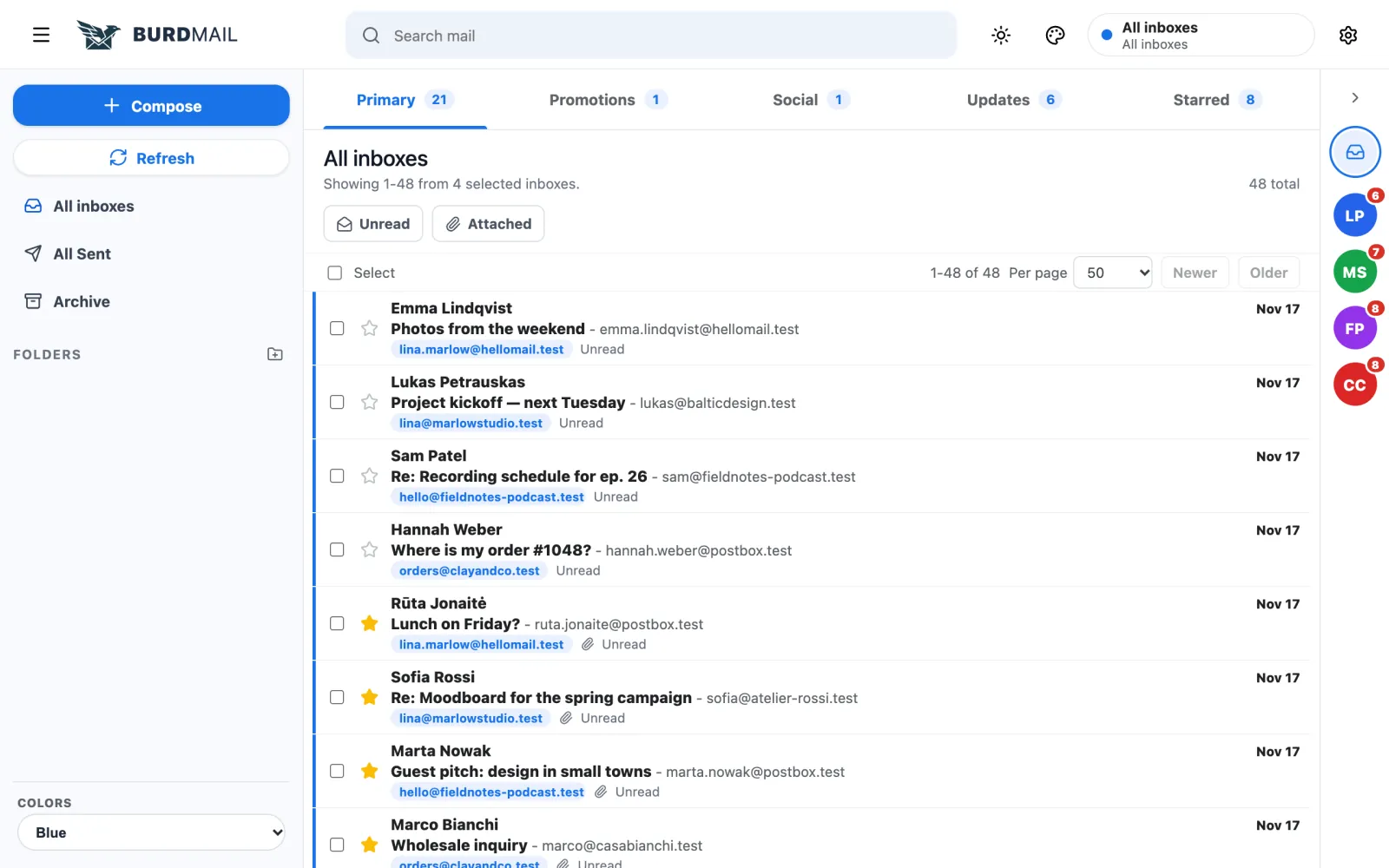
Tap Primary at the top of the list (on a computer, the categories are tabs).
Choose a category to see only that mail.
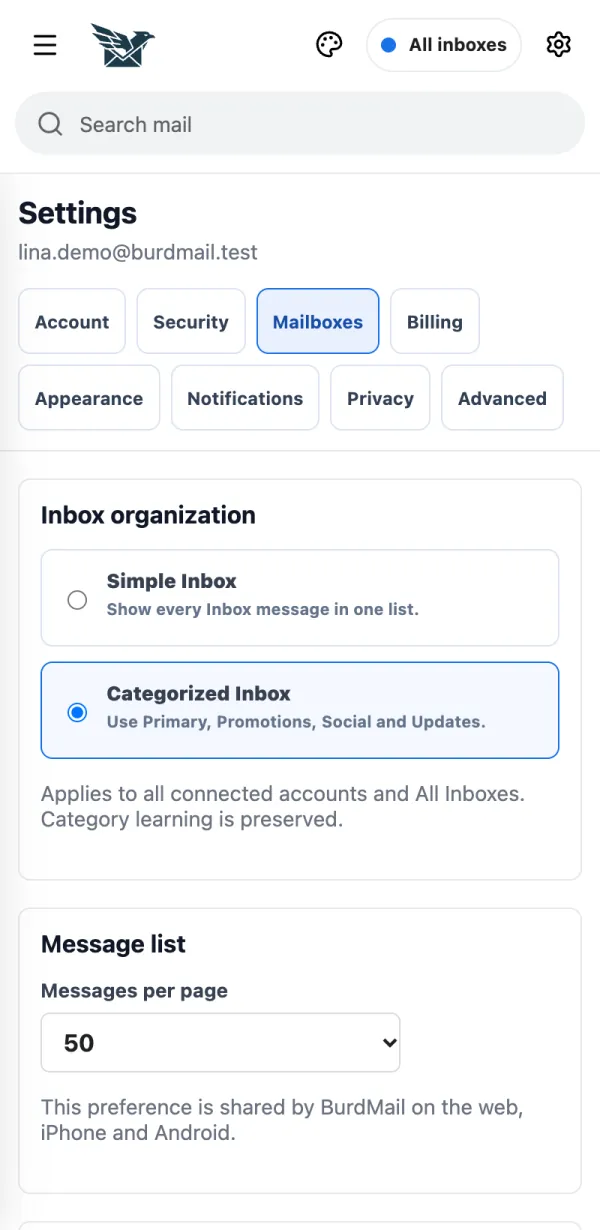
Prefer one list? Open Settings > Mailboxes and choose Simple Inbox .
If it doesn't work Moved a sender to the wrong place? Open the message, tap Move (on a computer: Move to... ) and pick a category. Future mail from that sender follows. How do I handle several emails at once? Tick them, then use the buttons above the list. Tick them, then use the buttons above the list.
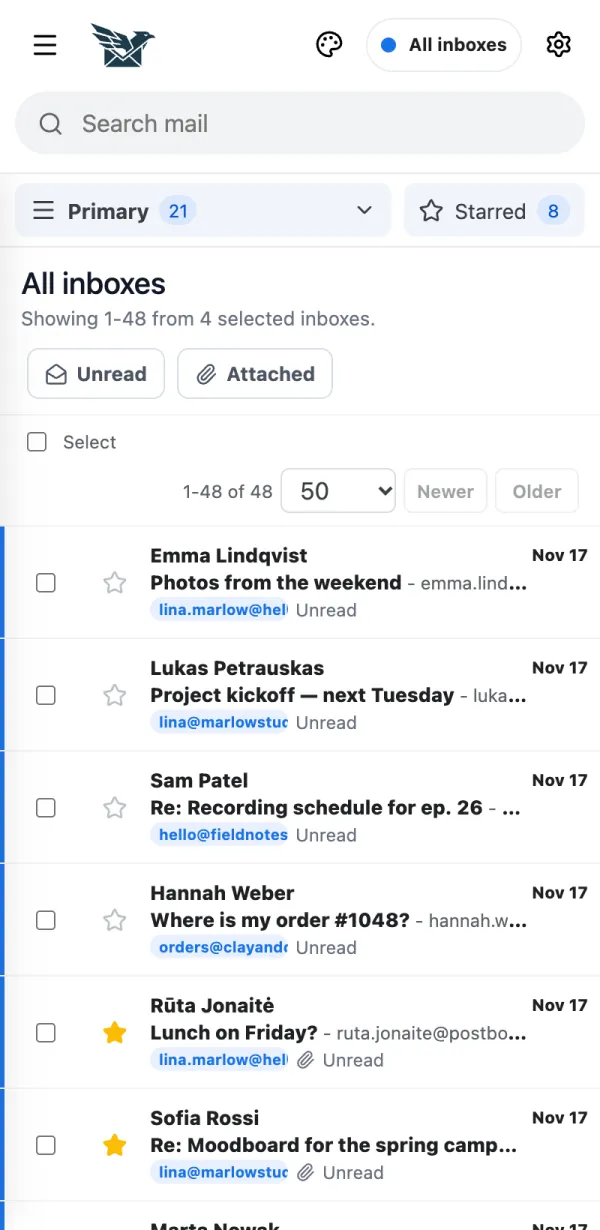
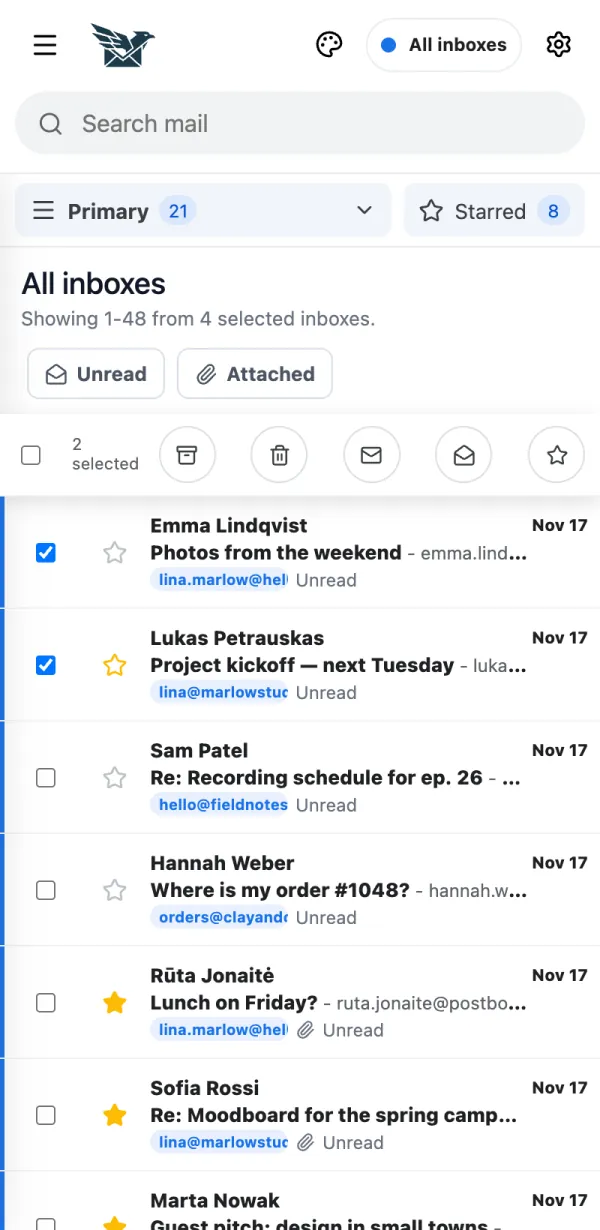
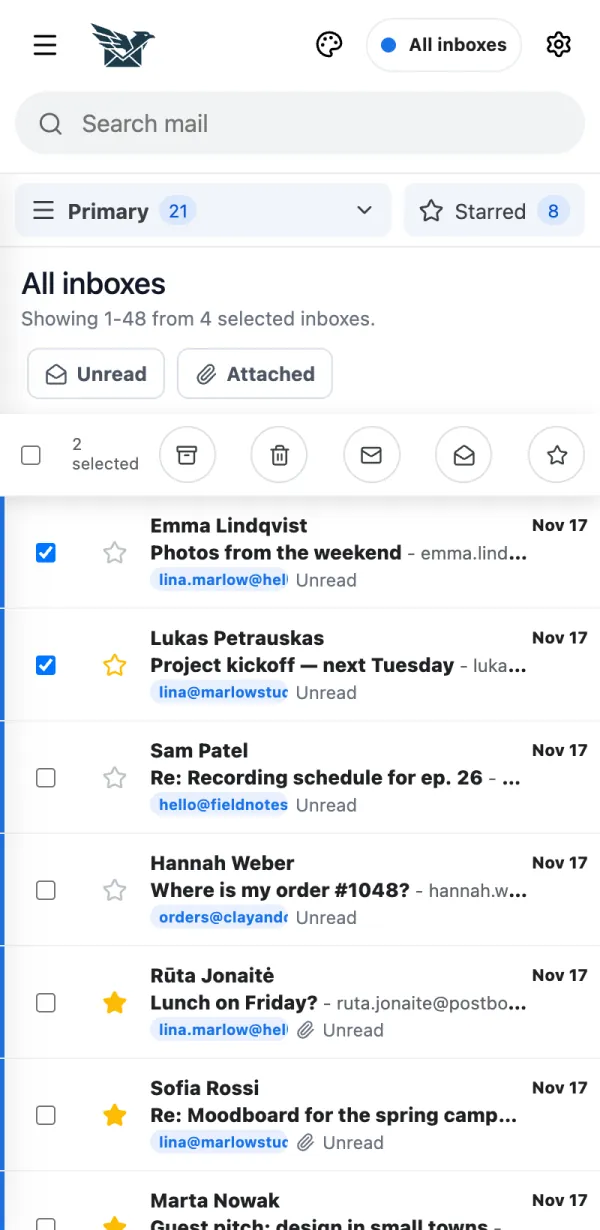
Tick the box next to each message.
Use the buttons at the top: archive, delete, mark read or unread, star.
Are there shortcuts on the phone? Yes. Swipe and long-press work in the message list. Yes. Swipe and long-press work in the message list.
In the phone app, swipe a message to the right and tap the star.
Swipe to the left, then tap the envelope to mark it read or unread, or the bin to delete it.
Press and hold a message for more actions. Pull the list down to refresh.
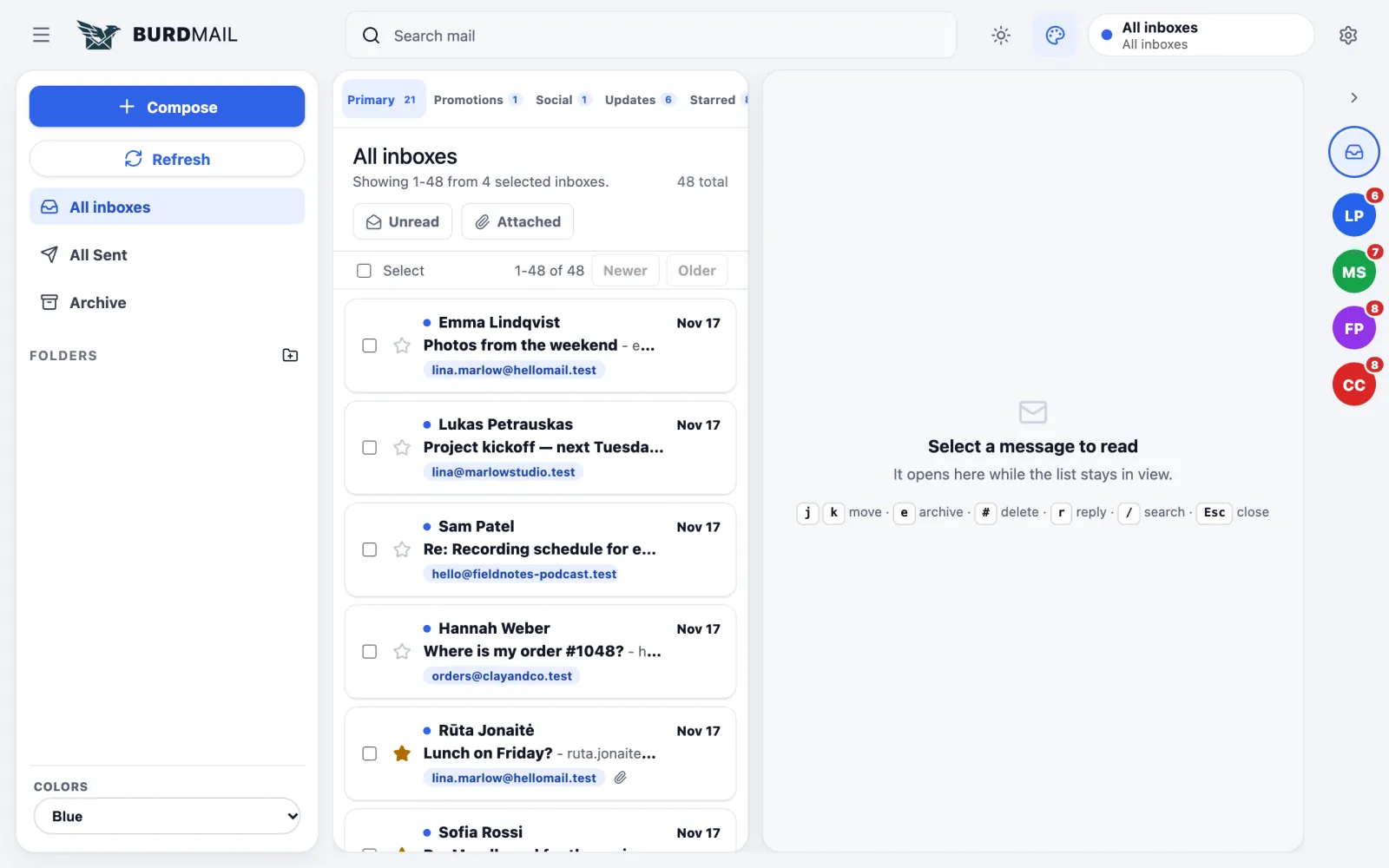
Does BurdMail have keyboard shortcuts? Yes, with the Atlas theme on a computer screen. Yes, with the Atlas theme on a computer screen.
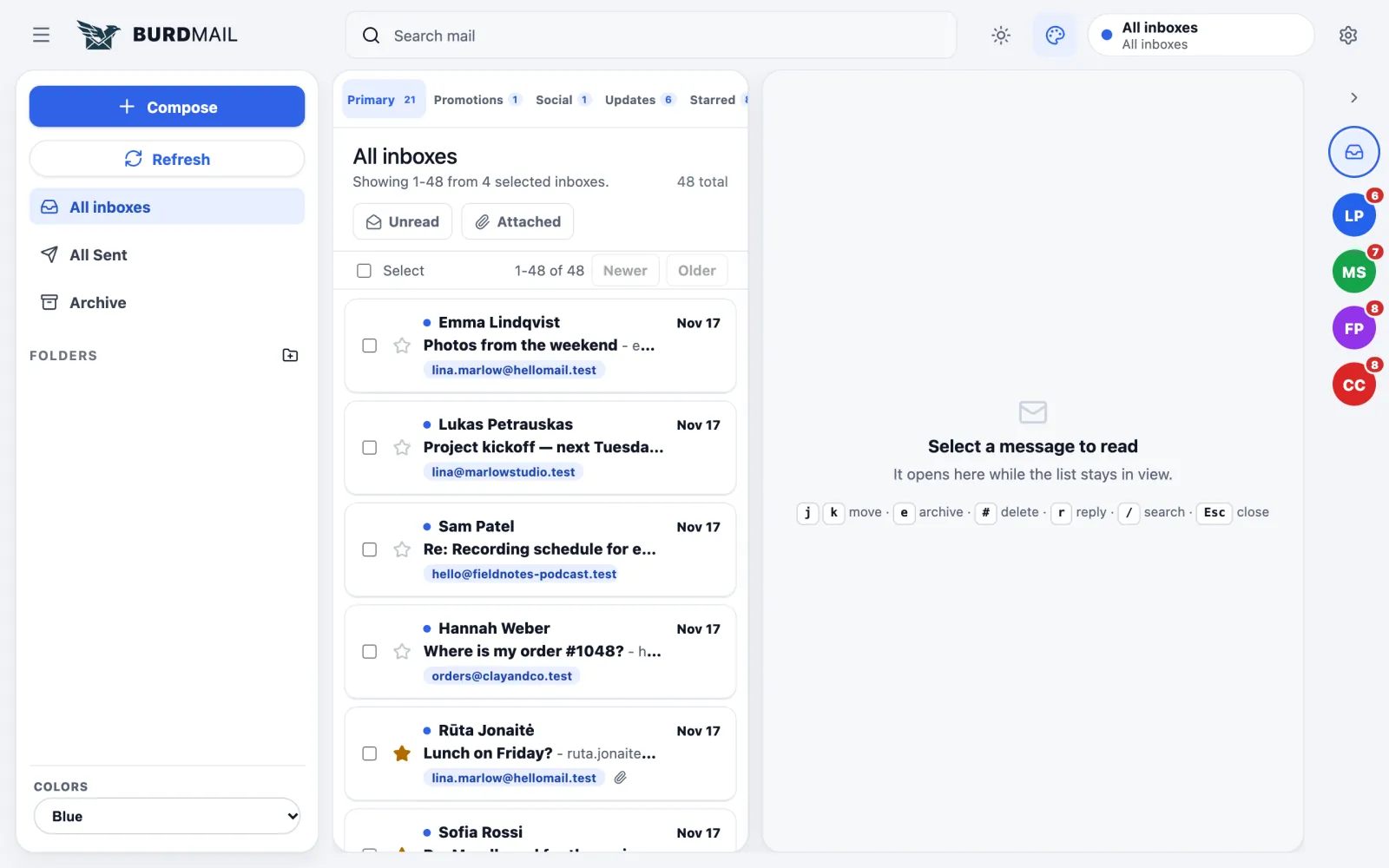
j / k move through the list, e archives, # deletes, r replies, / searches, Esc closes.
How do I change the theme? Tap the palette button at the top. Tap the palette button at the top.
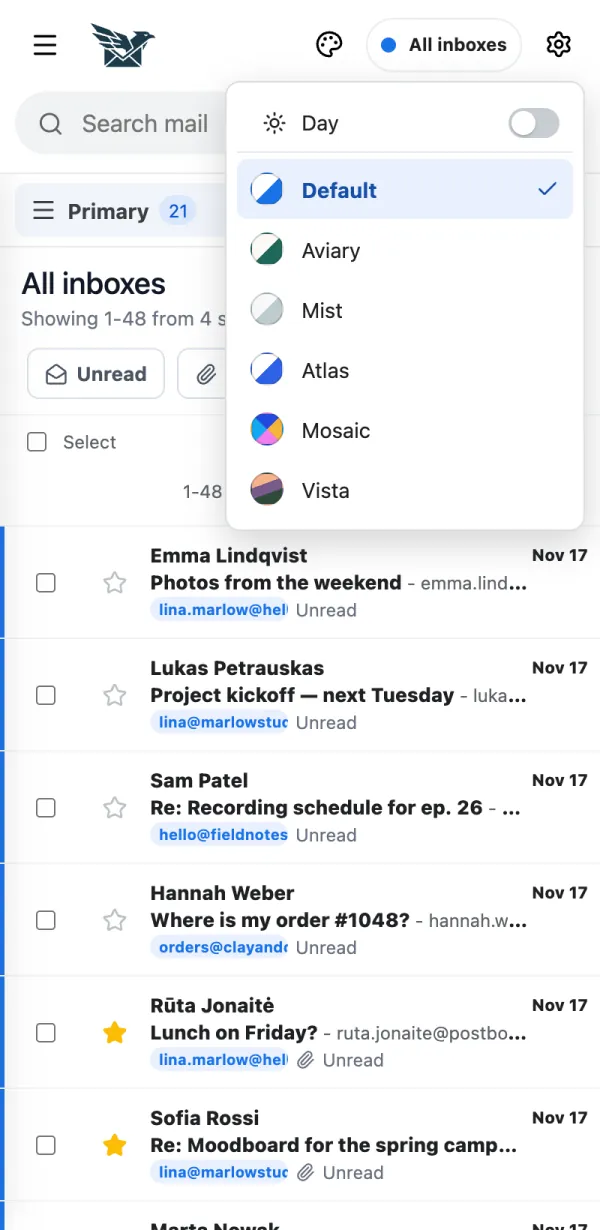
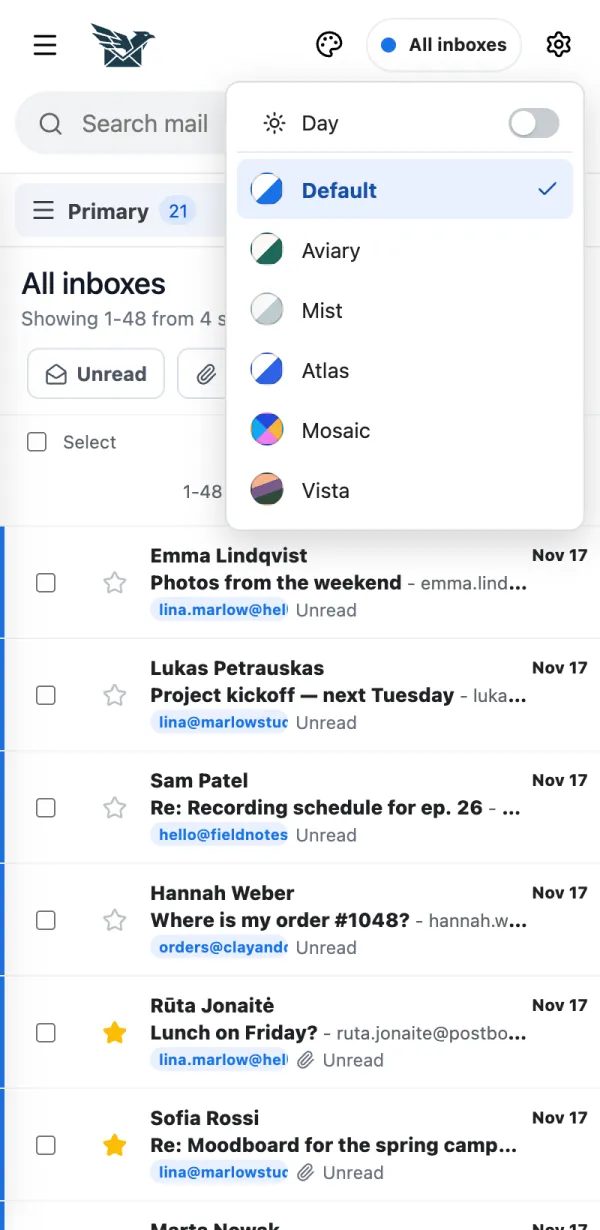
Tap the palette button.
Pick a theme. The change is instant.
Tap Day to switch between day and night colours.
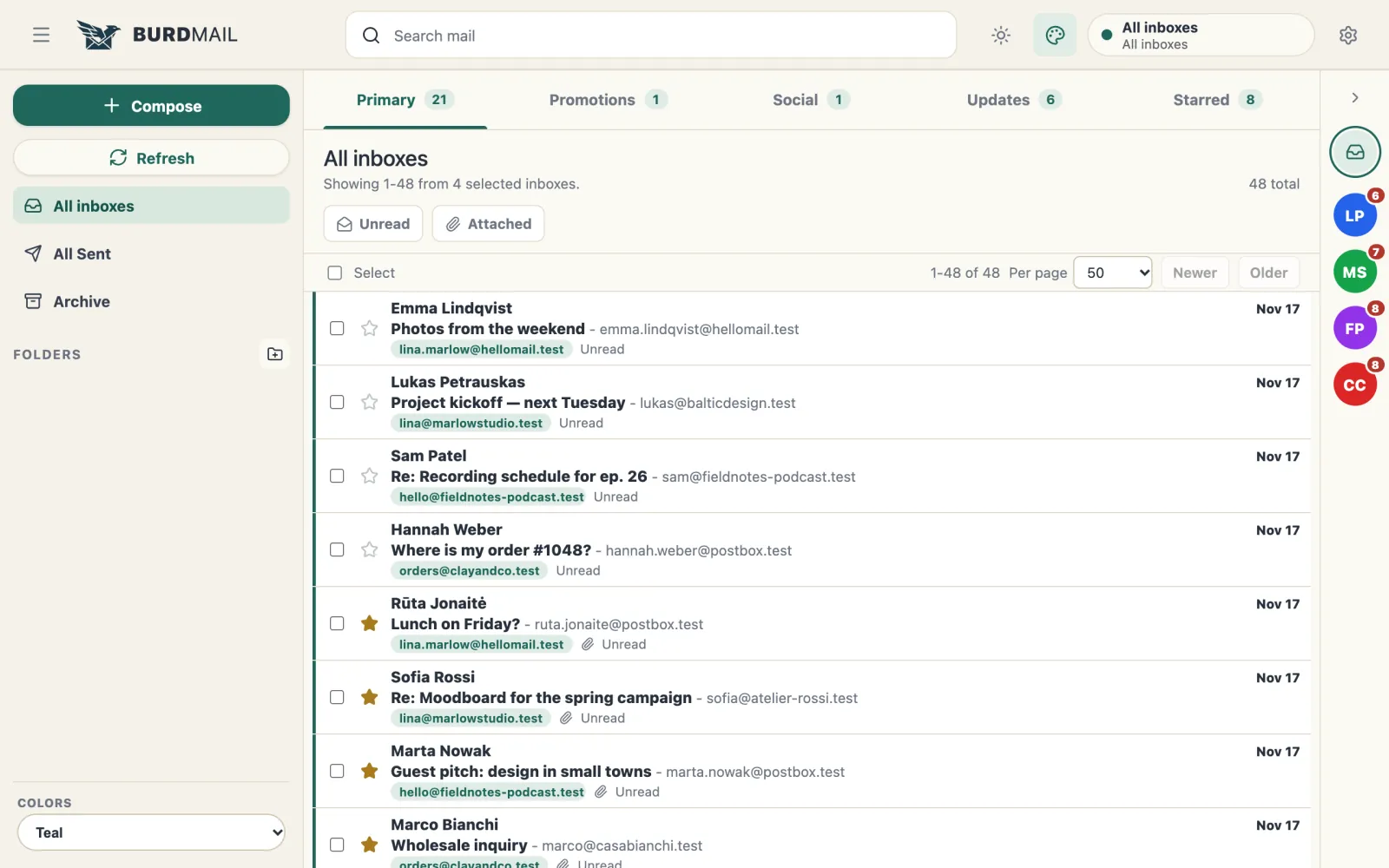
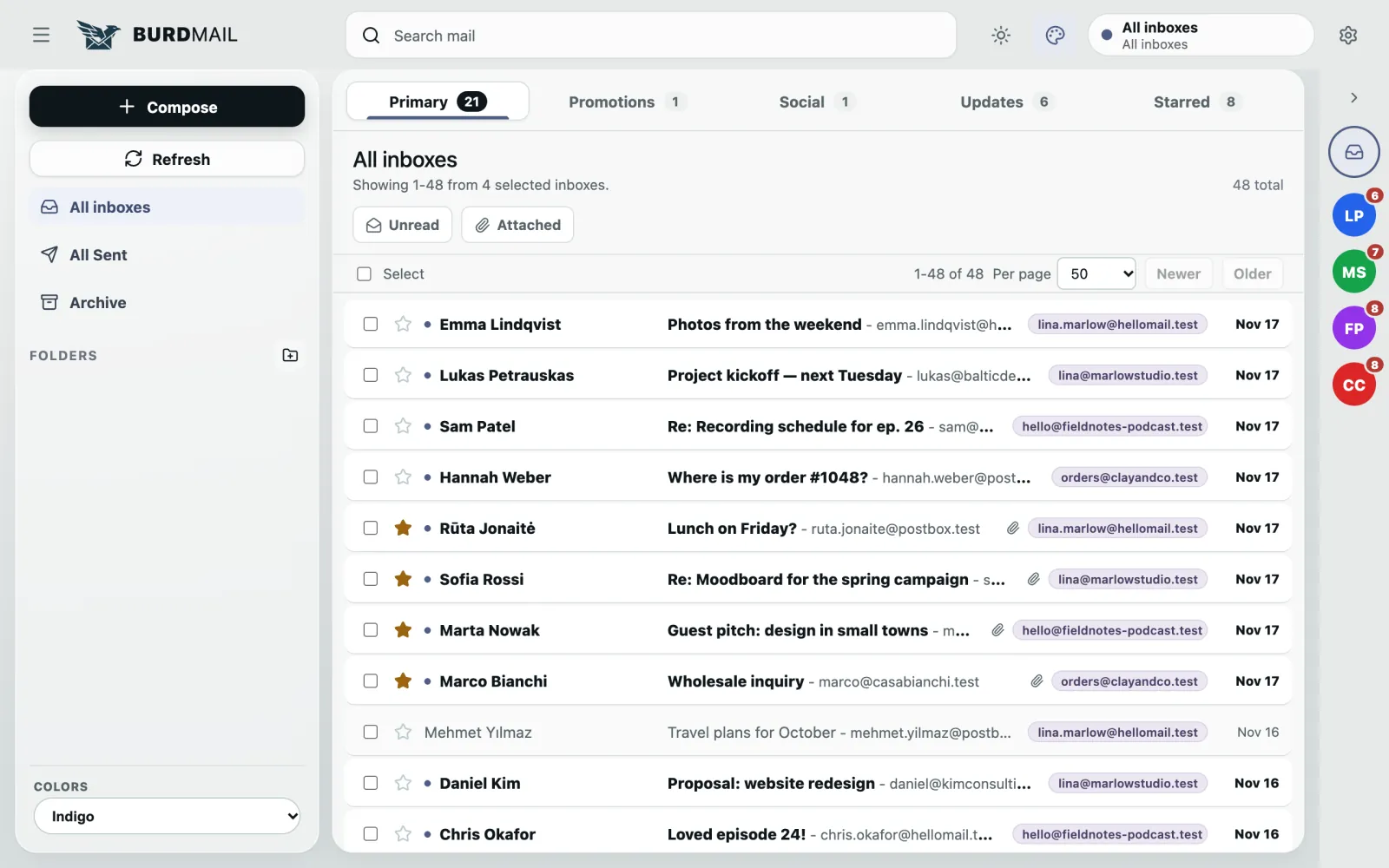
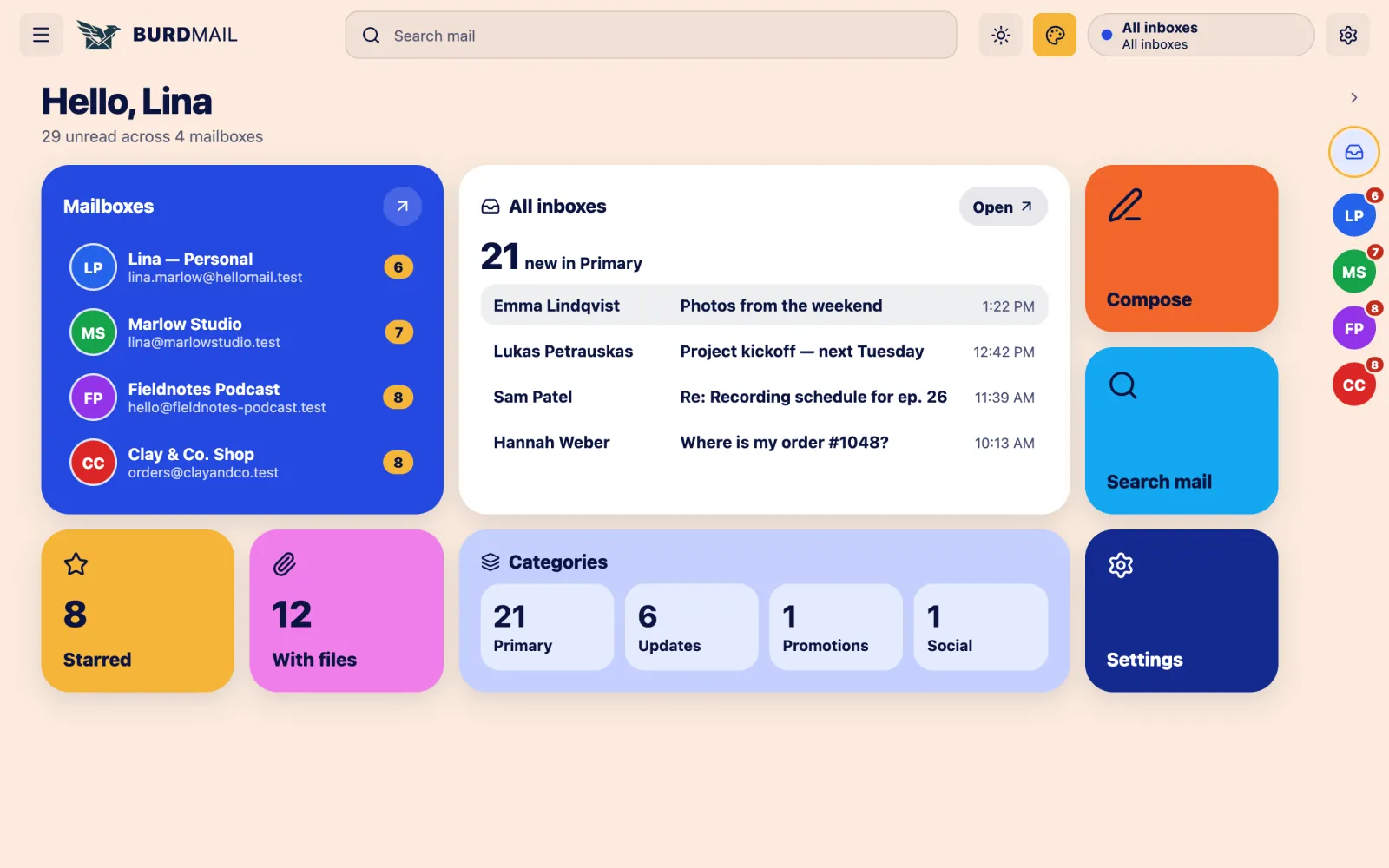
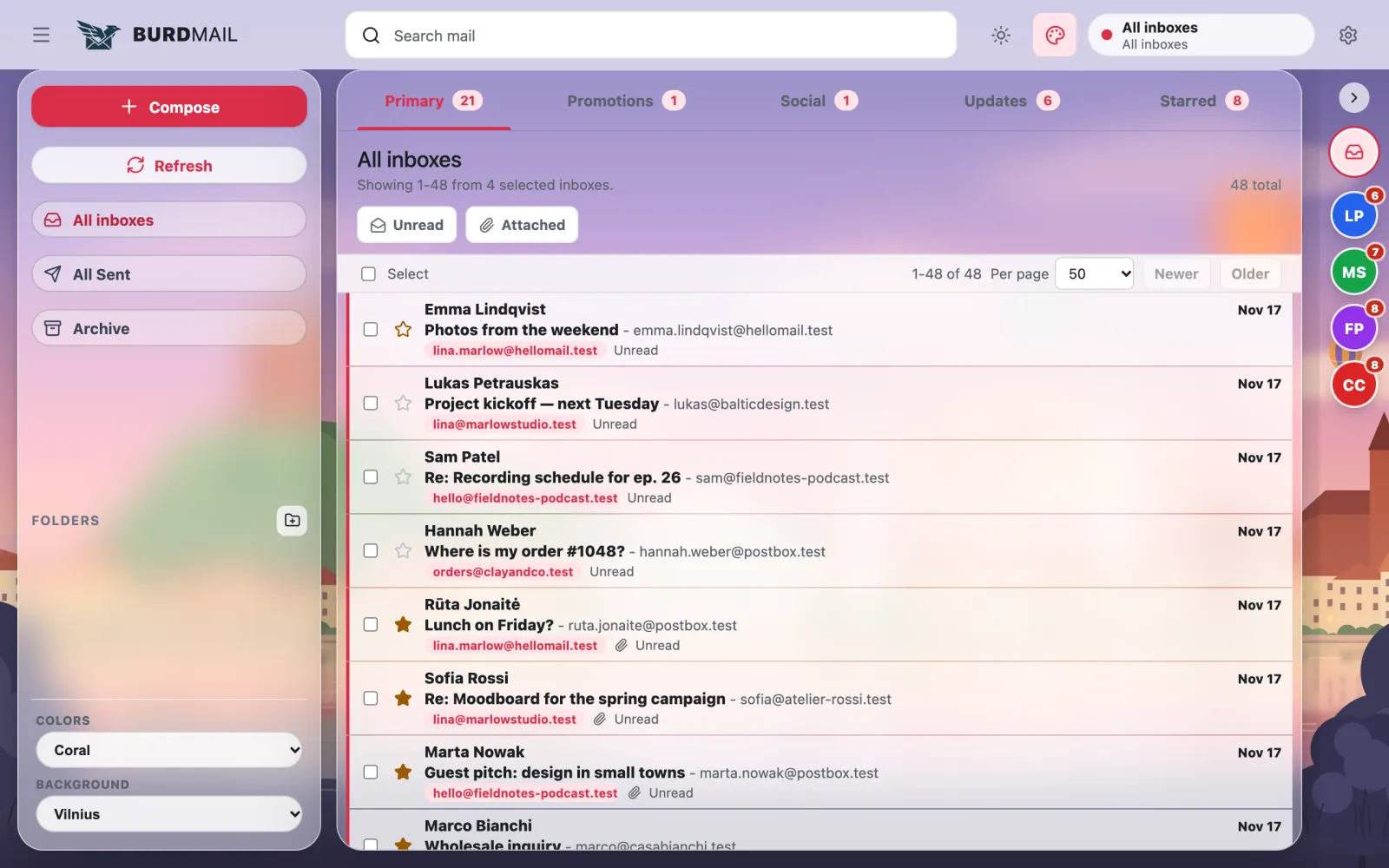
What do the themes look like? Six themes, each with its own colours. Here they are on a computer. Six themes, each with its own colours. Here they are on a computer.
Default : clean and bright.
Aviary : calm green tones.
Mist : quiet greys and a compact one-line list.
Atlas : list and message side by side, with keyboard shortcuts.
Mosaic : a home screen with your mailboxes and new mail at a glance.
Vista : a photo background. Choose Vilnius, an oil painting or an ancient city.
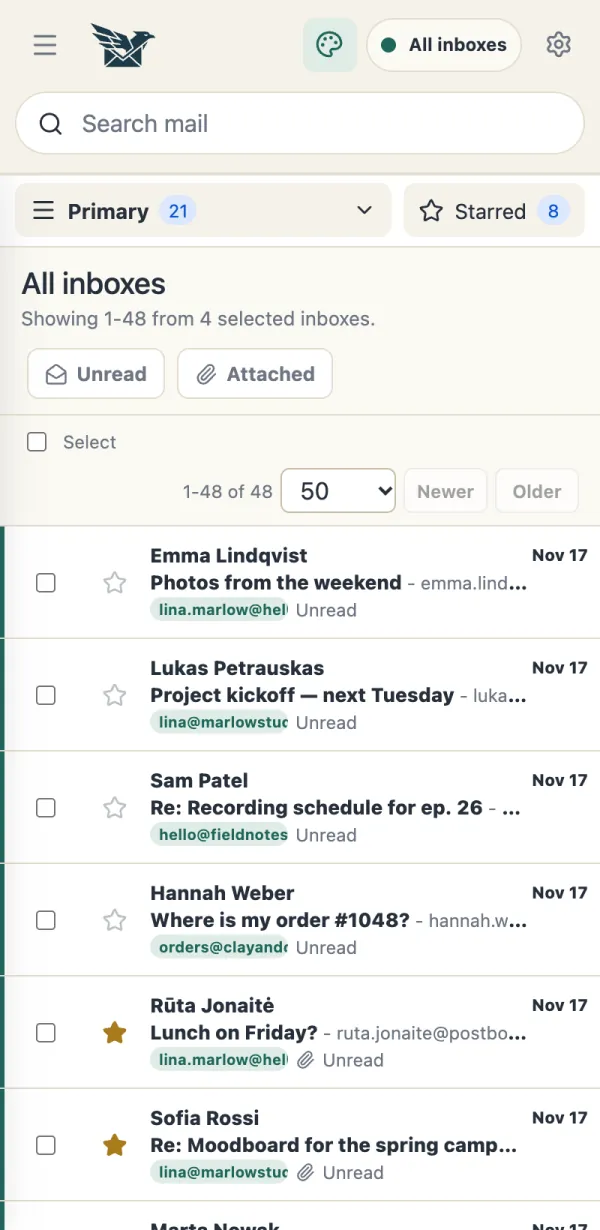
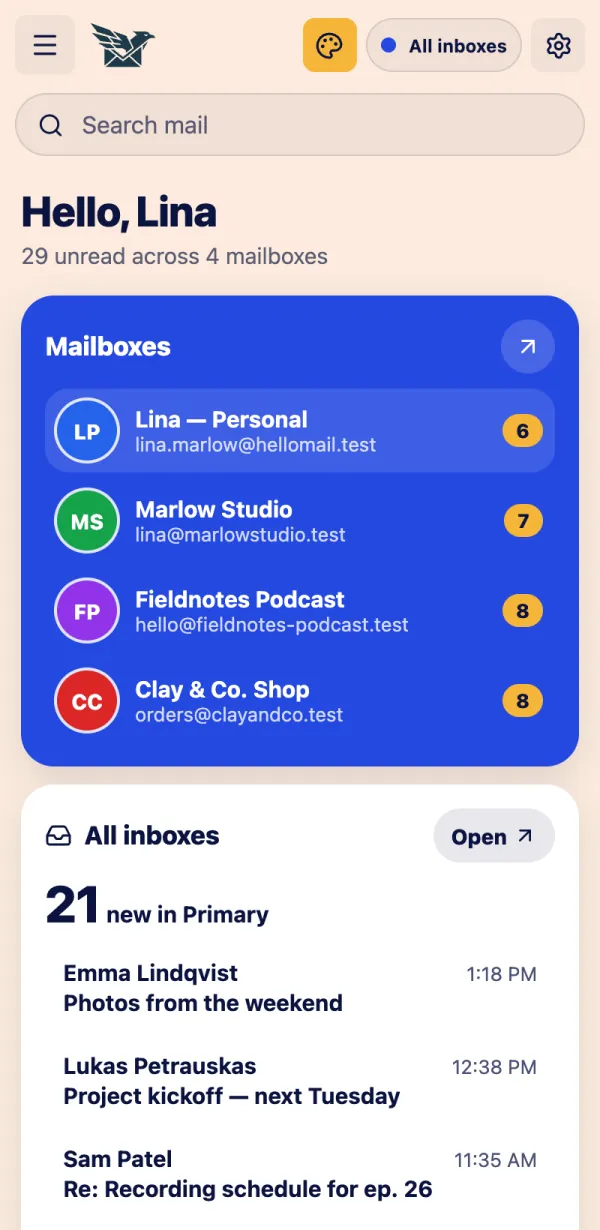
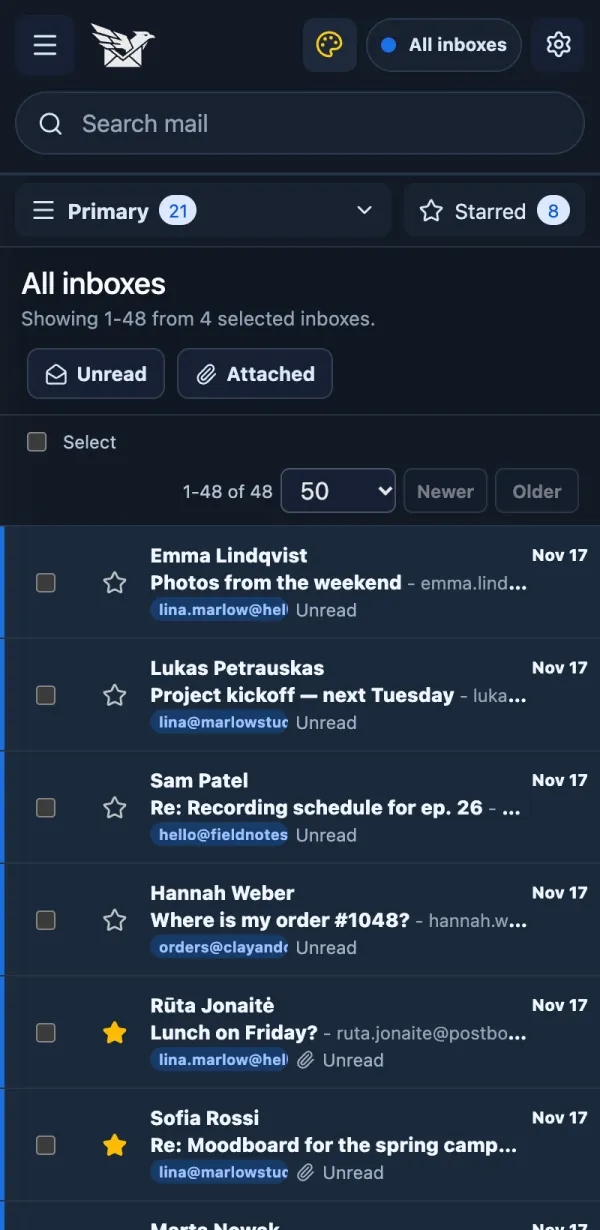
And on the phone? The same six themes work in the phone app. The same six themes work in the phone app.
Aviary on a phone.
Mosaic opens with a home screen.
Night colours are easy on the eyes in the dark.
Can I change the colours? Each theme has three colour sets. Each theme has three colour sets.
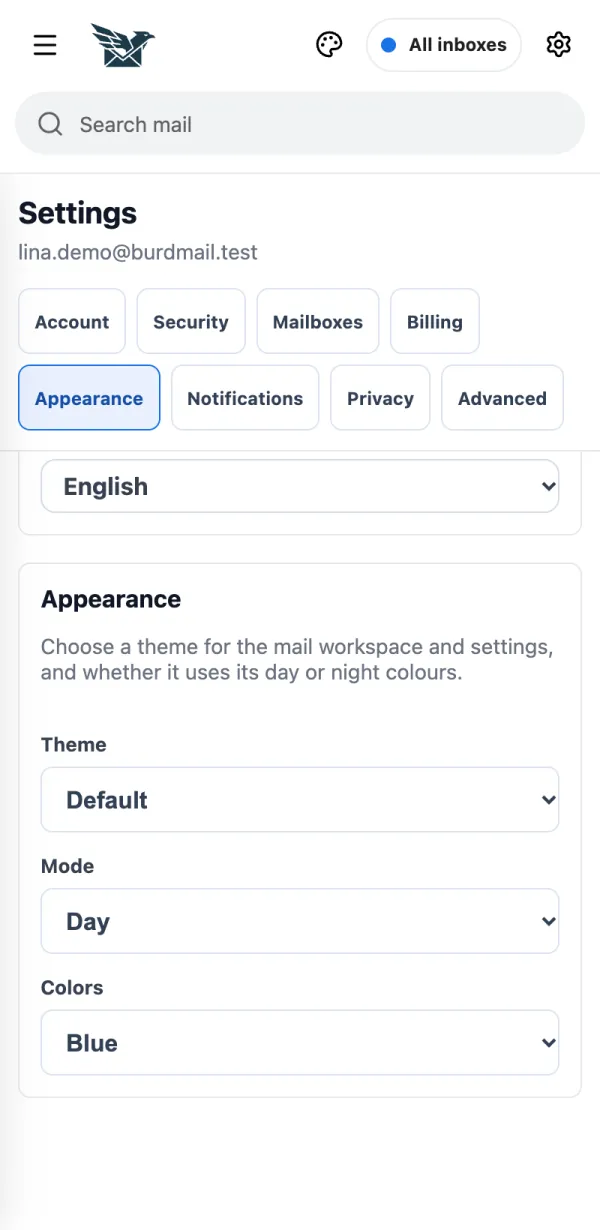
Open Settings > Appearance .
Choose a Theme , Mode and Colors .
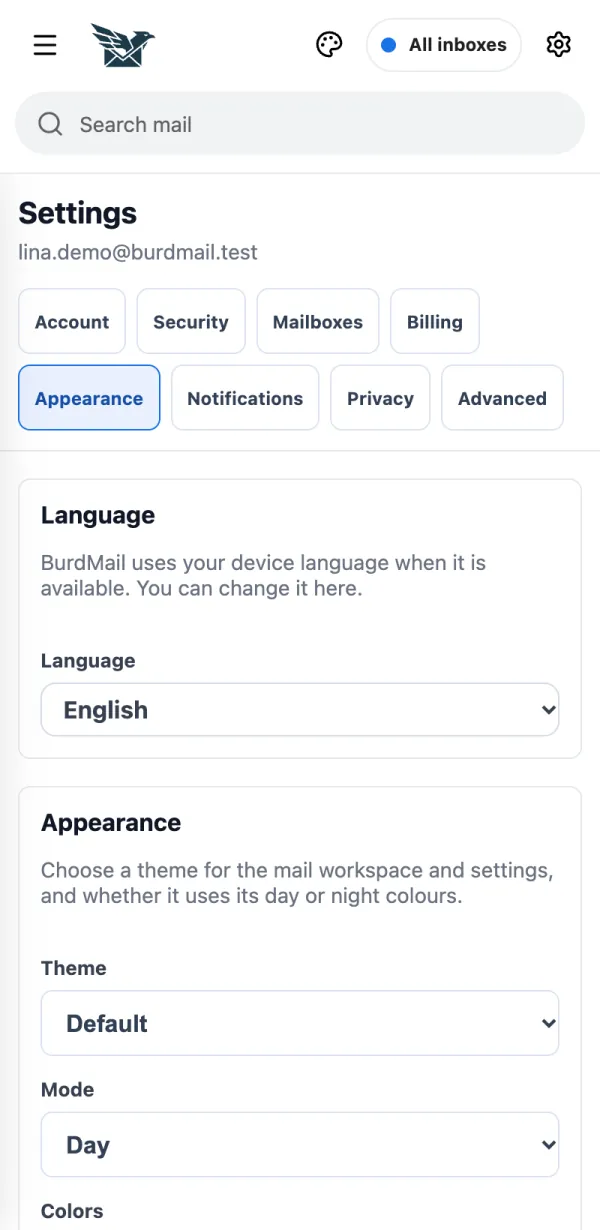
How do I change the language? BurdMail speaks English, Lithuanian, Russian, Polish, Turkish, Spanish and German. BurdMail speaks English, Lithuanian, Russian, Polish, Turkish, Spanish and German.
Open Settings > Appearance .
Choose your Language . BurdMail reloads in that language.
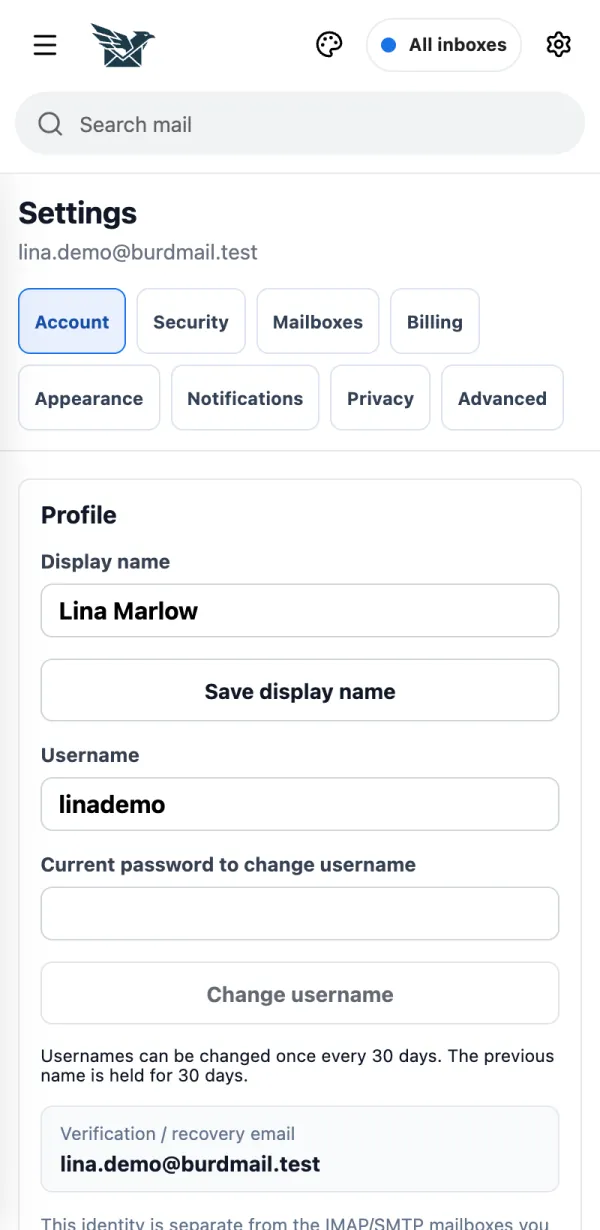
What is in Settings? Tap the gear at the top. Settings has eight tabs. Tap the gear at the top. Settings has eight tabs.
Tap the gear.
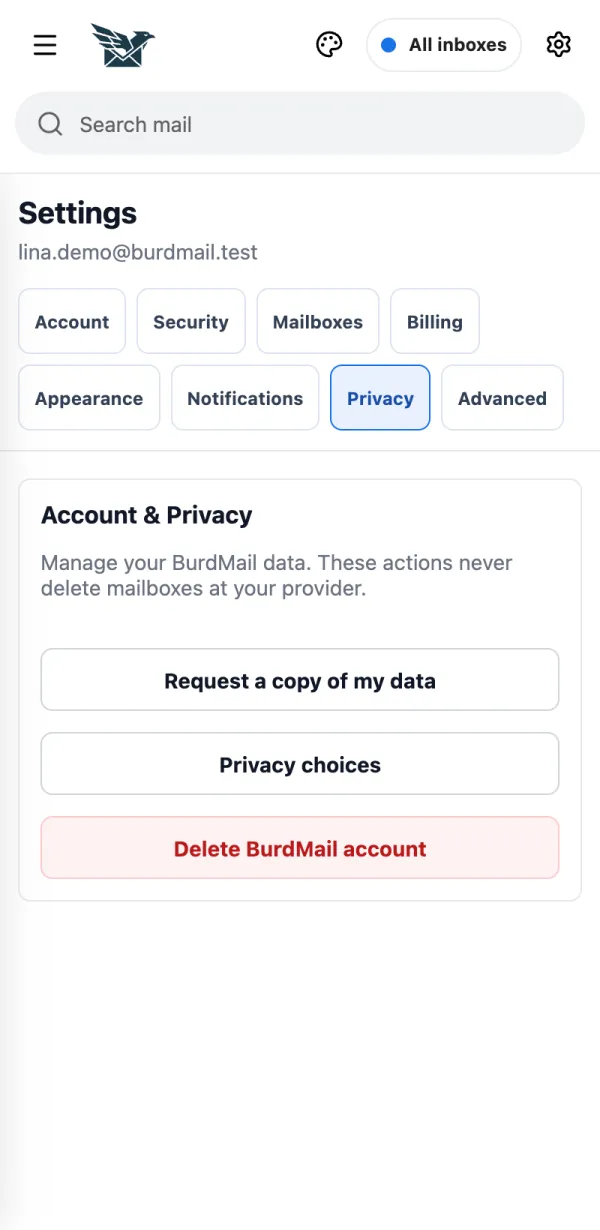
Tabs: Account , Security , Mailboxes , Billing , Appearance , Notifications , Privacy , Advanced .
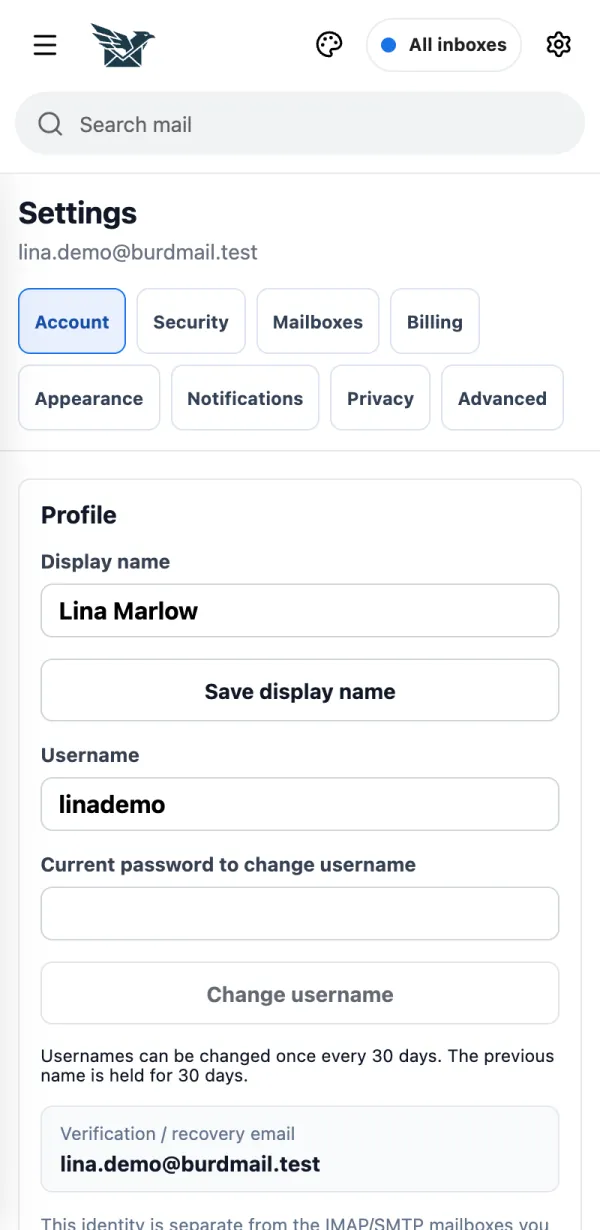
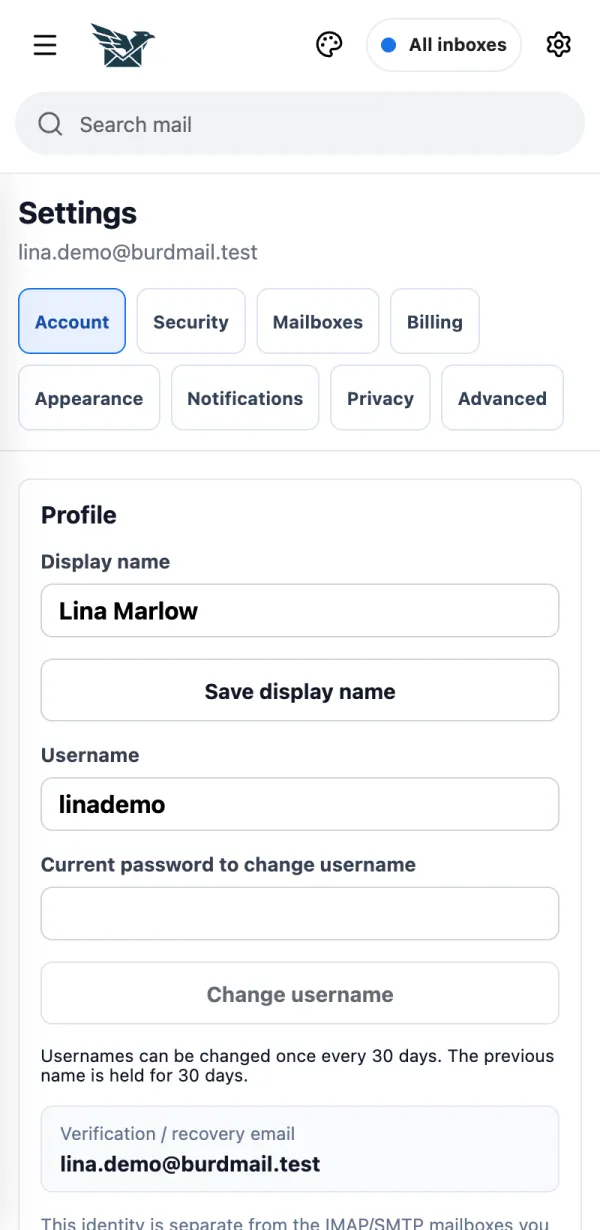
How do I change my name or username? In Settings > Account. In Settings > Account .
Change your Display name and tap Save display name . To change the Username , enter your current password (and your 2FA code if it's on) and tap Change username .
If it doesn't work A username can be changed once every 30 days. How do I turn on two-factor authentication? It protects your account with a 6-digit code from an authenticator app. It protects your account with a 6-digit code from an authenticator app.
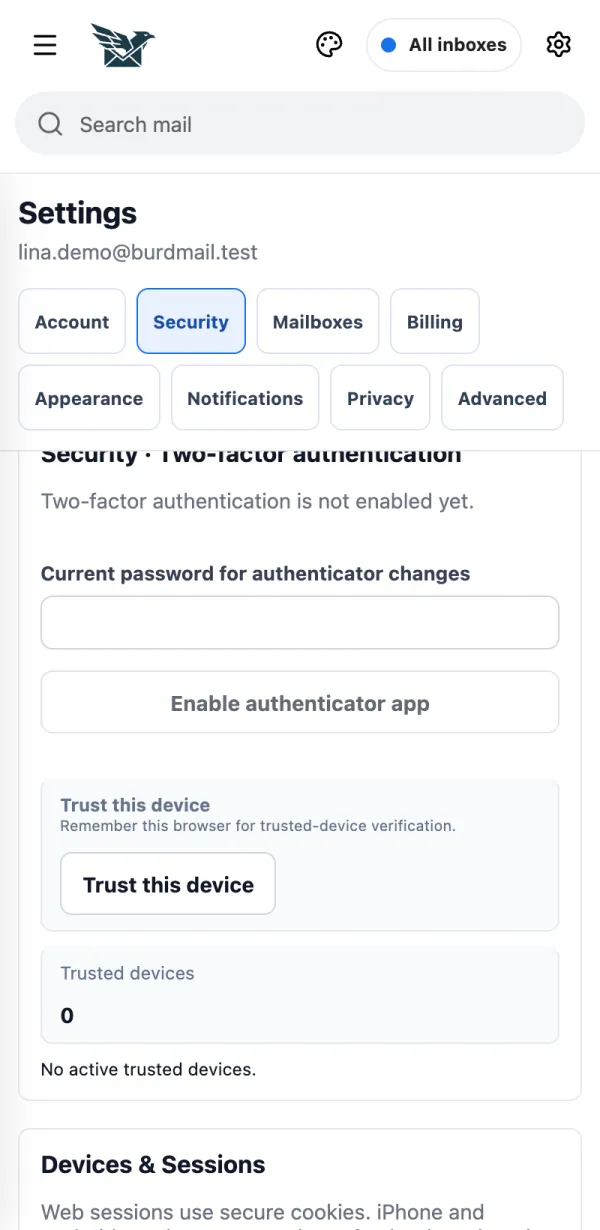
Open Settings > Security , type your password under Current password for authenticator changes and tap Enable authenticator app .
Scan the QR code with your authenticator app (on the same phone: Open in Authenticator or Copy setup key ), type the 6-digit code and tap Confirm 2FA .
Save your recovery codes somewhere safe and tap I saved them . Each code works once. You need them if you lose your phone.
How do I sign out other devices? Change your password to sign out everywhere, or on a phone use Log out all mobile devices. Change your password to sign out everywhere, or on a phone use Log out all mobile devices .
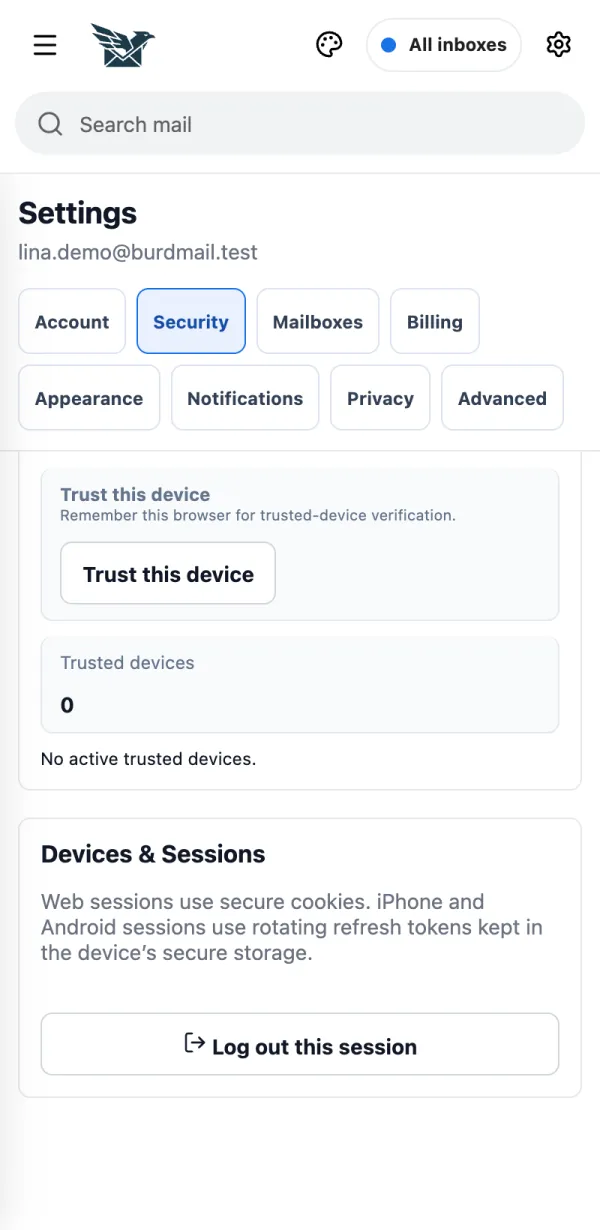
Open Settings > Security . In the phone app, under Devices & Sessions tap Log out all mobile devices .
To sign out everywhere, including browsers, change your password under Security .
If it doesn't work Log out this session signs out only the device you are using.Remove under Trusted devices makes that device ask for the 2FA code again. It does not sign it out.How do notifications work? New-mail notifications come in the BurdMail phone app. New-mail notifications come in the BurdMail phone app.
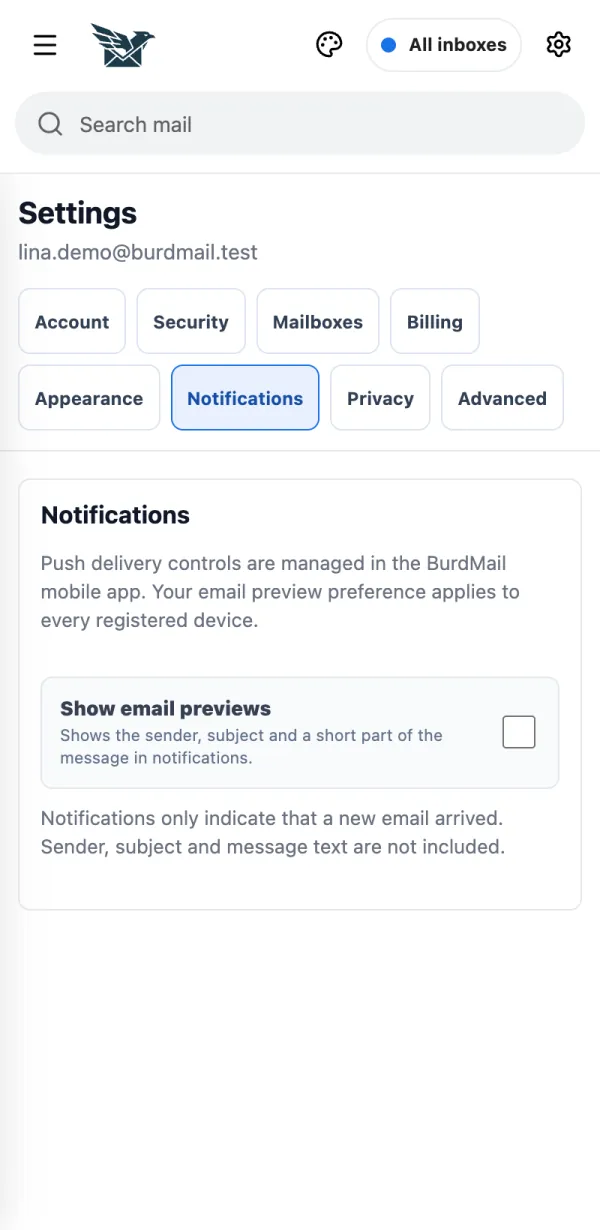
Choose Show email previews if you want to see the sender and subject in notifications.
On the phone, Settings > Notifications also turns new-mail alerts and the app badge on or off.
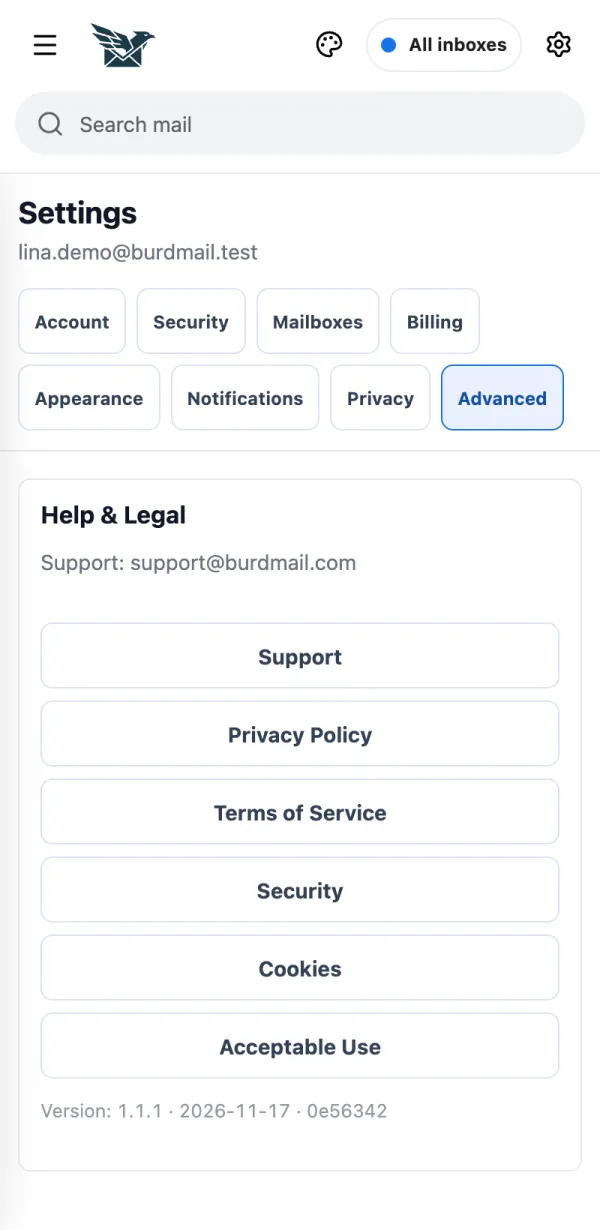
If it doesn't work Turn on Notifications first; your phone then asks for permission. Only new Inbox mail from the last 30 minutes triggers a notification. Where are support and the legal pages? In Settings > Advanced. In Settings > Advanced .
Contact support, read the privacy policy and terms, and see your app version.
No question matches. Try another word.
People and addresses in the pictures are made up.
 BurdMail