
BurdMailGuide
English
burdmail.com

How do I change my name or username?

In Settings > Account.

  1. Change your Display name and tap Save display name. To change the Username, enter your current password (and your 2FA code if it's on) and tap Change username.
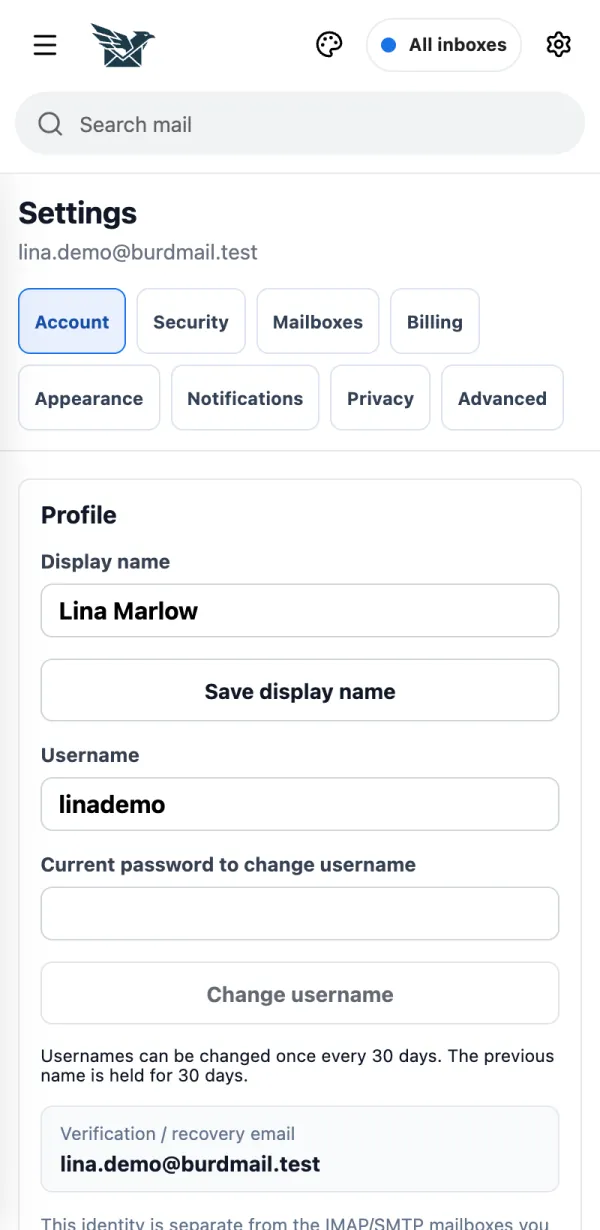
    1. Change your Display name and tap Save display name. To change the Username, enter your current password (and your 2FA code if it's on) and tap Change username.
If it doesn't work
  • A username can be changed once every 30 days.

← BurdMail Help

Still stuck?Write to us and a person answers.support@burdmail.com

People and addresses in the pictures are made up.