How do I see only unread, starred or mail with files?
Use the filter buttons above the list.
Tap Unread or Attached. Tap again to show everything.
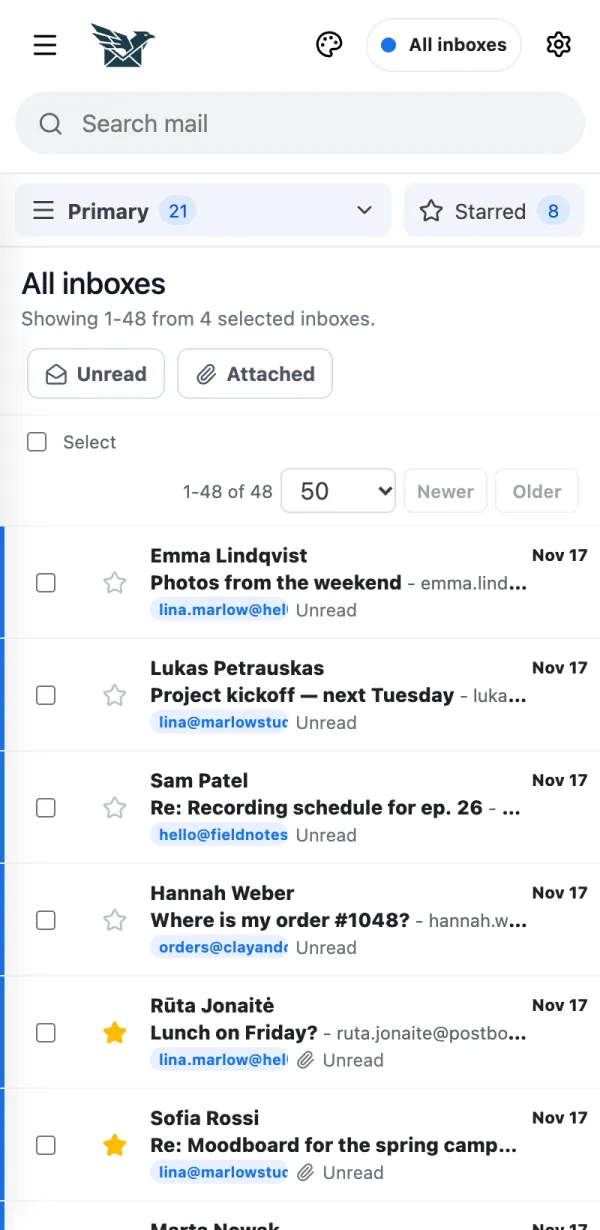
Tap Starred to see the messages you starred.
 BurdMailGuide
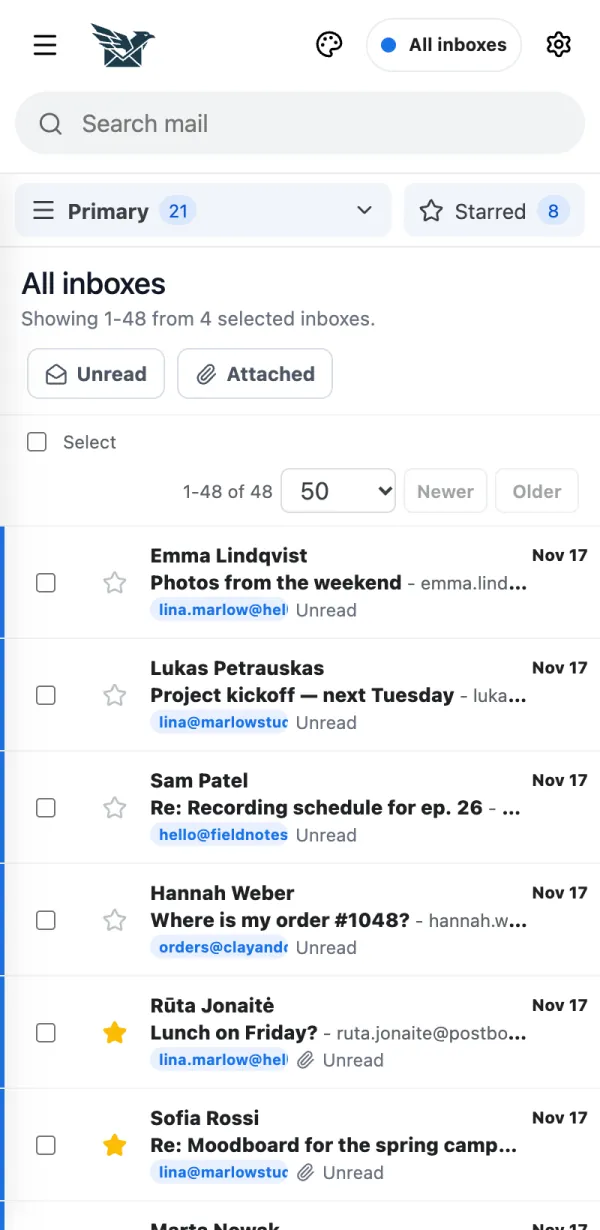
Use the filter buttons above the list.
Tap Unread or Attached. Tap again to show everything.
Tap Starred to see the messages you starred.
People and addresses in the pictures are made up.