
BurdMailGuide
English
burdmail.com

I didn't get the verification email

You can send a new one from the sign-in screen.

  1. Try to sign in. If BurdMail says Verify your email address before signing in, tap Resend verification email.
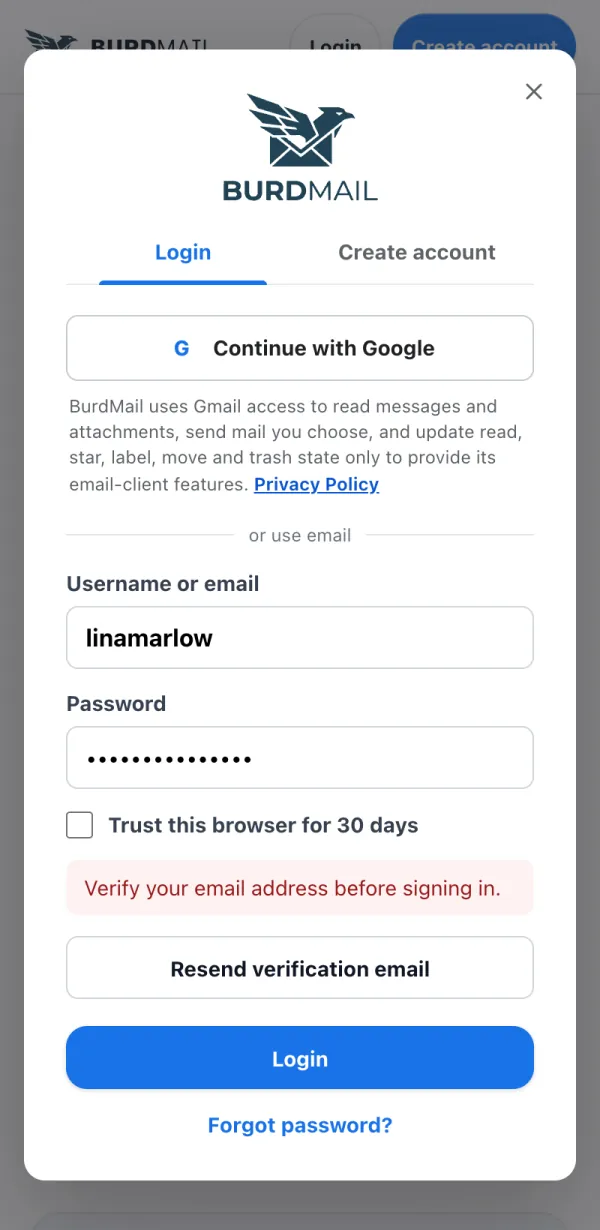
    1. Try to sign in. If BurdMail says Verify your email address before signing in, tap Resend verification email.
  2. A new link is on its way. Check your inbox and spam folder. The link works for 60 minutes.
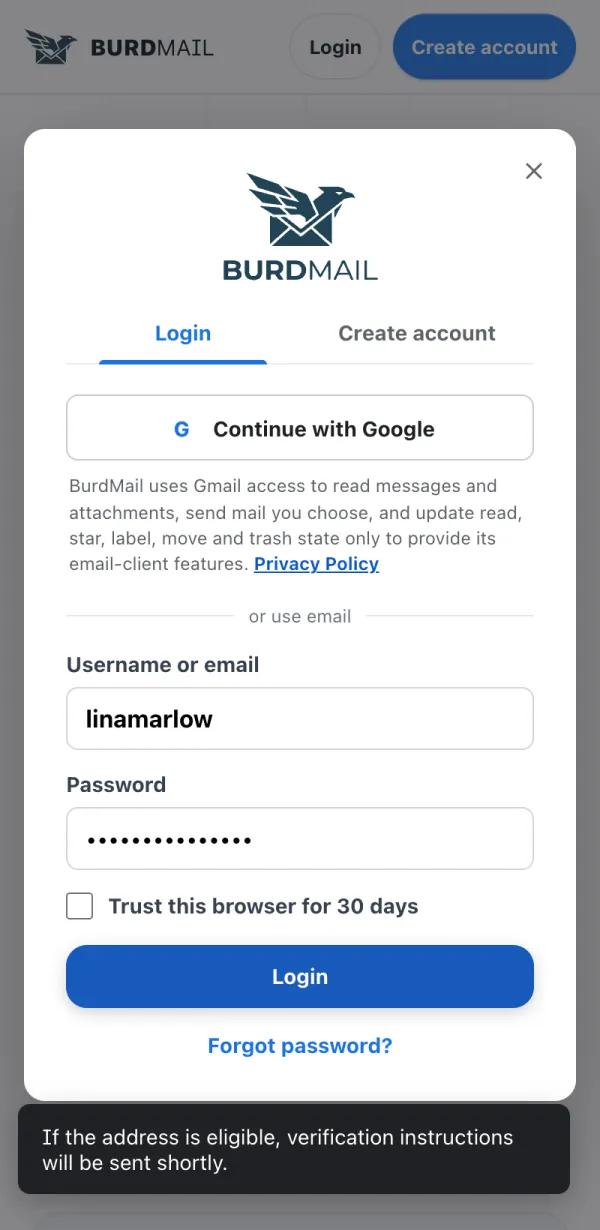
    2. A new link is on its way. Check your inbox and spam folder. The link works for 60 minutes.
If it doesn't work
  • Still nothing after a few minutes? Write to support@burdmail.com.

← BurdMail Help

Still stuck?Write to us and a person answers.support@burdmail.com

People and addresses in the pictures are made up.