
BurdMailGuide
English
burdmail.com

How do I remove a mailbox?

Your mail stays with your provider. BurdMail only stops showing it.

  1. Open the mailbox menu, pick the mailbox, then tap Remove selected account.
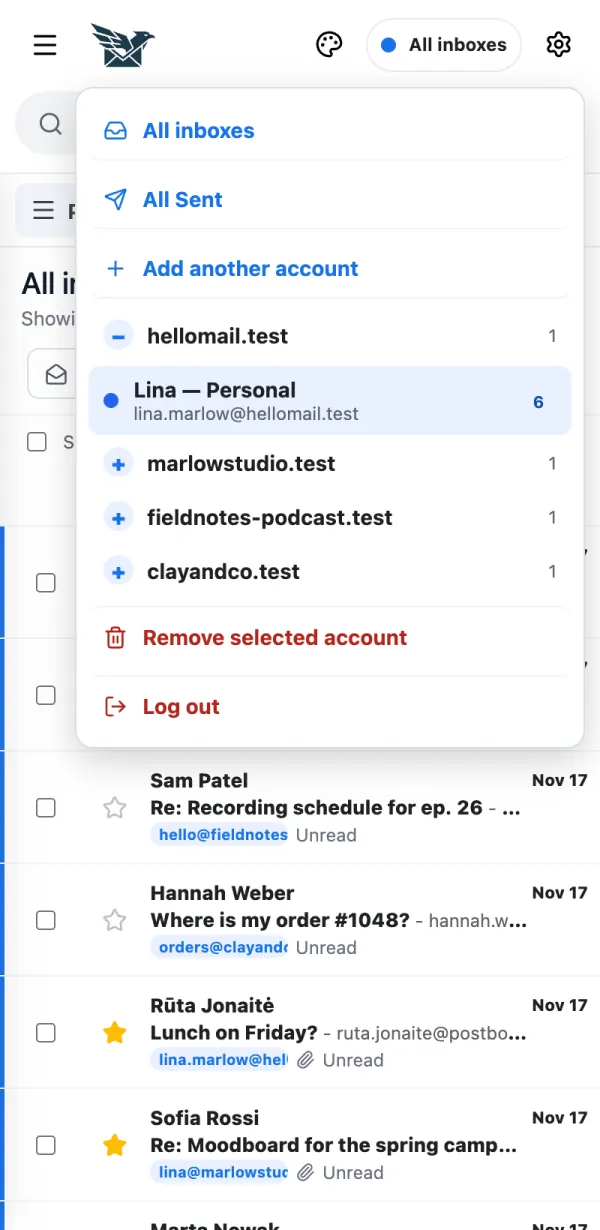
    1. Open the mailbox menu, pick the mailbox, then tap Remove selected account.
  2. Read the note and tap Continue, pick a reason and tap Continue, then tap Remove mailbox.
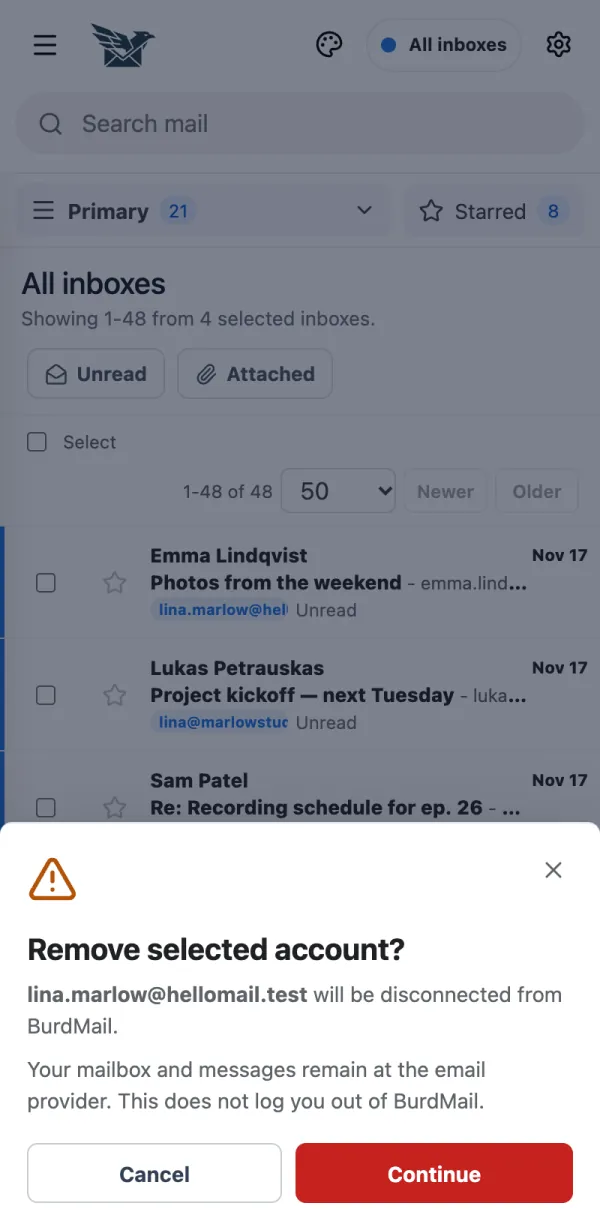
    2. Read the note and tap Continue, pick a reason and tap Continue, then tap Remove mailbox.

← BurdMail Help

Still stuck?Write to us and a person answers.support@burdmail.com

People and addresses in the pictures are made up.