
BurdMailGuide
English
burdmail.com

What is All inboxes?

One list with new mail from every mailbox you connected.

  1. At the top you see All inboxes. This list shows mail from all your mailboxes together.
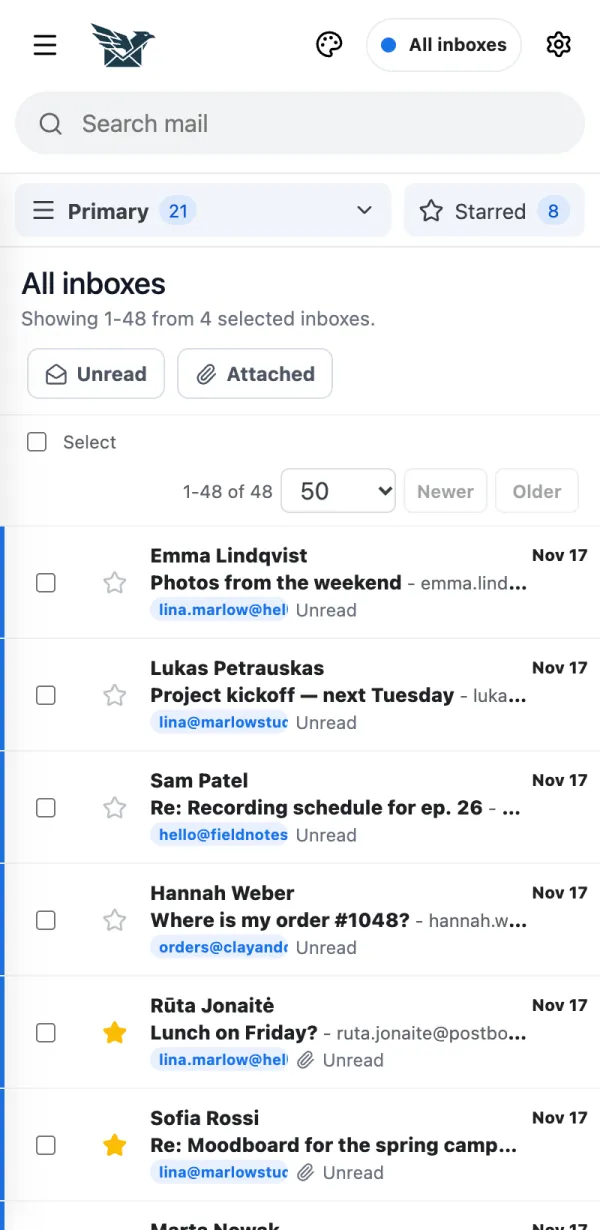
    1. At the top you see All inboxes. This list shows mail from all your mailboxes together.
  2. The small coloured tag under each message shows which mailbox it arrived in.
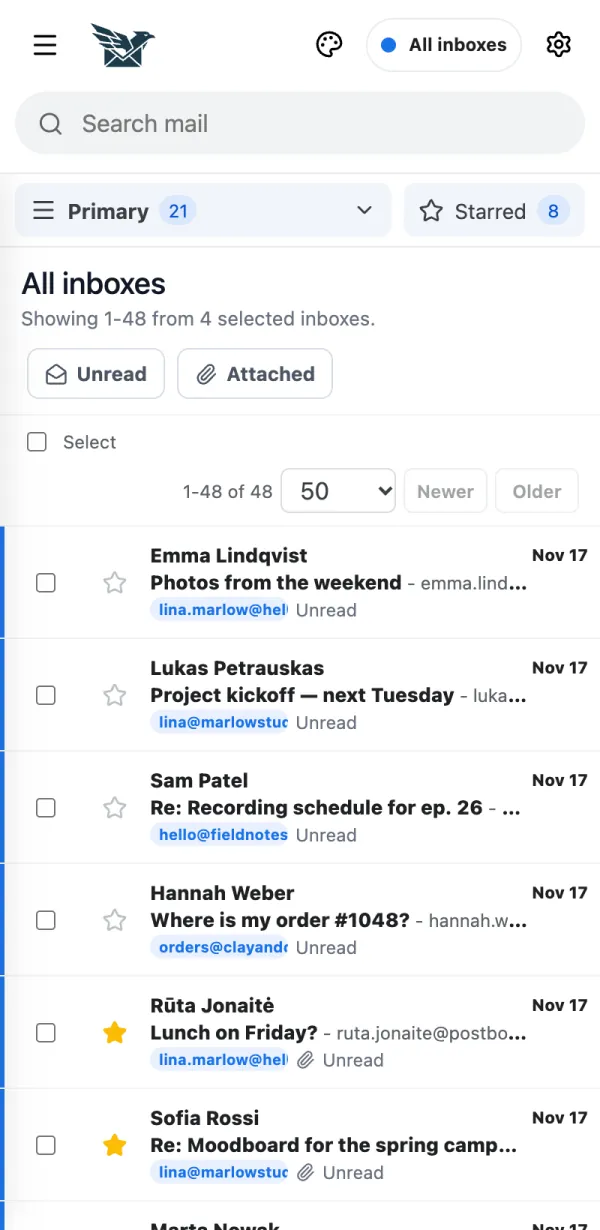
    2. The small coloured tag under each message shows which mailbox it arrived in.
  3. Want only one mailbox? Tap the menu at the top and pick it. Tap All inboxes to go back.
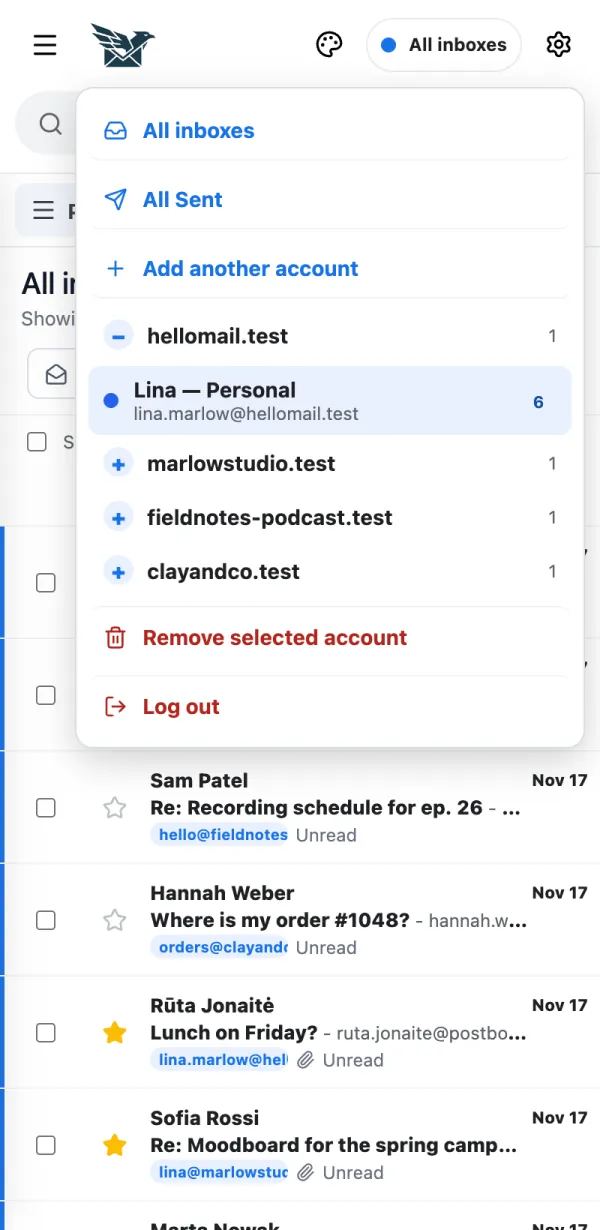
    3. Want only one mailbox? Tap the menu at the top and pick it. Tap All inboxes to go back.

← BurdMail Help

Still stuck?Write to us and a person answers.support@burdmail.com

People and addresses in the pictures are made up.